Have a laptop with 8GB of RAM and want to run AI locally?
This article is a breakdown: what works, what barely runs,
and what's not even worth downloading. No illusions, with specific models
and commands for each task. If you're not yet familiar with Ollama —
start with our introductory article on what Ollama is and why developers are massively switching to local AI.
📚 Table of Contents
🎯 How much RAM is actually left for the model
Short answer:
With 8GB of RAM, 4–5GB is realistically available for an AI model.
The rest is taken by the operating system, browser, and background processes.
This defines the main rule: models up to 3–7B parameters in 4-bit quantization work comfortably on 8GB.
8GB RAM is not 8GB for the model.
It's 8GB minus the OS, minus Chrome, minus everything you forgot to close.
Before choosing a model, you need to understand your real memory budget.
Here's a typical breakdown on a system with 8GB RAM:
- ✔️ Operating System: 1.5–2.5GB (macOS is closer to 2.5, Windows — 2, Linux — 1.5)
- ✔️ Browser (5–10 tabs): 1–2GB
- ✔️ IDE (VS Code / IntelliJ): 0.5–1.5GB
- ✔️ Background processes: 0.3–0.5GB
Remaining for the model: 3–5GB.
According to
LocalLLM.in,
a 7B parameter model in Q4_K_M quantization takes approximately 4–5GB,
plus 1–2GB for KV cache and system overhead.
This means: a 7B model on 8GB is possible, but on the edge, and it's best to close
everything unnecessary.
Rule of thumb for 8GB:
- ✔️ Comfort zone: 1–3B parameter models (Q4_K_M) — leaves space for IDE and browser
- ✔️ Working zone: 7–8B parameter models (Q4_K_M) — need to close everything else
- ❌ Red zone: 13B+ models — guaranteed freezes or disk swapping
Conclusion: Before choosing a model, close your browser, check
ollama ps, and see the actual remaining memory.
On 8GB, every gigabyte is worth its weight in gold.
🎯 For code: which model will replace Copilot on 8GB
Code autocompletion
For code autocompletion on 8GB, the best choice in 2026 is Qwen3.5:4b or
Phi-4 Mini (3.8B) in Q4_K_M quantization. Qwen3.5:4b was released in March 2026 and
has replaced Qwen 2.5 Coder as the main recommendation: native multimodal,
thinking mode, and 256K context — with the same memory requirement of ~2.5GB.
GitHub Copilot costs $10/month. A local model for code is
$0/month and works offline. The only question is which model
will run on your hardware.
Coding is a task where even small models can be useful.
Autocompletion, function generation, code explanation, writing tests —
you don't need GPT-4 for this, you need a fast and accurate model
that understands syntax.
Top models for code on 8GB
1. Qwen3.5:4b (Q4_K_M) — ~2.5GB RAM
Released on March 2, 2026, as part of the small Qwen3.5 series (0.8B, 2B, 4B, 9B).
Compared to its predecessor Qwen 2.5 Coder 3B, it's a qualitative leap with the same
memory requirement. The model is natively multimodal (text, image, video),
supports thinking mode and native tool calling, and its 256K token context window
covers most real-world codebases. The Apache 2.0 license makes it free
for commercial use. If multimodality isn't needed and you want the best for code benchmarks — consider qwen3:4b (April 2026): according to
Ollama Library,
Qwen3-4B's response quality approaches Qwen2.5-72B-Instruct at a size of 2.5GB.
ollama pull qwen3.5:4b
ollama run qwen3.5:4b "Write a Python array sorting function"

# Alternative — pure code, no multimodality
ollama pull qwen3:4b
ollama run qwen3:4b "Find the error in this Java code: ..."
⚠️ Note on thinking mode: In Qwen3.5:4b, thinking mode
is available via the /think command in Ollama chat.
For autocompletion and quick responses, use /no_think —
the model responds twice as fast without quality loss on simple tasks.
2. Phi-4 Mini (3.8B) — ~2.3GB RAM
According to
SitePoint,
Phi-4 Mini is one of the few models that runs comfortably on 8GB systems,
delivering 15–20 tokens/sec on an M1 MacBook Air or a budget Linux laptop.
It handles autocompletion, simple explanations, and light chat tasks well.
ollama pull phi4-mini
ollama run phi4-mini "Explain the difference between HashMap and TreeMap in Java"
3. DeepSeek Coder 1.3B (Q4_K_M) — ~1GB RAM
The lightest model for code. Ideal for IDE autocompletion —
fast, doesn't load the system, can be kept running in the background along
with VS Code, browser, and terminal. If your main task is inline autocomplete,
not a full chat, this model is still relevant.
ollama pull deepseek-coder:1.3b
ollama run deepseek-coder:1.3b
What to choose?
- DeepSeek Coder 1.3B — background autocompletion, working with an open browser
- Qwen3.5:4b — function generation, code explanation, UI screenshot analysis
- Qwen3:4b — best for code tasks without multimodality
- Phi-4 Mini — a versatile model for code and text tasks
Conclusion: You can code with local AI on 8GB.
Qwen3.5:4b is the biggest upgrade in this category in recent months:
the same memory requirement as Qwen 2.5 Coder 3B, but with thinking mode,
256K context, and native multimodality included.
Don't expect GPT-4 quality — but for daily autocompletion, boilerplate generation,
and code explanations, this is more than enough.
🎯 For text and communication: chat, translation
For text tasks
For text tasks on 8GB, the optimal choice is Llama 3.2 3B for general
chat, Gemma 4 E4B for a balance of quality and multimodality, or Phi-4 Mini
if you need analytics and CPU-only operation. All three leave room for other
software and work stably without hardware upgrades.
Not every task requires GPT-4. Summarizing text,
answering questions, retelling an article — a model that weighs less than
a single 4K movie can handle this.
Text tasks are the broadest category: from simple chat to document analysis
and translation. On 8GB, there's plenty to choose from.
If you've already downloaded qwen3.5:4b from the previous section,
it also handles text tasks excellently thanks to native multimodality
and 256K context. But if you're looking for a specialized recommendation specifically for text,
here's an up-to-date list.
Top models for text on 8GB
1. Llama 3.2 3B (Q4_K_M) — ~2GB RAM
According to
StudyHUB,
Llama 3.1/3.2 is the most popular model on Ollama with over 111 million
downloads. The 3B version is a lighter variant but retains quality in general
conversations, summarization, and Q&A. It supports 8 languages.
The small Llama 4 Scout, released in 2026, is an MoE model with 17B active parameters —
it's not suitable for 8GB, so Llama 3.2 3B remains the best choice in the family.
ollama pull llama3.2:3b
ollama run llama3.2:3b "Retell the main idea of this text: ..."
2. Gemma 4 E4B (Q4_K_M) — ~3GB RAM
A model from Google DeepMind, released in April 2026. Unlike the older
Gemma 2B, it's a fully multimodal model: it accepts text and images,
has thinking mode for more complex tasks, and a 128K context window. At the same time,
it comfortably fits within 8GB, leaving space for IDE and browser. If
you previously used gemma:2b — E4B is a direct replacement with significantly
better quality. More details on the architecture and model sizes can be found
in the article Gemma 4: Full Overview — Sizes, License, Comparison with Gemma 3.
ollama pull gemma4:e4b
ollama run gemma4:e4b "Create a short description for this product: ..."
⚠️ Note: If you need the absolute minimum RAM and the old
gemma:2b (~1.6GB) suited you — it's still available.
But for new installations, I recommend E4B right away. Thinking mode in Gemma 4
can be turned on and off — how it works and when to turn it off, read
in the article Reasoning mode in Gemma 4: How to Enable, When Needed, and How Much It Costs.
3. Phi-4 Mini (3.8B) — ~2.3GB RAM
According to
LocalAIMaster,
Phi-4 Mini is one of the few 3–4B models that, according to MMLU results,
approaches Llama 3.1 8B while using 40% less memory. Its 128K token context window
allows for analyzing long documents — a significant upgrade compared to Phi-3 Mini.
According to
PromptQuorum,
on an i7-12700 CPU without a GPU, the model delivers 12 tokens/sec — the best performance
among CPU-only scenarios in its class. It's suitable for Raspberry Pi 4/5
and any laptop without discrete graphics.
ollama pull phi4-mini
ollama run phi4-mini "Translate to Ukrainian: The quick brown fox jumps over the lazy dog"
What to choose?
- ✔️ General chat and Q&A → Llama 3.2 3B
- ✔️ Multimodality (text + images) and better quality → Gemma 4 E4B
- ✔️ Analytics, long documents, and CPU-only → Phi-4 Mini
- ✔️ One tool for code and text → Qwen3.5:4b (see previous section)
Conclusion: For text tasks, 8GB is a comfortable
territory. 2–4B models work fast, leave space for other applications,
and provide quality sufficient for most daily needs.
Phi-4 Mini has replaced Phi-3 Mini as the standard in CPU-only scenarios:
better quality, 128K context, same memory requirement.
🎯 For reasoning, logic, code debugging
For tasks requiring step-by-step thinking — mathematics, logic puzzles,
debugging complex code — there are three realistic options on 8GB: DeepSeek R1 8B
as a classic "thinking" model, Qwen3:8b for multilingual reasoning,
and Phi-4 Mini Reasoning as a lighter option with full chain-of-thought
for only ~2.3GB RAM.
A regular model answers immediately. A reasoning model
thinks first — step by step — and then answers.
Like the difference between "guessing an answer" and "calculating on paper."
Reasoning models are a relatively new category. They work on the chain-of-thought principle:
they break down a task into steps, check intermediate results, and only then form a final answer.
In 2026, this category has significantly expanded: reasoning mode is now available
not only in heavy 8B models but also in compact 3–4B variants.
What works on 8GB
1. DeepSeek R1 8B (Q4_K_M) — ~5GB RAM
According to
StudyHUB,
DeepSeek R1 is a "thinking" model, an analog of OpenAI o1. On tasks involving math,
logic puzzles, and technical reasoning, it yields better results than Llama 3.1
of the same size. Before the final answer, it generates visible reasoning steps
within <think> tags — useful for debugging to understand why the model arrived at that conclusion. The trade-off: it responds slower
and requires almost all available memory on an 8GB system.
ollama pull deepseek-r1:8b
ollama run deepseek-r1:8b "Find the error in this SQL query: SELECT * FROM users WHERE id = '5' AND active = true GROUP HAVING count > 1"
⚠️ Important: DeepSeek R1 8B occupies ~5GB RAM.
On an 8GB system, this is on the edge — you need to close your browser, IDE, and everything
else. It works more stably on macOS with unified memory than on Windows
with integrated graphics.
2. Qwen3:8b (Q4_K_M) — ~4.6GB RAM
According to
LocalLLM.in,
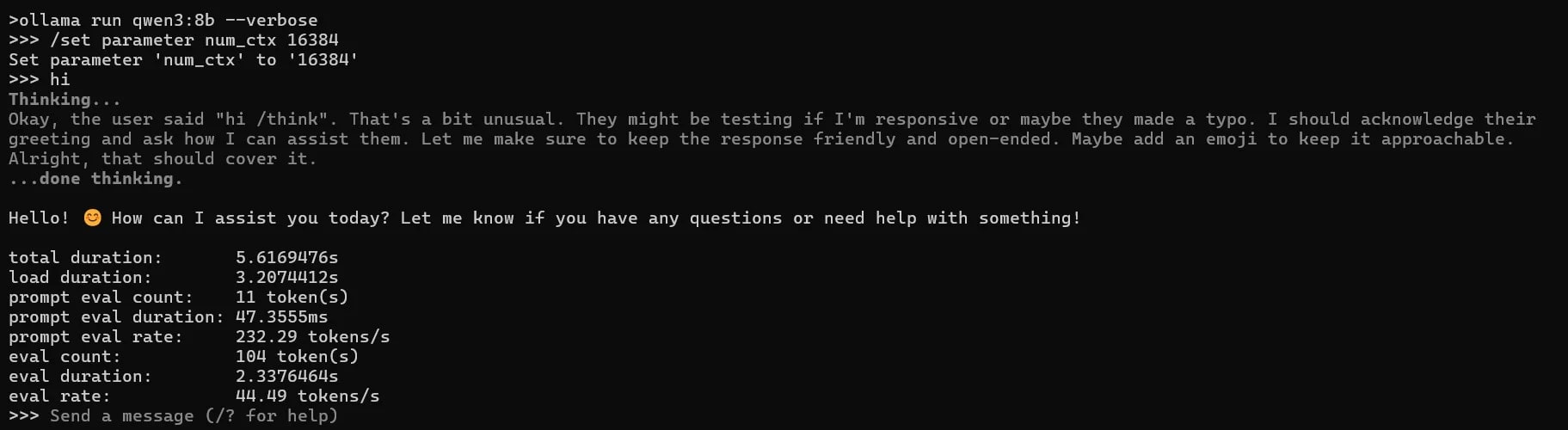
Qwen3:8b is a strong alternative for reasoning tasks, especially in math
and multilingual scenarios. It supports thinking mode in Ollama: you can enable it
via /think and disable it via /no_think directly
in chat — without restarting the model. If you plan to upgrade,
qwen3.5:9b (March 2026) is built on the same architecture,
but with improved RL and native multimodality, with similar RAM requirements.
ollama pull qwen3:8b
ollama run qwen3:8b "Solve: if 3x + 7 = 22, what is x?"

# Newer alternative with multimodality
ollama pull qwen3.5:9b
3. Phi-4 Mini Reasoning (3.8B) — ~2.3GB RAM
A specialized reasoning variant from Microsoft, available in Ollama as
phi4-mini-reasoning. According to
Morph,
this is the only full-fledged reasoning model for 8GB that leaves space
for parallel IDE and browser operation. It's designed specifically for
multi-step mathematical problem-solving in memory-constrained environments:
symbolic computation, formal proofs, complex text conditions.
Unlike DeepSeek R1 8B, it uses half the memory and keeps the system responsive.
On complex tasks, it falls short of 8B models, but for daily debugging and analytics,
it's sufficient.
ollama pull phi4-mini-reasoning
ollama run phi4-mini-reasoning "Find the complexity of the algorithm and explain step-by-step: ..."
What to choose?
- ✔️ Code debugging and logic puzzles → DeepSeek R1 8B
- ✔️ Math and multilingual reasoning → Qwen3:8b or Qwen3.5:9b
- ✔️ Reasoning with an open IDE and browser → Phi-4 Mini Reasoning (~2.3GB, full chain-of-thought)
Conclusion: Reasoning on 8GB in 2026 is no longer just
"on the edge of comfort." Phi-4 Mini Reasoning allows for step-by-step thinking
at ~2.3GB RAM — without needing to close everything else.
For more complex tasks, DeepSeek R1 8B and Qwen3:8b remain the standard,
but they require almost all available memory. If you plan to regularly
work with heavy reasoning tasks, upgrading to 16GB will open access
to the 14B class, where the quality difference is already significant.
🎯 CPU vs GPU vs Apple Silicon — where 8GB is not 8GB
8GB on a Mac M1 and 8GB on a Windows laptop with Intel are two different experiences.
Apple Silicon uses unified memory, where all memory is accessible to both the CPU
and GPU simultaneously. On a regular PC, RAM and VRAM are separate pools,
and this is critical for AI models.
A Mac M1 with 8GB is a fully functional workstation for local AI.
A Windows laptop with 8GB and Intel HD Graphics is a struggle for every megabyte.
Apple Silicon (M1/M2/M3/M4) — the best scenario for 8GB
On Apple Silicon, all RAM is unified memory.
This means the GPU part of the chip has access to the same 8GB
as the CPU. Ollama automatically uses Metal for acceleration —
without any additional settings.
Result: A 7B model in Q4_K_M on an M1 with 8GB delivers 15–20 tokens/sec —
enough for comfortable interactive use.
According to
SitePoint,
Phi-4 Mini on an M1 MacBook Air is approximately 15–20 tok/s, which is sufficient
for daily work.
⚠️ Note on MLX: In March 2026, Ollama 0.19 switched
to Apple's MLX backend, which provides up to a 2x speed increase on Apple Silicon.
However, according to
RunAIHome,
MLX currently requires a minimum of 32GB of unified memory — Macs with 8GB and 16GB
remain on the previous Metal backend without speed changes.
If you plan to upgrade to a Mac with 32GB+ — MLX will be a noticeable bonus.
If you stay with 8GB — the numbers in the table below remain relevant.
Windows / Linux with discrete GPU (RTX 3060, RTX 4060) — a good scenario
If you have a discrete graphics card with 6–8GB of VRAM — the model is fully
loaded into GPU memory, and system RAM remains for the OS and software.
According to
LocalLLM.in,
on an RTX 4060 (8GB VRAM), a 7B model delivers 40+ tokens/sec —
the fastest option of all.
Windows / Linux without GPU (Intel HD / AMD Radeon iGPU) — a difficult scenario
Without a discrete GPU, the model runs entirely on the CPU. Ollama will still
launch — but the speed drops to 3–6 tokens/sec for 7B models.
For lighter 3B models (Phi-4 Mini, Llama 3.2 3B), the actual speed
on a modern CPU is 10–12 tok/s — quite acceptable for daily tasks.
According to
LocalLLM.in,
CPU-only inference is acceptable for batch tasks but frustrating
for interactive use with large models.
Plus, system RAM is shared between the OS, software, and the model — on 8GB
it's very tight.
Summary table
| Platform |
7B model (Q4) |
3B model (Q4) |
Speed |
Comfort |
| Mac M1/M2/M3/M4 8GB (Metal) |
✔️ Works |
✔️ Comfortable |
15–20 tok/s |
⭐⭐⭐⭐ |
| Windows + RTX 4060 8GB VRAM |
✔️ Works fast |
✔️ Comfortable |
40+ tok/s |
⭐⭐⭐⭐⭐ |
| Windows/Linux CPU only 8GB (7B) |
⚠️ On the edge |
✔️ Works |
3–6 tok/s |
⭐⭐ |
| Windows/Linux CPU only 8GB (3B) |
— |
✔️ Comfortable |
10–12 tok/s |
⭐⭐⭐ |
Conclusion: If you have a Mac M1+ with 8GB — you are in
the best position for local AI on budget hardware. The new MLX backend
of Ollama provides a 2x boost, but currently requires 32GB+ — for 8GB Macs, the speed
remains unchanged. If you have Windows without a GPU — focus on 3B models:
they deliver 10–12 tok/s on the CPU and keep the system responsive.
More details on installation on different OS —
in the article How to Install Ollama on Mac, Windows, and Linux: A Complete Guide 2026.
🎯 Quantization in simple terms: Q4 vs Q8 and what to choose for weak hardware
Short answer:
Quantization is model compression that reduces its size by 2–4 times
with minimal quality loss. For 8GB, the optimal choice is Q4_K_M:
the best balance between size, speed, and response quality.
Quantization is like JPEG for photos. The file is smaller,
the difference is almost imperceptible. But if you compress too much —
the quality will noticeably decrease.
When you see tags like :7b-q4_0,
:8b-instruct-q8_0, or :3b-q4_k_m in an Ollama model name —
this indicates the quantization level. The number after "q" is the number of bits per parameter.
Quantization levels: what the tags mean
- ✔️ Q8 (8-bit): maximum quality, largest size. For a 7B model — ~8GB. Won't fit in 8GB RAM.
- ✔️ Q5_K_M (5-bit): an intermediate option between Q4 and Q8. For 7B — ~5.5GB. Only suitable for 8GB RAM if you have a GPU with 6–8GB VRAM and require higher precision.
- ✔️ Q4_K_M (4-bit, K-quant medium): optimal balance. For 7B — ~4–5GB. Recommended for 8GB systems.
- ✔️ Q4_K_S (4-bit, K-quant small): slightly smaller than Q4_K_M, slightly lower quality.
- ✔️ IQ4_XS (importance matrix, 4-bit): a newer format from 2025–2026. According to
RunAIHome,
it provides almost the same quality as Q4_K_M but takes ~400MB less for an 8B model.
Useful when Q4_K_M barely fits. Available as a tag on Hugging Face,
not always present in the Ollama Library.
- ⚠️ Q2_K (2-bit): minimum size (~2.5GB for 7B), but noticeable quality degradation. An extreme option.
The "K" suffix denotes newer quantization methods (K-quant), which distribute precision more intelligently across the model's layers. K-quant tags are always better than legacy options (q4_0, q4_1) at the same size.
How much do models of different quantizations weigh
| Model |
Q8 |
Q4_K_M |
Q2_K |
| Phi-4 Mini (3.8B) |
4.1 GB |
2.3 GB |
1.3 GB |
| Llama 3.2 (3B) |
~3.3 GB |
~2.0 GB |
~1.1 GB |
| Qwen3:8b |
~9 GB |
~4.6 GB |
~2.5 GB |
| Mistral 7B |
~8 GB |
~4.1 GB |
~2.8 GB |
Data from
LocalAIMaster
and RunAIHome.
Rule for 8GB: always choose Q4_K_M. If it doesn't fit, reduce
the model size (3B instead of 7B), not the quantization level (Q2 instead of Q4).
A smaller model with Q4 will provide better quality than a larger one with Q2.
Exception: if Q4_K_M literally doesn't fit by 100–400 MB — try IQ4_XS,
if such a tag is available for the required model on Hugging Face.
More about compression techniques and their impact on quality —
in the article Model Quantization: INT4, INT8 — What It Is and How It Affects Quality.
Conclusion: Q4_K_M is the gold standard for 8GB and it hasn't changed in 2026. Don't succumb to the temptation to download Q8 "for quality" — the model won't fit into memory, and you'll get disk swapping. The only new option on the horizon is IQ4_XS: slightly smaller size while maintaining quality, but not yet for every model.
🎯 Ollama Settings for Maximum Performance on Weak Hardware
Five environment variables and one habit (closing unnecessary things) — that's all
you need to squeeze the most out of 8GB. The setup takes
a minute, and the difference in stability is noticeable.
On powerful hardware, Ollama "just works."
On weak hardware, you need to help it not waste memory on what
you don't need.
By default, Ollama can keep multiple models in memory simultaneously and handle parallel requests. On 8GB, this is an unnecessary luxury.
Here's the minimal set of optimizations:
Basic Environment Variables
# Keep only one model in memory (default can be more)
export OLLAMA_MAX_LOADED_MODELS=1

# One parallel request (no memory competition)
export OLLAMA_NUM_PARALLEL=1

# Reduce context window — saves 200–800 MB of RAM
export OLLAMA_CTX_SIZE=2048
New Variables for GPU / Apple Silicon (Ollama 0.19+)
If you're running Ollama on a GPU (NVIDIA, AMD) or Apple Silicon (M1+) —
set these two variables additionally. They reduce the KV cache by half
without noticeable quality loss for most tasks.
# Flash Attention — a mandatory prerequisite for KV cache quantization
export OLLAMA_FLASH_ATTENTION=1

# 8-bit KV cache — half the RAM for cache with minimal quality loss
export OLLAMA_KV_CACHE_TYPE=q8_0
⚠️ Important: according to
ModelPiper,
OLLAMA_KV_CACHE_TYPE only works if
OLLAMA_FLASH_ATTENTION=1 is enabled — without it, the variable is ignored.
For CPU-only systems, these two variables will have no effect.
On Apple Silicon, the Metal backend (8GB Mac) may result in 5–10% slower
generation, but significantly better stability with long contexts.
On macOS / Linux, add all lines to ~/.zshrc or
~/.bashrc. On Windows — set them via system environment variables
or PowerShell profile.
Before Running a Model
Sounds trivial, but on 8GB it's critical:
- ✔️ Close your browser or leave a maximum of 2–3 tabs open
- ✔️ Close Slack, Discord, Spotify — each program consumes 200–500 MB
- ✔️ Check current usage:
ollama ps will show loaded models
- ✔️ If an old model is still in memory —
ollama stop model_name
Modelfile for Fine-Tuning
If you want more control — create a Modelfile with optimized parameters:
FROM phi4-mini
PARAMETER num_ctx 2048
PARAMETER num_thread 4
PARAMETER temperature 0.7
num_ctx 2048 — reduces the context window (less RAM for KV cache).
num_thread 4 — limits the number of CPU threads to keep the system
responsive.
Step-by-step guide to installation and first run —
in the article How to Install Ollama on Mac, Windows, and Linux: A Complete Guide 2026.
Conclusion: Three basic variables + closed unnecessary programs =
stable operation on 8GB. If you have a GPU or Apple Silicon — add
OLLAMA_FLASH_ATTENTION=1 and OLLAMA_KV_CACHE_TYPE=q8_0:
according to the official Ollama documentation, this halves memory usage
for the KV cache with minimal quality loss. Without basic settings, even
a light model can cause disk swapping.
🎯 What NOT to Try on 8GB — My Experience
Short answer:
Models 13B+, any models in Q8 quantization, and attempts to run
two models simultaneously — a guaranteed disappointment on 8GB.
I tested this on my Mac M1 — so you don't have to.
Everyone who has worked with Ollama on 8GB has gone through the same
stage: "Maybe 13B will fit after all?" No, it won't.
I checked.
Working with Ollama on a Mac M1 with 8GB of unified memory, I tested
dozens of models of various sizes. Here's an honest list of what
doesn't work — or works so poorly it's better if it didn't.
❌ Models 13B and larger
Llama 3.3 13B, Qwen3 14B, CodeLlama 13B — even in Q4 quantization
they require 8–9GB just for the model weights. Add KV cache, OS,
and you'll get a system that constantly swaps to disk.
I tried running Llama 3.1 13B Q4 — it took the first 5 minutes to load,
then delivered 1–2 tokens per second with constant pauses.
This is unusable for interactive use.
❌ Any 7B model in Q8 quantization
The Q8 version of a 7B model weighs around 8GB — that's all your RAM.
The OS doesn't magically disappear. I tried Mistral 7B Q8 —
the system froze a minute after starting. Always use Q4_K_M
for 7B models on 8GB.
❌ Two models simultaneously
Ollama can keep multiple models in memory. On 16GB, this is convenient —
you switch between models instantly. On 8GB, it's a recipe for a swap storm.
Keep OLLAMA_MAX_LOADED_MODELS=1 and don't forget
ollama stop before loading another model.
❌ Large context windows (8K+ tokens)
Every doubling of the context window means hundreds of megabytes more
for KV cache. On 8GB, keep the context at 2048–4096 tokens maximum.
Passing a 10-page document to the model in its entirety won't work;
you'll need to split it into parts.
Partially helpful are OLLAMA_FLASH_ATTENTION=1 +
OLLAMA_KV_CACHE_TYPE=q8_0 from the settings section —
they reduce the KV cache by half and allow for more confident work
at the 4096 token level. But 8K+ on 8GB remains a risk zone.
❌ MoE models with a large footprint (Mixtral, Llama 4 Scout, Qwen3.6)
MoE (Mixture of Experts) architecture is misleading with its names.
Mixtral 8x7B activates only 2 out of 8 "experts" per token —
but all 8 must be in memory simultaneously, and that's 26+GB in Q4.
The same applies to new models from 2026: Llama 4 Scout looks
like "17B" but actually requires ~10GB in Q4 — exceeding 8GB.
Qwen3.6 35B-A3B activates only 3B parameters per token but keeps all 35B in
memory — that's 24GB. The rule is simple: look at the total
model size in the Ollama Library, not the number of active parameters.
❌ Thinking mode without context limit
Qwen3:8b, Qwen3.5:9b, and Phi-4 Mini Reasoning generate "thinking tokens"
before the final answer — sometimes thousands of tokens of internal reasoning.
On complex tasks, the thinking chain can take up 2000–5000 tokens
even before the model starts responding. Combined with a large context,
this fills the KV cache imperceptibly: the model simply slows down or
starts swapping. Solution: keep OLLAMA_CTX_SIZE=2048
and disable thinking mode with the command /no_think for simple tasks
where step-by-step thinking is not required.
General rule: if ollama run
takes longer than 30 seconds to load and the first response comes after
a minute — the model is too large for your system. Don't expect it to
"warm up" — close it and get a smaller model.
Comparison of models by size, quality, and tasks —
in the article Top 10 Ollama Models in 2026: Which to Choose.
Conclusion: I went through this myself — I thought a larger
model would give better results, downloaded 13B, waited a minute for the first
response, and deleted it. I installed 3B — and productivity immediately increased.
On 8GB, the better strategy is to choose a model that works quickly and stably,
rather than struggling with one that "almost fits." In 2026, another
trap was added — thinking mode: new models think aloud and quietly consume
your context even before the first word of the response.
🎯 Tests: What to Expect in Practice
Short answer:
On a Mac M1 with 8GB RAM, the 3B model delivers 20–30 tokens/sec, while 7–9B models yield 10–15 tok/s.
On CPU-only Windows, performance is two to three times slower for larger models,
but 3B models on modern CPUs achieve 10–12 tok/s, which is already comfortable.
Below is a summary table for guidance.
Benchmarks found online are often conducted on clean systems without other software. In reality, with VS Code open and 5 Chrome tabs running, the numbers will be lower. Therefore, these tests are closer to real-world performance.
Performance Summary Table
| Model |
RAM |
Mac M1 8GB |
CPU-only 8GB |
RTX 4060 8GB VRAM |
| Llama 3.2 3B (Q4) |
~2GB |
~28 tok/s |
~9 tok/s |
~48 tok/s |
| Phi-4 Mini 3.8B (Q4) |
~2.3GB |
~22 tok/s |
~12 tok/s |
~45 tok/s |
| Qwen3.5:4b (Q4) |
~2.5GB |
~21 tok/s |
~8 tok/s |
~42 tok/s |
| Gemma 4 E4B (Q4) |
~3GB |
~22 tok/s |
~7 tok/s |
~42 tok/s |
| Qwen3:8b (Q4) |
~4.6GB |
~11 tok/s |
~4 tok/s |
~38 tok/s |
| DeepSeek R1 8B (Q4) |
~5GB |
~10 tok/s |
~3 tok/s |
~35 tok/s |
Data is approximate, based on results from
LocalLLM.in,
SitePoint,
and LocalAIMaster.
Actual speed depends on system load, context window size,
and background processes. For GPUs and Apple Silicon, enabling
OLLAMA_FLASH_ATTENTION=1 may provide an additional boost
for long contexts.
What do these numbers mean in practice?
- ✔️ 15+ tok/s: comfortable interactive chat — the response appears faster than you can read it
- ✔️ 8–15 tok/s: usable, but noticeable delays for long responses
- ⚠️ 3–6 tok/s: acceptable for one-off tasks (debugging, analysis), frustrating for active chat
- ❌ <3 tok/s: model is too large for this system
Conclusion: For daily work on 8GB, aim for 3–4B models — they provide 20+ tok/s on Apple Silicon and 8–12 tok/s on CPU, keeping the system responsive. Phi-4 Mini stands out with the best CPU performance in its class (~12 tok/s) — significantly better than Phi-3 Mini, which it replaces. 7–9B models (Qwen3:8b, DeepSeek R1 8B) are for specific tasks when you're willing to close everything else and wait.
❓ Frequently Asked Questions (FAQ)
Can I run Ollama on a laptop with 8GB of RAM?
Yes. Models with 1–4B parameters (Phi-4 Mini, Llama 3.2 3B, Gemma 4 E4B)
run comfortably on any system with 8GB. 7–9B models
run at the limit — you'll need to close unnecessary programs.
More details in the
Ollama installation guide.
What is the best model for 8GB of RAM?
Depends on the task. For code — Qwen3.5:4b or Qwen3:4b.
For text and chat — Llama 3.2 3B or Gemma 4 E4B.
For reasoning and debugging — DeepSeek R1 8B (at the 8GB limit) or
Phi-4 Mini Reasoning (~2.3GB, a lighter version with chain-of-thought).
A single tool for everything — Qwen3.5:4b: multimodal,
256K context, thinking mode.
A full model comparison is in the article Top 10 Ollama Models in 2026.
Is a GPU required for Ollama?
No, Ollama works on CPU as well. However, with a GPU (discrete or Apple Silicon)
speed is 3–10 times higher. On a CPU-only system with 8GB,
stick to 3B models and smaller for comfortable operation.
Phi-4 Mini is the best choice for CPU-only: ~12 tok/s on a modern i7
without any GPU.
What's better: a 7B model in Q2 or a 3B model in Q4?
Almost always — 3B in Q4. Aggressive quantization (Q2) significantly
reduces the quality of responses, especially on complex tasks.
A smaller model with normal quantization will yield better results.
If Q4_K_M literally doesn't fit by a few hundred MB —
try IQ4_XS for the same model, if such a tag exists on Hugging Face.
Can Ollama on 8GB replace ChatGPT?
For daily tasks — summarization, simple questions, code generation —
yes. For basic multimodality (analyzing images, screenshots) —
also yes: Gemma 4 E4B and Qwen3.5:4b accept images right out of the box.
For complex multi-step analysis, working with large contexts,
and tasks requiring maximum accuracy — cloud models are still stronger.
The optimal approach is hybrid:
Ollama for regular tasks, ChatGPT/Claude for complex ones.
More details in the article Ollama vs ChatGPT vs Claude: When Local AI is Better.
How much disk space is needed?
One 3–4B model in Q4 is approximately 2–2.5 GB on disk. Three models for different
tasks — 6–8 GB. Ollama stores models in ~/.ollama.
Downloaded models can be removed with the command ollama rm model_name.
Is it worth upgrading to 16GB?
If you plan to regularly work with local AI — definitely yes.
16GB provides access to 13–14B models, full 7B in Q8 quality,
comfortable work with large context windows, and MLX acceleration
in Ollama 0.19+ on Apple Silicon (currently requires 32GB+).
The difference in capabilities between 8GB and 16GB is the largest across the entire spectrum.
✅ Conclusions
8GB of RAM is not a death sentence for local AI,
but it's a limit that requires informed decisions. Here's the main takeaway:
- ✔️ 3–4B models — the comfort zone: Phi-4 Mini, Llama 3.2 3B, Qwen3.5:4b, Gemma 4 E4B work quickly and stably, leaving space for IDE and browser
- ✔️ 7–9B models — the working zone: DeepSeek R1 8B, Qwen3:8b run at the limit but provide noticeably better quality for specific tasks
- ✔️ Q4_K_M — the only sensible quantization choice on 8GB: a smaller model with Q4 is always better than a larger one with Q2
- ✔️ Apple Silicon with 8GB — the best budget option: unified memory offers an advantage over CPU-only systems
- ✔️ 13B+ models, Q8, two models simultaneously, thinking mode without context limit — not recommended: tested, does not work or is unstable
I personally use this exact approach: I keep several models
for different tasks — one for code, another for text, a separate one for debugging.
Each model has its strength, and instead of one large model
that might not fit in memory, it's better to have 2–3 specialized lightweight ones.
Switching between them via ollama run takes seconds.
If you're just starting out —
install Ollama using
our guide,
download phi4-mini, and give it a try.
In five minutes, you'll have a working local AI —
no subscriptions, no internet, no data transmitted externally.
And if you need a website, blog, or web application with integrated
AI functionality —
contact us at WebsCraft,
we'll help you implement it.
📖 Sources
