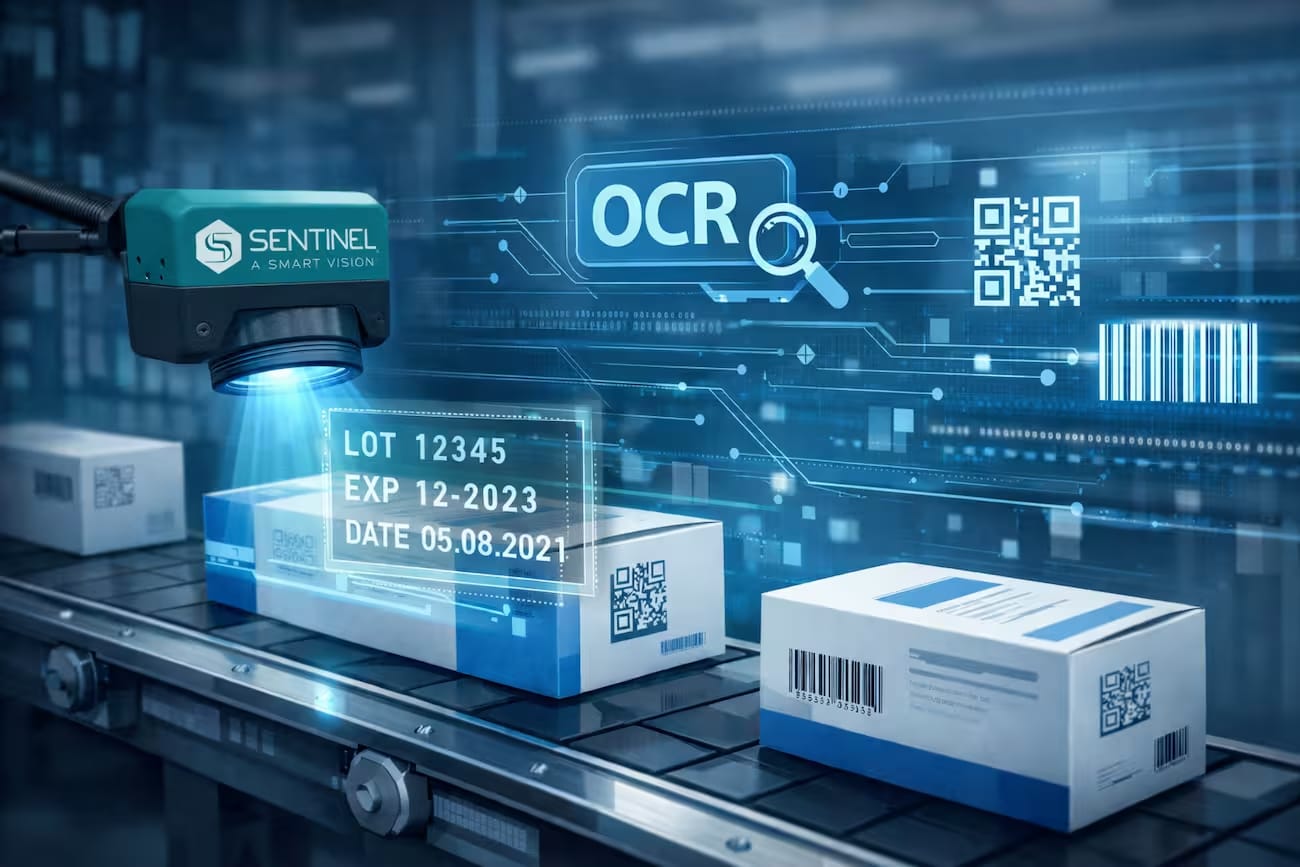
OCR defines the upper limit of RAG system quality.
OCR errors propagate into embeddings, retrieval, and the final answer.
Even a perfect LLM cannot compensate for poor ingestion.
For production, OCR + chunking is more important than model selection.
What is OCR and why it's still relevant
OCR (Optical Character Recognition) is a technology that converts images of text into a machine-readable format.
Simply put: a scanned contract, a photo of an invoice, or a PDF from a print shop become editable text
that a program can work with. This is not a new idea — the first commercial OCR systems appeared in the 1970s.
But it is now, in the era of AI and RAG systems, that OCR has transformed from a utility for secretaries into a critical
component of corporate infrastructure.
When we talk about AI and documents, the conversation usually starts with large language models,
vector databases, and RAG architectures. OCR often remains in the background — and that's a mistake.
Most discussions about "connecting AI to company documents" silently assume
that the documents already exist in a digital, machine-readable format. In practice, this is not the case.
According to IMARC Group,
the global OCR market reached $13.95 billion in 2024 and is projected to
grow to $46 billion by 2033 at a compound annual growth rate of 13%.
This is not a sign of technological stagnation — it's a sign that OCR has become infrastructure,
similar to databases or message queues: invisible, but nothing works without it.
The reason is simple: paper and scanned documents are not going away.
Medical records, legal contracts, accounting statements, customs declarations, technical instructions —
a significant portion of this content exists in formats that AI cannot read without preprocessing.
According to Encord
and IDC 2024,
between 70 and 80% of corporate data is unstructured —
including scans, PDF images, and paper forms.
This is not an archival problem — it's the daily operational reality for most companies.
Examples where OCR solves a real problem
Example 1: A law firm with a contract archive.
Imagine a law firm that has been practicing for 15 years. Over this time, approximately
40,000 scanned contracts have accumulated — signed copies saved as PDFs.
The company wants to implement an AI assistant that can answer questions
like "find all contracts with a renewal clause exceeding 3 years" or
"what penalties are stipulated for late payment in contracts with category B clients."
Without OCR, the RAG system "sees" none of these documents — they are just images to it.
With OCR, the entire archive becomes indexed and accessible for semantic search.
Example 2: A medical center and patient records.
A clinic is transitioning to digital document management. Some records are paper,
some are scanned PDFs from various departments. An AI assistant should help doctors
quickly find patient history, lab results, or previous visit prescriptions.
OCR converts scanned records into text that is fed into the RAG index.
According to clinical studies,
AI-powered OCR achieves 96.9–98.5% accuracy when processing medical documents —
sufficient for automated processing without continuous manual verification.
In all cases, OCR is not the end goal — it's the link that allows the AI system
to access a company's real data. Without it, even the best RAG architecture
only works with a portion of the document corpus.
How modern text recognition works
To understand why OCR still matters for AI systems, it's worth looking at how it
has changed over the last 30 years. The difference between classic and modern OCR is not evolutionary,
but architectural.
Classic OCR: Pattern Matching
OCR systems of the 1990s and 2000s worked on the principle of pattern matching:
each character was compared to a library of reference samples — "this shape looks like the letter A,
this one like the number 8." The algorithm segmented lines, isolated individual characters, and searched
for the closest match in the database.
This worked well in controlled conditions: a clean sheet, a standard font, even lighting.
But deviate from the ideal, and the system would start making mistakes.
Slanted text, multiple columns, faded ink, scanner noise — each of these factors
significantly reduced accuracy. Classic OCR could practically not read handwritten text.
Modern OCR: Neural Networks and Context Understanding
Modern OCR uses convolutional and recurrent neural networks (CNN + LSTM/Transformer),
trained on millions of real-world documents. Instead of comparing shapes, they understand context.
A simple example: the symbol "0" and the letter "O" look almost identical.
Classic OCR often confused them depending on the font. A modern model looks at neighboring characters:
if there are numbers around, it's "0"; if it's a word, it's "O." This is not a heuristic, but a learned pattern
from millions of examples in the training data.
A separate class is Vision-Language Models (VLM), such as GPT-4o, GPT-4o Mini, or Qwen2.5-VL.
Unlike classic OCR, they perceive a page as a whole image:
they see a table as a table, a heading as a heading, understand the hierarchy of elements, and
the relative positioning of blocks on the page.
In my own experiments for analyzing scanned documents, I use the
openai/gpt-4o-mini model. Even a compact multimodal model often performs better
with complex document layouts, tables, and multi-column formatting than traditional OCR, which returns only a text layer without full understanding of the document structure.
This doesn't mean Vision models completely replace OCR. For many scenarios, OCR
remains a cheaper and faster solution. However, when working with scanned PDFs,
tables, or documents with complex formatting, the Vision approach allows for preserving
significantly more context about the page structure.
Sufficient for RAG; sample verification recommended
Old documents, faded text, complex layout
85–94% accuracy
Post-processing required before indexing
Handwritten text
CER 3–5%
Requires human verification
Upside-down or poorly lit scans
Unpredictable, up to 0% readability
Requires auto-orientation correction or Vision OCR
According to SparkCo AI Benchmark 2025,
the average accuracy of OCR systems has increased by 5% compared to 2023
and reached 96.5% on diverse document types.
Open-source models on olmOCR-Bench
score 75–83% on complex documents — a level that a year ago was only available
in proprietary solutions.
Why even 1–2% error is a problem for RAG
When I first started working with scanned documents for RAG, I thought
that 98% OCR accuracy was an excellent result. But in practice, things turned out to be a bit more complicated.
A 100-page document can contain about 50,000 characters. Even with 2% CER,
that's approximately 1,000 erroneous characters. Some of them are almost imperceptible
to humans: a replaced letter, a misrecognized number, or merged words.
For RAG systems, the problem is not just the text itself. After OCR, the document goes through
chunking and is converted into embedding vectors. If the text is distorted,
its vector representation is also distorted. As a result, the system might fail to find
a relevant fragment or return less accurate context for the LLM.
This is precisely why, when building document search systems, I look not only at the percentage
of OCR accuracy but also at how recognition quality affects the final retrieval and model responses.
A detailed technical breakdown of how OCR errors affect chunking, embeddings,
and retrieval is in the next article of the series:
"How OCR Affects RAG System Quality".
Real Case: Upside-down Scans and AI Hallucinations
The client — a lawyer specializing in construction law — sent a test package:
21 pages from their archive of 10,000+ files. The documents were scans:
paper pages saved as PDFs without a text layer.
After standard OCR conversion and loading into the system, it turned out:
Most pages were scanned at a 90°, 180°, or 270° angle.
Standard OCR read the upside-down text as garbage: аМЫМ "9a18 40 S¥3IAVT ONIHLY3HS N33ML3E
This garbage entered the vector database as valid text.
The AI received it as context and generated answers with non-existent numbers and facts.
Out of 21 pages, only 5–6 were indexed correctly.
The accuracy of answers to test questions was 17%.
At the same time, the AI didn't say "I don't know" — it confidently provided answers with specific numbers
that did not exist in the document.
After implementing Vision OCR with auto-orientation correction (trying 0°, 90°, 180°, 270°
and saving the first readable result), accuracy increased to 50%
on the same problematic document. The rest is due to the limitations of the original scan quality,
which no OCR can overcome.
This case illustrates a key principle:
garbage in — garbage out is as relevant for RAG as for any other system.
OCR is the first and most important quality control point in the document pipeline.
My Conclusion
From my experience working with scanned archives of various clients, the quality of the OCR stage
determines the quality of the entire subsequent RAG pipeline more than any other factor.
You can choose the best embedding model, configure ideal chunking,
use reranking — but if the text in the database is distorted from the start,
the result will be unsatisfactory regardless of the rest of the architecture.
Therefore, when evaluating any document archive before implementing RAG,
I always start with one question: in what format and quality do the documents exist?
The answer to it determines all subsequent technical choices.
PDF Scan
  ↓
OCR                    // noise injection layer
  ↓
Chunking               // text is already distorted
  ↓
Embeddings             // semantic distortion
  ↓
Vector DB              // irreversible error propagation
Which documents require OCR before AI processing
Not every PDF requires OCR. And this is not obvious — externally, two files might look the same,
open in the same viewer, and have a similar size. But for an AI system, the difference
between them is fundamental.
Two types of PDFs: text-based and scanned
Text-based PDF is a digitally created file: from Word, Google Docs,
Adobe InDesign, LaTeX, or any editor that saves the document directly to PDF.
Inside such a file, there is a real text layer — characters, words, sentences that can be
selected with a cursor and copied. AI reads this layer directly, without any intermediate processing.
A simple test: open the file and try to select a word with your mouse. If it works, it's a text-based PDF.
Image-based PDF (scanned) is a photograph or scan of a paper document
saved in a PDF wrapper. Inside, there is a raster image: a set of pixels without any
text layer. For an AI system, this is not a document — it's an image. You cannot select text with a cursor.
Without OCR, such a file is a "black box" for any RAG pipeline.
There are also hybrid PDFs — where part of the text is a text layer,
and part (e.g., a signature, stamp, or an inserted image table) is not.
Such files are partially readable without OCR, but without full processing, part of the content
will be lost for indexing.
Scale of the problem in corporate archives
According to Encord
and IDC 2024,
between 70 and 80% of corporate data is unstructured — including scans,
PDF images, photos, and paper forms. This is not an archival problem — it's the daily operational
reality for most companies older than 5–7 years: a part of document flow always remains
paper-based or scanned.
In practice, this means: if a company wants to connect AI to its document corpus,
the first step is an inventory of formats. How many documents are text-based, how many are scans,
how many are hybrids. The architecture of the pipeline and the implementation cost depend on this.
Practical Map: What to do with What
Document Type
OCR Needed?
Typical Examples
Nuance
Digital PDF (text-based)
No
Contracts from Word, technical documentation, reports
Readable directly; check for embedded images with text
Scanned PDF
Yes
Archival acts, signed contracts, invoices
Result quality depends on scan resolution (minimum 300 DPI)
Hybrid PDF
Partially
Forms with printed text and handwritten entries
Image inserts need separate processing from the text layer
Document Photo (.jpg, .heic, .webp)
Yes
Photo of passport, bill, certificate, label
Uniform lighting and perpendicular shooting angle are critical
Image with Text (.png, .tiff)
Yes
Interface screenshots, form scans, faxes
Lossless PNG gives better OCR results than JPEG
Word / Excel / PowerPoint
No
Reports, spreadsheets, presentations
Native parsers exist; Excel tables are better read than in PDF
Complex Layout (columns, tables, diagrams)
OCR + Post-processing
Medical records, financial reports, specifications
Standard OCR loses table structure; Vision OCR or Docling needed
Handwritten Text
Yes, with caveats
Handwritten notes, signatures, filled-out forms
CER 3–5% even with the best models; human verification mandatory
Common Mistakes When Evaluating an Archive
From my experience, three mistakes are most common when preparing documents for RAG:
"It's a PDF — so it's fine."
The PDF format says nothing about the presence of a text layer.
Companies upload thousands of PDFs and wonder why AI "doesn't see" the documents.
The check is simple: try to select text in the file manually.
"OCR was done — so the text is correct."
OCR converts images to text but doesn't guarantee quality.
Upside-down pages, low resolution, complex layouts — all of these produce
distorted text that enters the index and spoils search results.
After OCR conversion, a sample should be checked: is the extracted text readable?
"The document looks clear — so OCR will work well."
Human perception and machine recognition are different things.
A person reads upside-down text with minor effort.
An OCR system without auto-orientation correction will return garbage or an empty result.
The same applies to complex tables: a person sees the structure, standard OCR
returns linear text without understanding columns.
How to Quickly Determine Archive Complexity
Before implementing RAG, I recommend a simple audit:
Take a random sample of 30–50 documents, representative of the entire archive.
For each, check: can text be selected with a cursor?
If yes — text-based. If no — scan.
For scans, check the resolution: most viewers show DPI in file properties.
Less than 200 DPI — high probability of OCR quality issues.
Estimate the proportion of each type in the archive. If scans constitute more than 30% —
the OCR pipeline becomes a mandatory component, not an optional one.
Why Retrieval in RAG Systems Really "Breaks" Due to OCR
I often see problems in RAG systems mistakenly attributed to the choice of LLM or embedding model. But in practice, the main reason for retrieval degradation is the noise and distortion that appear at the OCR stage.
When OCR returns inaccurate text, systemic shifts begin throughout the pipeline. Firstly, semantic drift occurs in embeddings: the model builds a vector not for the real content of the document, but for its distorted version. This shifts the document's position in the vector space and reduces the probability of correctly landing in the top-k results.
Secondly, tokenization is disrupted. Even minor OCR artifacts — extra characters, merged words, or incorrect letters — change the text's token composition, affecting the embedding vector formation and degrading the semantic stability of the representation.
Thirdly, I observe retrieval misses due to noise accumulation: when OCR errors are distributed across chunks, the system starts to "miss" relevant fragments altogether. As a result, correct information exists in the document but doesn't get picked up by the retrieval query.
Ultimately, this creates a cascading degradation effect: OCR artifacts → distorted embeddings → shifted vector space → missed results in retrieval → incorrect LLM response.
OCR as a preparatory stage for AI and document search
If we imagine a RAG system as a factory, then OCR is the checkpoint. Without it, some of the raw materials
simply won't get inside. But the analogy is more accurate than it seems:
just like in real production, the quality of the raw materials at the input determines the quality of the product at the output.
A defective part doesn't get better after processing – it spoils everything it comes into contact with.
Full pipeline: from scan to answer
This is what a typical document pipeline looks like in a business system with RAG.
OCR is at step 2, but its quality affects all subsequent stages without exception:
Document acquisition – scan, photo, PDF, TIFF.
At this stage, the file type is determined: text-based or image-based.
A text-based PDF immediately goes to step 3. An image-based one goes through OCR.
OCR and image preprocessing – before recognition:
skew correction (deskewing), noise removal (denoising),
contrast correction, page orientation detection.
The quality of this step determines everything that follows.
Text postprocessing – cleaning OCR artifacts:
merged words, extra spaces, incorrect line breaks,
placeholder characters instead of special symbols. Without this step, even good OCR
produces "dirty" text.
Chunking – breaking text into semantic fragments.
The strategy depends on the document type: fixed size, by sentences,
by paragraphs, by sections. OCR errors directly affect chunking quality:
if sentence and paragraph boundaries are distorted, chunks will be semantically incorrect.
Embeddings – converting each chunk into a vector representation
using an embedding model (text-embedding-3-small, BGE, E5, etc.).
Distorted text yields a distorted vector – semantic similarity between documents
is calculated incorrectly.
Indexing – storing vectors in a database (Qdrant, pgvector, Weaviate).
If vectors are distorted, the entire index contains a structural error.
Retrieval – searching for the nearest vectors based on the user's query.
A distorted index returns irrelevant or completely "garbage" fragments
as an answer to a correct query.
Answer generation – the LLM forms an answer based on the retrieved fragments.
If the fragments contain garbage, the model either doesn't find an answer or, worse,
"invents" it based on the distorted context. The result is confident answers
with non-existent facts.
How OCR errors multiply through the pipeline
Let's consider a specific example. Suppose a medical record contains the line:
Dose: 2.5 mg twice a day
Standard OCR on a low-quality scan reads:
Dose Z,5mgtwiceaday
What happens next in the pipeline:
Chunking: merged words prevent correct sentence boundary detection.
The fragment is "cut" in the wrong place – part of the context is lost.
Embeddings: the string "Z,5mgtwiceaday" is an unknown word
for the embedding model. The chunk's vector shifts away from the correct semantic space,
which degrades search relevance. This is due to how embeddings encode text meaning.
(more details)
Retrieval: the query "what is the dosage of the drug" does not find this fragment
as relevant – because the index does not contain the word "dose" in a readable form.
Generation: the LLM does not find the answer in the document and either
says "information not found" or – if the system prompt is not strictly configured –
"recalls" the dosage from its training data. For a medical document, this is a critical error.
OCR in various industries: where it is critical
The need for OCR and the requirements for its quality vary significantly depending on the industry.
Here's the real picture:
Industry
Typical Documents
OCR Criticality
Consequence of Error
Medicine
Patient charts, protocols, prescriptions
Very High
Incorrect dosage or diagnosis in AI response
Law
Contracts, court decisions, orders
High
Incorrect article, amount, term in contract
Finance and Accounting
Invoices, acts, financial reports
High
Incorrect amounts, dates, details
Logistics and Distribution
Waybills, customs declarations, specifications
Medium–High
Incorrect quantity, weight, product codes
HR and Personnel Records
Work record books, orders, applications
Medium
Incorrect dates, positions, surnames
Technical Documentation
Manuals, specifications, drawings
Medium–High
Incorrect parameters, dimensions, part codes
What quality OCR provides in practice
According to a clinical study
on processing medical records, AI-powered OCR achieves 98.5% data completeness
and 96.9% accuracy – sufficient for automated processing without constant
manual verification. Implementing an OCR pipeline reduces data entry time by
43.9% compared to manual entry.
However, it's important to understand: these figures are achieved with quality scanning (300+ DPI,
even lighting, correct orientation) and properly configured preprocessing.
On "raw" archives without preparation, the results will be significantly lower.
In my experience, in real corporate archives, 20-40% of documents have
some issue with scan quality: incorrect orientation, low resolution,
uneven contrast, or complex layout. This means that every fourth to fifth document
without additional processing will yield unreliable results in a RAG system.
This is precisely why OCR is not a one-time conversion operation, but a full-fledged engineering component
with its own problem detection logic, fallback strategies, and quality monitoring.
What is RAG and how OCR fits into this process
If you are not yet familiar with the concept of RAG and how it differs from a regular LLM –
I recommend starting with the article
"LLM vs RAG: Why They Are Not the Same and When to Use What".
Here, I will focus on how OCR specifically fits into the RAG architecture –
and why without it, a significant portion of corporate knowledge remains inaccessible to AI.
RAG in two sentences
RAG (Retrieval-Augmented Generation) is an approach where an AI system, before generating
an answer, first finds relevant fragments from a knowledge base. It doesn't invent – it searches.
This significantly reduces hallucinations and allows working with up-to-date corporate data
without retraining the model.
Where exactly OCR fits into RAG
A RAG system searches by text. A vector database stores numerical representations
of text fragments – embeddings. If a document is a scan or an image,
it contains no text – only pixels. The system will find nothing because there is nothing to index.
OCR is at the input of the pipeline and performs one critical function:
it converts images of text into machine-readable text, which can then be
indexed, chunked, and converted into embeddings.
Without this step, a scan remains a "blind spot" for the entire RAG architecture.
What happens with and without OCR
Situation
Without OCR
With OCR
Scanned PDFs in the archive
Inaccessible for indexing – the system doesn't "see" them
Fully indexed and available for semantic search
Query on a topic from a scanned document
Retrieval returns an empty result or irrelevant fragments
RAG finds the exact fragment and passes it to the LLM as context
AI Answer
Incomplete or hallucinated – the model fills gaps from training data
Based on a real document with a source reference
Archive Coverage
Only digital documents (text-based PDF, Word, Excel)
The entire archive regardless of format and origin
Real math of "blind spots"
Let's consider a typical situation: a company has been operating for 10 years.
Over this time, 7,000 documents have accumulated – some digital, some scans from paper archives.
Document Type
Quantity
Availability without OCR
Availability with OCR
Digital PDFs, Word, Excel
2,000
✓ Available
✓ Available
Scanned contracts and invoices
3,500
✗ Unavailable
✓ Available
Photos of documents and certificates
800
✗ Unavailable
✓ Available
Hybrid PDFs (partially scans)
700
~ Partially
✓ Fully
Total available for RAG
7,000
~29% of the archive
100% of the archive
In this example, without OCR, the RAG system "sees" only 29% of the archive.
This is not just incomplete search – it's a systematically distorted picture of the company's knowledge.
The AI confidently answers questions based on an incomplete corpus,
and does not inform that 71% of relevant documents are invisible to it.
Separate risk: "confident" answers from an incomplete archive
This is an important nuance that is often underestimated when implementing RAG.
If the system cannot find an answer – it either honestly says "I don't know"
(if the system prompt is configured correctly), or it fills the gap from its
training knowledge. The second scenario is a hallucination.
But there is a third, most dangerous scenario: the system finds an answer –
but in the wrong document. For example, a question concerns a 2019 contract
(a scan, unavailable without OCR), and the system finds a 2022 contract (digital)
and returns its terms. The answer looks correct, refers to a real document –
but it's the wrong document.
For legal, financial, and medical scenarios, this risk is critical.
This is precisely why archive coverage completeness is a metric no less important than OCR accuracy.
Advantages and Limitations of OCR compared to Vision Models
In 2024–2025, a new class of solutions emerged — Vision-Language Models (VLM):
GPT-4o, Gemini 1.5 Pro, Qwen2.5-VL, olmOCR-2, Docling from IBM.
They perceive a document page as an image and can answer questions
or extract structured data without an intermediate OCR step.
This has raised a logical question: if a Vision model can read a document directly —
why is classic OCR needed at all?
The short answer is: it's not an "either/or" choice. It's choosing the right tool for the task.
Classic OCR and VLMs have different strengths, different costs, and different suitability
for specific scenarios. Let's break it down by criteria.
Comparative Table: OCR vs. Vision Models
Criterion
Classic OCR
Vision Model (VLM)
Processing Speed for Large Volumes
High — thousands of pages/minute
Lower — image processing via API is slower and more expensive
Cost Per Page
~$0.001–0.005 (open-source: practically zero)
~$0.01–0.04 depending on the model and image size
Complex Tables and Multi-Column Layouts
Often loses structure — returns linear text
Better understands spatial relationships of elements
Handwritten Text
CER 3–5%, requires verification
Better for non-standard handwriting and mixed text
Standard Printed Documents, 300+ DPI
CER < 1%, stable and predictable results
Comparable accuracy, but 5–10 times more expensive
Self-hosted / On-Premise Deployment
Yes — Tesseract, PaddleOCR, olmOCR, EasyOCR
Limited — most VLMs require cloud API
GDPR / DSGVO Compliance
Full — data does not leave the infrastructure
Depends on the provider; cloud APIs require a DPA
Suitability for RAG Indexing
Directly — returns text ready for chunking
Requires additional conversion of output to text
Diagrams, Charts, Infographics
Does not read — returns artifacts or empty results
Can describe visual content and extract data
Where Classic OCR Clearly Wins
Scale and Cost.
If you need to process 100,000 pages of an archive — the cost difference becomes decisive.
At a price of ~$0.02 per page for GPT-4o-mini, processing 100,000 pages costs ~$2,000.
Tesseract or PaddleOCR on your own infrastructure — practically zero, considering
only computational costs. For a one-time archive indexing, this is still acceptable.
For a system that receives thousands of new documents daily — the difference is cardinal.
Confidentiality and GDPR.
Medical records, legal contracts, financial reports — documents that cannot be
sent to external APIs without proper legal documentation.
Self-hosted OCR (Tesseract, PaddleOCR, olmOCR) processes documents locally.
Not a single byte leaves the client's infrastructure.
For cloud VLMs, a separate Data Processing Agreement with the provider is needed —
and even then, some organizations cannot use them due to internal
compliance policies.
Standard Documents with Clean Text.
For most business documents — contracts, invoices, reports —
classic OCR with a quality scan provides a CER of less than 1%.
Using a VLM for such documents is like using a sledgehammer when a regular tool
would suffice.
Where Vision Models Have a Real Advantage
Complex Tables and Non-Standard Layouts.
Classic OCR reads text linearly: left to right, top to bottom.
A table with merged cells, nested subheadings, or
multiple independent sections on one page turns into
a chaotic set of lines without structure.
VLMs see the page as a whole image and understand spatial relationships:
what is a heading, what is a data row, where are the column boundaries.
Handwritten and Mixed Text.
Hand-filled forms, margin notes, signatures with comments —
classic OCR on such documents yields a CER of 3–5% and higher.
VLMs based on large multimodal models handle non-standard handwriting,
blurry text, and mixed documents (print + handwritten on the same page) significantly better.
Visual Content.
If a document contains diagrams, charts, graphs, or technical drawings —
classic OCR simply does not read them.
VLMs can describe visual content, extract numbers from a graph, or
identify elements of a diagram. For technical documentation or medical images,
this is a fundamental difference.
Hybrid Approach: When It Makes Sense
In real-world systems, a hybrid approach is often optimal: classic OCR as the primary
pipeline for standard documents + a Vision model as a fallback for complex cases.
The routing logic looks approximately like this:
Attempt to extract the text layer directly (text-based PDF) → if available, proceed
Run classic OCR → check the quality of the result (garbage detector)
If quality is low or the document contains tables/diagrams → pass to Vision OCR
If Vision OCR returns an empty result → try with orientation correction
From experience: for most SMB clients with corporate archives,
I recommend starting with classic OCR as the foundation and adding Vision OCR
as a fallback for problematic documents. This provides an optimal balance
of cost, speed, and quality.
A complete transition to Vision models for the entire archive is justified only in two scenarios:
the archive primarily consists of complex multi-structural documents (medical images,
technical drawings, handwritten forms), or the archive size is small and API cost
is not a critical factor.
This question has been regularly heard in technical discussions since 2023 —
since GPT-4V first demonstrated the ability to read documents as images.
Since then, multimodal models have become significantly more powerful,
and the question has become more acute: does classic OCR have a future?
My answer: OCR will not disappear — but it will transform beyond recognition.
And this transformation is already happening.
Arguments "For" OCR's Disappearance — and Why They Are Incomplete
The logic is simple: if GPT-4o can look at a page and extract structured data from it —
why is a separate character recognition step needed?
The argument seems convincing, especially for complex documents
where classic OCR loses the structure of tables and diagrams.
But there are three systemic limitations that prevent VLMs from completely replacing OCR
in the coming years:
Cost at Scale.
Processing a single image via GPT-4o costs ~$0.02–0.05.
A corporate archive of 500,000 pages — that's $10,000–25,000 just for parsing.
Meanwhile, Tesseract or PaddleOCR on your own server process the same volume
practically for free. For a regular flow of new documents, the difference is cardinal.
On-Premise Deployment.
Galactic-level VLMs (GPT-4o, Gemini Ultra) do not yet exist in a self-hosted variant.
Smaller open-source VLMs (LLaVA, InternVL, Qwen2.5-VL) do exist, but their performance
on complex documents is significantly inferior to proprietary models.
For organizations with strict data confidentiality requirements
(healthcare, legal, public sector) cloud APIs are not an option.
Speed and Throughput.
Classic OCR processes thousands of pages per minute on a standard server.
VLM parsing via API is limited by rate limits and network latency.
For real-time systems — for example, automatic processing of incoming invoices
or medical documents upon arrival — this is a fundamental difference.
What Is Actually Happening: OCR is Becoming Multimodal
More important than the question "OCR or VLM" is the observation of where
OCR itself is moving as a class of technologies. And here, an interesting convergence is occurring.
Modern OCR models — olmOCR-2, Qwen2.5-VL in document-mode, Docling from IBM —
are themselves vision-language models fine-tuned for document tasks.
They don't just recognize characters — they understand the page layout,
reconstruct table structures, distinguish headings from main text,
and output results in structured formats: Markdown, HTML, JSON, LaTeX.
According to olmOCR-Bench (2025),
new-generation open-source models achieve **75–83%** on complex
documents — a level that a year ago was only available in the most expensive proprietary solutions.
The line between "classic OCR" and "VLM parsing" is blurring not because one is displacing the other,
but because both technologies are evolving towards each other.
Three Development Scenarios for 2025–2027
Scenario
Architecture
When It's Advisable
Classic OCR as the Foundation
Tesseract / PaddleOCR → text → chunking → embeddings
Large archives of standard documents, self-hosted, GDPR
VLM Parsing as the Foundation
Page as image → VLM → structured output → embeddings
Complex multimodal documents, small archives, cloud-friendly
Hybrid: OCR + VLM Fallback
OCR → quality detector → VLM for problematic pages
Real corporate archives of mixed quality — optimal balance
What Remains Unchanged
Regardless of which model performs the recognition — Tesseract, olmOCR, or GPT-4o —
the fundamental role of this step in the pipeline remains unchanged:
to convert unstructured visual content into text
suitable for further processing by an AI system.
It is this step — with all its requirements for quality, completeness, and structure —
that remains critical regardless of the name we give it.
"OCR," "Vision parsing," "document understanding" — the technology evolves,
but the problem it solves does not disappear.
The VisRAG (ICLR 2025) research
confirms: the Vision approach in RAG yields better results on complex multimodal documents,
but does not eliminate the need for parsing for text retrieval.
Both approaches solve one problem with different means —
and the coming years will be years not of competition between them, but of integration.
Conclusions
OCR is not a legacy technology being displaced by multimodal LLMs.
It is a fundamental layer of document infrastructure without which an AI system
cannot work with a real corporate archive.
The technology within is changing — from pattern matching to vision-language models —
but the function remains unchanged: to convert unstructured visual content
into text suitable for AI processing.
Five Practical Conclusions
1. First, inventory your archive.
Before choosing an OCR solution or building a RAG pipeline —
determine how many documents are text-based, how many are scans, how many are hybrids.
If scans constitute more than 30% of the archive, OCR becomes a mandatory component,
not an optional one.
2. OCR quality determines the quality of the entire pipeline.
An error at the recognition stage multiplies across all subsequent steps:
chunking, embeddings, retrieval, response generation.
Investing in quality OCR preprocessing is cheaper than debugging everything else
after the problem has already entered the index.
3. For most SMBs — classic OCR as the foundation, Vision OCR as fallback.
This is the optimal balance between cost, speed, and quality.
A complete transition to VLM parsing is justified only for archives
with predominantly complex multi-structural documents or with a small volume.
4. Self-hosted OCR is the only option for regulated industries.
Healthcare, legal, finance — sectors where data cannot be sent to external APIs
without appropriate legal documentation.
Tesseract, PaddleOCR, olmOCR allow documents to be processed locally
and fully comply with GDPR/DSGVO requirements.
5. Test with real questions, not ideal documents.
Prepare 20–30 specific questions whose answers you know for sure.
Upload a representative sample from the archive and check the accuracy.
This metric will tell you more than any marketing benchmark.
Selection Matrix: Which Approach Fits Your Scenario
Situation
Recommended Approach
Large archive (10,000+ documents), standard scans, GDPR
Vision OCR (GPT-4o-mini or Qwen2.5-VL) with detailed prompting
Small archive (<1,000 documents), cloud-friendly
VLM parsing (GPT-4o) — cost is acceptable, quality is high
Handwritten documents or filled-in forms
Vision OCR + mandatory human verification of critical fields
Text-based PDFs without scans
OCR not needed — native parser (PyMuPDF, Apache Tika)
Companies invest months in setting up pipelines, choosing embedding models,
optimizing chunking strategies —
and get unsatisfactory results because 40% of the archive consists of low-quality scans
that entered the index as garbage.
No architecture can extract accurate answers from unreadable input data.
Therefore, the first step before any RAG implementation is an audit of the document archive.
Not choosing a model. Not configuring a database. An audit of the condition
of the data the system will work with.
If you want to understand what exactly happens to text after OCR —
how recognition errors affect embedding quality and why a relevant document
might not appear in search results — read on:
"How OCR Affects RAG System Quality: A Technical Breakdown".
Have an archive of scanned documents and want to connect AI to it?
We'll explain how to build a pipeline for your task — from archive audit
and OCR solution selection to deploying a full-fledged RAG system.
Contact us via Telegram
or leave a request on the website.