🔍
Source:
WebCraft.org · 🌐 Genspark Claw · 🌐 Claude Cowork · 🌐 Perplexity Computer
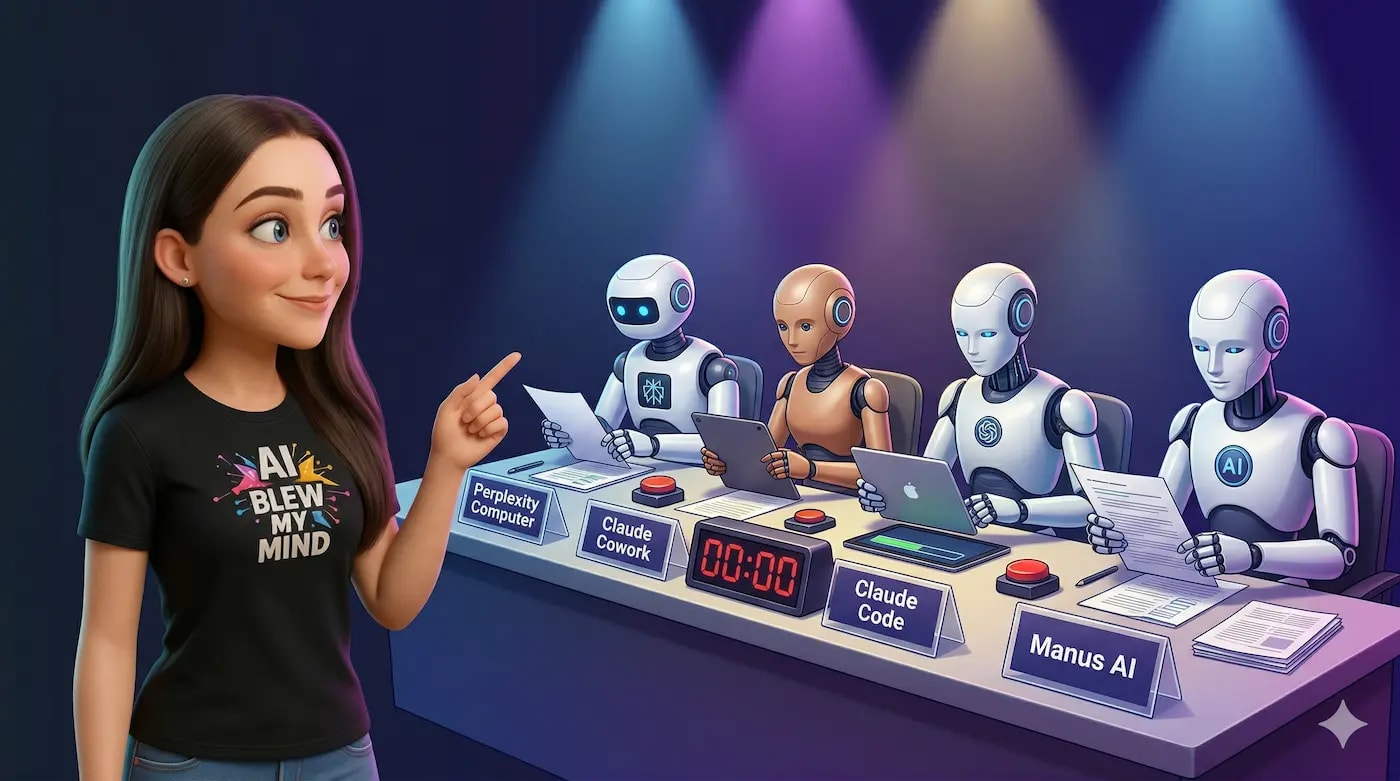
In the first quarter of 2026, three AI agents emerged, all vying for the role of "digital worker": Genspark Claw (March), Perplexity Computer (February), and Claude Cowork (January). All three promise autonomous task execution but operate differently and for different tasks.
Spoiler alert: ⚖️ These are not three competitors – they are three different categories of tools. Claw is a cloud agent via messengers. Cowork is a desktop assistant for local files. Computer is a multi-model orchestrator for complex projects. The choice depends on where your work truly resides.
⚡ In a Nutshell
- ✅ Genspark Claw: AI agent on a dedicated Cloud Computer, operates via WhatsApp/Slack/Telegram, executes tasks in cloud services. From $39.99/mo
- ✅ Claude Cowork: Desktop AI in Claude Desktop App (macOS), works with local files and folders in a sandboxed environment. From $20/mo (Pro)
- ✅ Perplexity Computer: Multi-model orchestrator (19 models), executes complex multi-step projects in the cloud. $200/mo (Max)
- ⚖️ The Key Takeaway: They barely overlap – they are different tools for different tasks
- 🎯 Below: profile of each platform, comparison table, decision matrix by task type and roles
📚 Article Contents
🤖 Genspark Claw: Platform Profile
Claw is a cloud AI agent that receives tasks via messenger and returns the finished result. The main idea: you write a message, and the AI does the work in your cloud services.
📋 What It Is
Genspark Claw is an AI agent launched on March 12, 2026, which Genspark positions as the "first AI employee" (BusinessWire). Claw runs on a dedicated cloud computer (Genspark Cloud Computer) – a separate virtual machine with its own IP, disk, and domain for each user. It's built on the open-source OpenClaw framework but provided as a managed service: Genspark hosts the machine, installs skills, and configures integrations.
You communicate with Claw via messengers: WhatsApp, Slack, Microsoft Teams, Telegram, LINE, Discord, Signal, Google Chat, and Feishu. Claw also has its own email address (official page).
💪 Strengths
- ✅ Always-on: The Cloud Computer runs 24/7, even when you're offline – tasks are executed in the background
- ✅ 9 Messengers: Delegate work from any channel you already use
- ✅ External Services: Connects to Google Workspace, Outlook, GitHub, Salesforce – performs actions on your behalf
- ✅ Privacy-by-isolation: Your data is on an isolated VM, not mixed with others
- ✅ Three-tier memory: session transcripts, long conversation compression, and long-term search memory
- ✅ Model Choice: Claude Sonnet 4.6, Opus 4.6, GPT-5.4, Gemini 3.1 Pro – without losing history
⚠️ Weaknesses
- ❌ Early Product: Launched in March 2026, few user reviews
- ❌ English Only: Language support is limited
- ❌ Double Payment: Claw ($39.99–79.99/mo) is paid separately from the Workspace plan
- ❌ Reputational Risks: Genspark's previous experience with Super Agent had issues with billing and support
💰 Price
Standard Cloud Computer — $39.99/mo ($34.99 with annual payment). Powerful Cloud Computer — $79.99/mo ($69.99 with annual payment). This is separate from Workspace plans: Free ($0), Plus ($24.99/mo), Pro ($249.99/mo). The full cost of use: for example, Plus + Standard Claw = $64.98/mo (Sliq).
✅ Fast: Claw is strongest where it's needed to delegate tasks to cloud services via messages. Its niche is automating research, emails, and scheduling without switching between applications.
📖 More about Genspark Claw – in our article: 🚀 Genspark Claw and Workspace 3.0: What Changed in March 2026.
💻 Claude Cowork: Platform Profile
Cowork is a desktop AI assistant that works with your local files and folders. The main idea: Claude gets access to specific folders on your Mac and performs tasks with documents, spreadsheets, and code autonomously.
📋 What It Is
Claude Cowork is a feature in the Claude Desktop App, launched on January 12, 2026, for Max subscribers, and from January 16 for all Pro subscribers (claude.com/product/cowork). Cowork lives alongside Chat and Code as a separate tab. You describe the task, specify the folder – and Claude plans and executes multi-step tasks with your files: organizes documents, analyzes data, generates reports.
The key principle is sandboxed execution: Cowork mounts only the folders you explicitly provide and does not have access to the rest of the file system. All conversations are stored locally, not on Anthropic's servers.
💪 Strengths
- ✅ Local File Work: Reads, edits, and creates files directly on your computer
- ✅ Sandboxed Security: Access only to folders you've allowed – no leaks
- ✅ Connectors: Connects to Slack, Notion, Figma, Jira, and other services for context
- ✅ Opus 4.6: Runs on Anthropic's most powerful model for agent tasks
- ✅ Affordable Entry Price: $20/mo on the Pro plan provides basic access to Cowork
- ✅ Autonomy: Plans steps, runs commands (bash, Python, API), works independently
⚠️ Weaknesses
- ❌ macOS Only: No versions for Windows and Linux
- ❌ Not Cloud-Based: Stops when you close your laptop – no always-on mode
- ❌ Limit Restrictions: Cowork consumes significantly more tokens than regular chat – limits run out quickly on the Pro plan
- ❌ Does Not Perform External Actions: Won't send an email for you, won't create a calendar event – only works with files
- ❌ Not Captured in Audit Logs: Enterprise features (audit, compliance API) do not yet cover Cowork
💰 Price
Cowork is included in the Claude subscription at no extra charge. Pro — $20/mo (basic access, limits run out quickly). Max 5x — $100/mo (~225+ messages per 5-hour window). Max 20x — $200/mo (~900+ messages). Team — $125/mo per Premium Seat. Enterprise — custom terms (claude.com/pricing).
⚡ Important: limits work through rolling 5-hour windows, not daily limits. One complex Cowork task can consume as many tokens as dozens of regular chat messages.
💭 My Thoughts: Cowork is strongest where work is focused on local files – documents, reports, spreadsheets, folder organization. It's "Claude Code for non-technical users."
🔬 Perplexity Computer: Platform Profile
Computer is a multi-model orchestrator that coordinates 19 AI models to execute complex projects in the background. The main idea: you describe the goal, Computer breaks it down into sub-tasks and distributes them among the best models.
📋 What It Is
Perplexity Computer is an AI agent launched on February 25, 2026, available only to Perplexity Max subscribers ($200/mo). Perplexity calls it a "general-purpose digital worker" (VentureBeat). The central orchestrator runs on Claude Opus 4.6, and delegates each sub-task to the best model: Gemini for research, Nano Banana for images, Veo 3.1 for video, GPT-5.2 for long context, Grok for quick tasks.
Computer operates in a cloud-based sandboxed environment: errors are isolated, and the agent has no access to your local files. Tasks can run for hours in the background, only checking in with the user when input is truly needed.
💪 Strengths
- ✅ 19 Models: each sub-task goes to the best model – it's not a single-LLM limitation
- ✅ Complex Projects: breaks down high-level goals into sub-tasks, creates sub-agents, works autonomously
- ✅ Browser Automation: navigates websites, extracts data, fills forms
- ✅ File Operations: documents, spreadsheets, CSV, images, PDFs – creates and edits
- ✅ Sandbox Security: errors are isolated from your system
- ✅ Includes Everything: $200/mo covers Computer, unlimited Pro search, Sora 2 Pro video, and Comet browser
⚠️ Weaknesses
- ❌ Price: $200/mo – the most expensive of the three, with no cheaper access options
- ❌ Credit System: 10,000 credits/mo, consumption is unpredictable – no public cost breakdown
- ❌ Potential Additional Costs: with auto-refill and increased spending cap, the maximum can reach $2200/mo
- ❌ Does Not Work with Local Files: exclusively cloud-based – won't replace Cowork for desktop tasks
- ❌ Fresh Product: launched in February 2026, enterprise version appeared in March
💰 Price
Perplexity Max — $200/mo (or $2000/year). Includes 10,000 credits, unlimited Pro search, access to all models, Sora 2 Pro, Comet browser, and Labs. There is no cheaper plan with access to Computer – only Max. Auto-refill (off by default) allows purchasing additional credits with a spending cap of $200/mo by default (Sliq).
✅ Fast: Computer is strongest for complex multi-step projects where a single model cannot cope – research, analytics, creating complex artifacts. But the price and credit system require careful planning.
🤝 More about Perplexity and Comet browser – in the article: 🚀 How Comet AI Browser Works: A Review from Perplexity.
📊 Comparison Table: Everything on One Screen
This table is the main tool for decision-making. Save it or send it to colleagues.
| Parameter |
🤖 Genspark Claw |
💻 Claude Cowork |
🔬 Perplexity Computer |
| Launch Date |
March 12, 2026 |
January 12, 2026 |
February 25, 2026 |
| Type |
Cloud agent via messengers |
Desktop agent for local files |
Multi-model cloud orchestrator |
| Min. Price |
from $39.99/mo (+ workspace plan) |
from $20/mo (Pro) |
$200/mo (Max) |
| Max Price |
~$330/mo (Pro + Powerful) |
$200/mo (Max 20x) |
up to ~$2200/mo (with auto-refill) |
| Models |
Claude Opus 4.6, GPT-5.4, Gemini 3.1 Pro |
Claude Opus 4.6 (primary) |
19 models (Opus 4.6, GPT-5.2, Gemini, Grok, etc.) |
| Always-on |
✅ Yes (Cloud Computer) |
❌ No (stops with laptop) |
✅ Yes (cloud-based) |
| Communication Channels |
9 messengers + email |
Claude Desktop App (macOS) |
Web, desktop, mobile + Slack (enterprise) |
| Local Files |
❌ No |
✅ Yes (sandboxed) |
❌ No |
| Cloud Services |
✅ Google Workspace, Outlook, GitHub, Salesforce |
⚠️ Connectors (Slack, Notion, Figma, Jira) |
✅ Browser automation, API |
| Memory |
✅ 3 levels (transcripts, compression, long-term) |
⚠️ Local history, Opus 4.6 compaction |
⚠️ Within session/project |
| Voice Commands |
✅ Realtime Voice |
❌ No |
❌ No |
| Phone Calls |
✅ AI Call |
❌ No |
❌ No |
| OS |
Any (cloud-based) |
macOS only |
Any (cloud-based) |
| Languages |
English |
Multilingual |
Multilingual |
| Data Isolation |
✅ Separate VM per user |
✅ Local storage |
✅ Sandboxed cloud |
| Setup |
One-click (Cloud Computer) |
Install Claude Desktop App |
Max subscription → immediately available |
🎯 What to Choose: Decision Matrix by Task Type
💡 My Recommendation: Don't choose the "best platform." Choose the one that fits your work type.
📧 Email, Scheduling, CRM Automation
→ Genspark Claw
Claw connects to Gmail, Outlook, calendar, and Salesforce. It can send an email, create an event, update a CRM record – all from a message in Telegram. Neither Cowork nor Computer can do this: Cowork only works with files, Computer works with the web and file artifacts.
📄 Documents, Spreadsheets, File Organization
→ Claude Cowork
Cowork reads and writes to your local folders. If you need to organize 200 files in Downloads, analyze 15 PDF reports, or create a summary table from data in several documents – this is a direct task for Cowork. Claw and Computer do not have access to your desktop.
🔍 Deep Research and Analytics
→ Perplexity Computer (complex) or Genspark Claw (standard)
🧠 I Use: For complex multi-step research – for example, comparing the pricing of 10 SaaS competitors, extracting data from their websites, compiling it into a table, and performing an analysis – Computer with its 19 models provides the deepest results. For standard research (gathering information, writing a summary, sending to colleagues) – Claw is perfectly sufficient and significantly cheaper.
💻 Coding and Development
→ Depends on Context
For working with local code – Cowork (or Claude Code in the terminal). For deployment, DevOps tasks, and working with GitHub – Claw. For complex architectural solutions requiring multi-model verification – Computer. None of the three fully replaces an IDE.
🎬 Media Generation (Video, Images)
→ Perplexity Computer or Genspark (via Workspace)
Computer includes Sora 2 Pro and 14+ models for images. Genspark, through Workspace, has AI Video and AI Image. Cowork does not generate media content.
💭 My Opinion: If your work lives in email and cloud services – Claw. On the desktop among files – Cowork. In complex multi-model projects – Computer.
👤 Role-based Scenarios
Each role has its own workflow pattern, and each AI agent covers a different part of that pattern. Below are specific recommendations with task examples, costs, and alternative options.
📣 Marketer / Content Manager
Primary Tool: Genspark Claw
Secondary: Claude Cowork (for document work)
A marketer's typical workday is a chain of tasks where each subsequent one depends on the previous: first, you need to research competitors or the market, then based on the research, write content (a post, an email newsletter, a brief for a designer), then get team approval, send it out, and schedule publication. All of this requires switching between 4–6 tools: Google, ChatGPT, Google Docs, Gmail, Slack, CRM.
Claw covers this workflow through a single messenger. Specific tasks that Claw can perform:
- ✅ Research the TOP-10 competitors in the niche and compile a comparative table (pricing, features, positioning)
- ✅ Based on the research, create a draft email newsletter or blog post
- ✅ Send the finished email via connected Gmail/Outlook
- ✅ Create a calendar event for publication or a meeting
- ✅ Via Workflows: new CRM lead → automatic Slack notification → draft follow-up email
- ✅ Meeting Bots: automatically record a client meeting, generate a summary and action items
When to add Cowork: if the marketer works with large local files — for example, if you need to analyze 20 competitor PDF reports, compile key insights into one document, or organize a folder of creatives. Cowork works with files on Mac, Claw does not.
When to choose Computer instead of Claw: if the main task is deep market research with dozens of sources and structured artifacts. Computer, with its 19 models, will provide deeper results, but at $200/month instead of ~$65/month.
| Parameter |
Genspark Claw |
Alternative |
| Cost |
~$65/month (Plus + Standard Claw) |
Cowork $20/month (files only) |
| Email + CRM |
✅ Yes |
❌ Cowork cannot |
| Research |
✅ Standard |
Computer — deeper ($200/month) |
| Meetings |
✅ Meeting Bots |
Otter.ai ~$17/month (separate service) |
⸻
👨💻 Developer / DevOps
Primary Tool: Claude Cowork (or Claude Code)
Secondary: Genspark Claw (for tasks outside the IDE)
A developer's workday is divided into two parts: working with code (80% of the time) and everything else — research, documentation, communication, deployment, issue management. Each part requires its own tool.
Part 1 — Code (Cowork / Claude Code):
- ✅ Refactoring: specify a project folder → Cowork analyzes the architecture, finds duplicates, suggests improvements
- ✅ Codebase analysis: "read this folder of 50 files and create API documentation"
- ✅ Bug fixing: paste error log → Cowork finds the cause, suggests a fix with an explanation
- ✅ Test generation: "write unit tests for all public methods in this package"
- ✅ Code review: connect a PR via connector or copy the code → get a detailed review
Cowork runs on Opus 4.6 — Anthropic's most powerful model for agentic tasks. It can execute bash commands, Python scripts, and API calls autonomously. Claude Code does the same from the terminal — for developers who prefer a CLI.
Part 2 — Outside the IDE (Claw):
- ✅ Research: "find best practices for migrating from PostgreSQL to CockroachDB" → get a ready report
- ✅ GitHub/Jira: manage issues, create PR descriptions, send status updates
- ✅ Deployment and DevOps: Claw connects to cloud services and can execute code
- ✅ Communication: draft an email to a client with a technical update, send a Slack message to the team
When to choose Computer: for complex architectural decisions that require multi-model verification. For example, designing a system considering trade-offs between several approaches — Computer can use different models to evaluate each option.
| Parameter |
Claude Cowork |
Genspark Claw |
| Cost |
$20/month (Pro) — $200/month (Max 20x) |
~$40–65/month |
| Local Code |
✅ Full file access |
❌ Cannot see desktop |
| GitHub / Deploy |
⚠️ Via connectors |
✅ Direct access |
| Email / Slack |
❌ Does not send |
✅ Full automation |
| OS |
macOS only |
Any (cloud-based) |
Optimal combination for a developer: Cowork Pro ($20/month) + Claw Standard ($40/month) = $60/month. If Cowork's Pro limits are insufficient — Max 5x ($100/month) + Claw = $140/month.
⸻
🎨 Freelancer / Solopreneur
Primary Tool: Genspark Claw (or Claude Cowork — depending on the type of work)
A freelancer is one person who covers all roles: sales, marketing, production, admin. Therefore, a tool is needed that covers the maximum breadth of tasks at the minimum price.
If the main work involves communication, research, clients (Claw):
- ✅ Meeting preparation: "research company X, gather key facts, prepare 5 questions" → get a brief in 10 minutes
- ✅ Follow-up emails: after the meeting, send a structured email with a summary and next steps
- ✅ Content creation: draft a LinkedIn post, website text, client proposal
- ✅ Scheduling: schedule meetings, create reminders, coordinate with multiple clients
- ✅ Always-on advantage: delegate a task in the evening (research for tomorrow's meeting) → receive the finished result in the morning while you slept
Cost: ~$65/month (Plus $25 + Standard Claw $40). This is less than separate subscriptions for Otter.ai + Zapier + research tools.
If the main work involves documents, files, local content (Cowork):
- ✅ Organize Downloads chaos: sort 200 files into project folders
- ✅ Analyze data: gather insights from 10 client reports into one summary
- ✅ Create documents: contract templates, proposals, reports from local data
- ✅ Portfolio refactoring: review and update old projects, documentation
Cost: $20/month (Pro). The cheapest entry into agentic AI. However, it's macOS only, and Cowork cannot send emails or schedule meetings.
Budget scenario: if the budget is up to $30/month, start with Cowork Pro ($20/month). If up to $70/month and automation is needed — Claw + Plus. If up to $100/month and you want both patterns — Cowork Pro + Claw Standard ($60/month).
⸻
📊 Product Manager
Primary Tool: Genspark Claw
Secondary: Claude Cowork (for PRDs and specifications)
A PM lives between meetings, documents, and Slack messages. Most of the work is coordination, not creation. Claw covers exactly this.
Tasks that Claw performs for a PM:
- ✅ Meeting Bots: automatically joins Google Meet / Zoom, records the conversation, generates a structured summary with action items. After the meeting — sends summaries to the team's Slack channel
- ✅ Workflows: new feature in backlog → Slack notification → draft for stakeholders → calendar event for planning
- ✅ Competitive research: "compare feature X in competitors A, B, C — table + summary" → get a ready artifact for product review
- ✅ Stakeholder updates: weekly email with sprint progress — Claw collects data from Slack/Notion and generates a draft
- ✅ User research synthesis: "process 15 user interview recordings, find patterns, compile a report" — via cloud file connection
When to add Cowork:
- ✅ Write or update a PRD (Product Requirements Document) based on local notes and files
- ✅ Analyze specifications: "read these 5 documents and find contradictions between requirements"
- ✅ Organize documentation: go through a folder of 50 files, create a structure, generate an index
When to choose Computer: for in-depth market analysis before launching a new product. Computer can gather data from dozens of websites, analyze trends, build a comparative table, and create a strategic document. But for daily PM routine — it's overkill at $200/month.
| PM Task |
Best Tool |
Why |
| Meeting recording and summary |
Claw (Meeting Bots) |
Automatic, no manual start |
| Stakeholder updates |
Claw |
Collects data from Slack/Notion, generates email |
| PRD / Specifications |
Cowork |
Works with local files, deep analysis |
| Competitive analysis |
Claw (standard) / Computer (deep) |
Claw = fast and cheap, Computer = detailed |
| Sprint coordination |
Claw (Workflows) |
Automation via Slack, Notion, Jira |
Cost for a PM: Claw ~$65/month covers 80% of tasks. Cowork Pro ($20/month) — for documents. Total = $85/month.
⸻
🔬 Researcher / Analyst
Primary Tool: Perplexity Computer
Secondary: Claude Cowork (for local data)
A researcher works with large volumes of information: collects data from dozens of sources, compares, analyzes, finds patterns, and creates structured reports. This is precisely the niche where Computer's 19 models offer a significant advantage over single-model agents.
Tasks where Computer excels:
- ✅ Multi-source research: "compare pricing of 15 SaaS platforms in the project management niche — visit each site, extract tariffs, features, limitations, compile into a table." Computer automates browser navigation across 15 sites
- ✅ Academic analysis: "find 20 most cited articles on RAG systems from 2025–2026, systematize approaches, identify gaps." Gemini processes research, Opus coordinates, GPT-5.2 works with long context
- ✅ Data extraction: extract structured data from PDFs, tables, web pages — and compile into a single CSV or dashboard
- ✅ Long-running projects: Computer runs for hours in the background. You describe the goal in the morning, and in the evening you receive a finished report. No other agent supports such duration
When Computer is overkill:
If research involves 2–3 queries per week ("find info about company X for a meeting"), $200/month is not justified. Claw at ~$65/month or even the free Genspark Workspace will handle standard research tasks.
When to add Cowork:
- ✅ Local data: if you have 500 PDF reports on your Mac that need analysis — Computer cannot see them, but Cowork can
- ✅ Sensitive data: if the research involves confidential information that cannot be sent to the cloud — Cowork keeps everything local
- ✅ Post-processing: Computer collected data → you download it to your Mac → Cowork transforms it into a final report with your formatting
| Type of Research |
Best Tool |
Price |
| Deep multi-source |
Perplexity Computer |
$200/month |
| Standard (5–10 sources) |
Genspark Claw |
~$65/month |
| Quick query |
Genspark Free / ChatGPT |
$0–20/month |
| Local files / sensitive data |
Claude Cowork |
$20–200/month |
Cost for a researcher: Computer $200/month — if research is daily. Computer $200 + Cowork $20 = $220/month — for full coverage (cloud + local files).
⸻
🏢 Small Business / Team of 3–10 People
Primary Tool: Genspark Claw
Secondary: Claude Cowork (individually for team members)
For a small team, the key question is how to reduce the number of subscriptions to individual services. A typical team of 5 people might have separate subscriptions for Otter.ai (meeting recordings), Zapier (automation), Jasper or Copy.ai (content), email tools — totaling $200–400/month for the team.
Claw with Workspace 3.0 covers some of these needs in one place:
- ✅ Meeting Bots replace Otter.ai / Fireflies for meeting recordings and summaries
- ✅ Workflows replace simple Zapier scenarios (if your stack fits within ~20 supported applications)
- ✅ Genspark Teams — team chats and messaging at the organization level
- ✅ Shared Access: each member can have their own Claw, but Workflows operate at the team level
Limitations for a team:
- ⚠️ Each member requires a separate Claw Cloud Computer ($40–80/month per person) — this can be expensive for a team of 5+ people
- ⚠️ Workflows support ~20 applications — if your stack is wider, Zapier is still needed
- ⚠️ Enterprise features (audit logs, compliance) in Genspark are currently limited
Budget approach: not everyone on the team needs Claw. Typically: 1–2 Claws for management and marketing + Cowork for developers = $80–150/month for the team instead of $200–400 for separate services.
💡 My recommendation: For most roles, Genspark Claw covers 70–80% of automation and communication tasks. Claude Cowork complements it for desktop file work. Perplexity Computer is justified for those whose primary daily activity is research. The most effective strategy is to combine two tools for different work patterns instead of searching for one "perfect" tool.
⚠️ Platform Limitations
None of the three platforms is a universal solution. Below is not just a list of drawbacks, but specific scenarios where you will encounter limitations, and workarounds if they exist.
🤖 Genspark Claw
1. Early Product — Few Real Reviews
Claw launched on March 12, 2026. Less than two weeks have passed since this article was written. There are practically no independent user reviews from those who have worked with Claw daily for a month. For comparison: Claude Cowork was released in January and already has dozens of detailed reviews on Reddit, Medium, and specialized blogs.
What this means in practice: you don't know how Claw behaves under load, how stable its integrations with Gmail/Outlook are, or if its three-tier memory works correctly after a week of active use. I recommend waiting until April–May 2026 before subscribing — or testing it on non-critical tasks.
2. English Only
Claw officially supports only English (SourceForge). For the Ukrainian audience, this means: research of English-language sources, emails in English, content in English — it will work. But if you need to generate Ukrainian text, process a document in Ukrainian, or send an email to a client using Cyrillic — Claw is not suitable.
Workaround: use Claw for English-language tasks, and Claude Cowork (which supports Ukrainian through Claude's multilingual models) — for Ukrainian-language work with files.
3. Double Payment: Claw + Workspace
This is a nuance that is easy to miss. Claw Cloud Computer ($39.99–79.99/month) is a separate charge from the Workspace subscription (Free/Plus/Pro). If you need both Claw and full access to Sparkpages, AI Slides, AI Video — you need to pay for both. Realistic cost scenarios:
| Combination |
Price/Month |
What's Included |
| Free + Standard Claw |
$39.99 |
Claw + limited Workspace (100 credits/day) |
| Plus + Standard Claw |
$64.98 |
Claw + full Workspace (12,000 credits/month) |
| Plus + Powerful Claw |
$104.98 |
More powerful Claw + full Workspace |
| Pro + Powerful Claw |
$329.98 |
Maximum of everything |
For comparison: Claude Cowork is included in the Claude subscription at no extra charge ($20–200/month for everything).
4. Genspark Reputation Risk
Genspark's Trustpilot rating at the beginning of 2026 is around 2 out of 5. The main complaints concerned Super Agent: artificial credit consumption, billing issues, lack of refunds, slow support. Claw has a different pricing model (fixed subscription instead of credits), which theoretically resolves some of the problems. But the company and its support are the same. If you are sensitive to the quality of support and billing transparency — consider this factor.
5. ~20 Integrations in Workflows
Genspark Workflows supports approximately 20 applications: Google Workspace, Outlook, Slack, Teams, Notion, Salesforce, X, and others. This is sufficient for basic automation. But if your stack includes specific tools (HubSpot, Airtable, Stripe, Shopify, Intercom) — Workflows won't cover them yet. Zapier supports over 7000 integrations, Make — several thousand.
Workaround: use Claw for tasks that fit within the ~20 applications, and for the rest, stick with Zapier/Make. It's expected that Genspark will rapidly expand its list of integrations — but there are no exact timelines.
⸻
💻 Claude Cowork
1. macOS Only — Windows and Linux Not Supported
Cowork is exclusively available in the Claude Desktop App for macOS (claude.com/product/cowork). There are no versions for Windows and Linux, and Anthropic has not announced specific support dates. This immediately excludes a significant portion of the audience — especially developers working on Linux and business users on Windows.
Workaround: for Windows/Linux users, the closest alternative is Claude Code (works in the terminal, cross-platform), but it's a CLI tool for developers, not a graphical interface for knowledge workers. Or Genspark Claw, which works through messengers and is OS-independent.
2. Not Always-On — Stops with the Laptop
Cowork runs locally on your Mac. Close the laptop, put it to sleep, turn it off — Cowork stops. This is a fundamental difference from Claw and Computer, which run in the cloud 24/7. If you want to delegate a task in the evening and get the result in the morning — Cowork won't be suitable for this scenario.
Workaround: keep your Mac on while tasks are running. For long tasks that require background work — use Claw or Computer.
3. Limits Are Consumed Much Faster Than in Chat
This is the most common complaint from Cowork users. One complex Cowork task (organizing a folder, analyzing 10 documents) can consume as many tokens as dozens of regular chat messages. On the Pro plan ($20/month), you can exhaust your limit in 2–3 serious Cowork sessions per day.
Limits work through rolling 5-hour windows: if you reach the limit at 2 PM, a new volume will appear around 7 PM. This is more flexible than daily limits, but requires planning.
Realistic Expectations by Plan:
| Plan |
Price |
Cowork Sessions Per Day (Approximate) |
| Pro |
$20/month |
2–4 simple tasks or 1 complex one |
| Max 5x |
$100/month |
10–15 simple or 3–5 complex |
| Max 20x |
$200/month |
40–60 simple or 10–15 complex |
Workaround: start with Pro and track how often you hit the limit. If regularly — switch to Max 5x. It also helps to break down large tasks into smaller steps instead of one massive request.
4. Does Not Perform External Actions
Cowork only works with files and folders you have granted access to. It cannot send an email, create a calendar event, write a Slack message on your behalf, update a CRM record, or make a phone call. It will create a draft document but won't send it anywhere.
Connectors (Slack, Notion, Figma, Jira) allow Cowork to read context from these services, but not perform actions within them. This is a read-only integration, not an execution one.
Workaround: use Cowork for content creation (documents, reports, analysis) and Claw — for performing actions (sending, scheduling, CRM). They are complementary, not competitors.
5. Enterprise Features Do Not Cover Cowork
For teams and organizations: audit logs, compliance API, and data exports do not yet record Cowork activity (official page). Administrators can enable or disable Cowork, but cannot track what Cowork did with files. For regulated industries (finance, medicine, law) this can be a blocker.
Anthropic also recommends not granting Cowork access to folders with sensitive information (financial documents, passwords).
⸻
🔬 Perplexity Computer
1. $200/Month — Minimum Threshold Without Alternatives
Computer is only available on the Perplexity Max plan for $200/month ($2000/year). There is no cheaper plan with access to Computer, no trial period. For comparison: Cowork starts at $20/month, Claw — at $40/month. If you use Computer a few times a week — the cost per task can be disproportionately high.
What $200/month includes besides Computer: unlimited Pro search, access to all models (GPT-5.2, Opus 4.6, Gemini), Sora 2 Pro video, Comet AI browser, Labs for dashboards. If you actively use all of these — the price seems more reasonable. If only Computer — it's expensive.
2. Credit System Without Transparency
Max subscribers receive 10,000 credits per month. Each task consumes credits depending on its complexity: how many sub-agents are involved, which models are used, how many iterations are performed. The problem: Perplexity does not publish a cost table by task type. You will only find out how much a task cost after it's completed — via the thread menu or on the perplexity.ai/account/usage page.
According to initial reviews: a simple task (alt-text generation) can cost ~30 credits, and a complex coding session — thousands. 10,000 credits may be enough for 20 serious tasks or 300 simple ones — but without a table, these are only approximate estimates.
Workaround: the first month is your "pricing experiment." Track the costs for each task and calibrate your usage. Do not enable auto-refill immediately.
3. Auto-Refill Can Increase Your Bill
When credits run out, tasks are not canceled — they are paused and resumed when new credits become available (either through auto-refill or with the next monthly renewal). Auto-refill is disabled by default — this is important and correct. But if you enable it and increase the spending cap:
| Parameter |
Default |
Maximum |
| Subscription |
$200/month |
$200/month |
| Auto-refill limit |
$200/month |
$200/month (changeable) |
| Spending cap |
$200/month |
up to $2000/month |
| Theoretical Maximum |
$400/month |
~$2200/month |
Most users will not come close to $2200/month. But if you run complex workflows continuously and have raised the spending cap — it is technically possible.
Workaround: do not enable auto-refill in the first month. If you do enable it — leave the spending cap at $200 (default). Increase it only after you understand your actual spending pattern.
4. Cannot See Local Files
Computer runs exclusively in a cloud-based sandboxed environment. It does not have access to your desktop, local folders, or file system. If you have 100 PDF reports on your Mac that need to be analyzed — Computer will not see them.
Workaround: upload files to Perplexity (supports file uploads) or use Claude Cowork for local files. The combination of Computer (cloud research) + Cowork (local files) = $220/month covers both patterns.
5. Sandbox — Safe, But Limited
The sandboxed environment means that Computer errors will not affect your system — this is a plus. But it also means that Computer cannot install software on your computer, run a local server, connect to your database directly, or interact with desktop applications. For enterprise tasks that require integration with internal infrastructure, this is a limitation.
Perplexity has announced an enterprise version of Computer with integrations (Slack, Snowflake), but it is a separate product with a separate price ($325/month per seat for Enterprise Max).
⸻
📋 Summary Table of Limitations
| Limitation |
🤖 Claw |
💻 Cowork |
🔬 Computer |
| Min. Price |
$40/month (+ workspace) |
$20/month |
$200/month (Max only) |
| Languages |
❌ English only |
✅ Multilingual |
✅ Multilingual |
| OS |
✅ Any |
❌ macOS only |
✅ Any |
| Always-on |
✅ 24/7 |
❌ Stops with laptop |
✅ 24/7 |
| Local Files |
❌ Cannot see |
✅ Full access |
❌ Cannot see |
| External Actions (email, calendar) |
✅ Full automation |
❌ Does not perform |
⚠️ Limited (browser automation) |
| Price Transparency |
✅ Fixed subscription |
✅ Fixed subscription |
⚠️ Credits without public table |
| Product Maturity |
⚠️ 2 weeks (March 2026) |
✅ 2+ months (January 2026) |
⚠️ 1 month (February 2026) |
| Enterprise Audit |
⚠️ Limited |
❌ Does not cover Cowork |
✅ Enterprise Max ($325/seat) |
💭 In my opinion: all three platforms are early products with objective limitations. The smartest approach is to start with free or cheap plans (Cowork Pro for $20/month, Genspark Free Workspace) and scale only after 1–2 weeks of real testing on your specific tasks. No advertising promise can replace personal experience.
🏆 My Verdict
The main conclusion of this comparison: Claw, Cowork, and Computer are not competitors. They are different categories of tools for different types of work.
⚖️ Why the Comparison is Incorrect (But Useful)
Comparing Claw, Cowork, and Computer is like comparing Slack, Google Docs, and Notion: all three are "for work," but they do different things. Claw lives in your messengers and cloud services. Cowork — on your desktop among files. Computer — in the cloud, coordinating dozens of models for complex projects.
This is precisely why they don't cannibalize each other. A developer can use Cowork for code ($20/month) and Claw for automation ($40/month) — and it will be $60/month for two fundamentally different tools.
🎯 If Choosing One
For most knowledge workers in 2026, Genspark Claw covers the widest range of tasks: email, research, scheduling, content, automation — all through a messenger. But it's an early product, and I recommend waiting for the first independent reviews (April–May 2026) before subscribing.
Claude Cowork is the best choice for those who work with documents and files on Mac. The entry threshold ($20/month) is the lowest of the three, and it's a proven product from Anthropic.
Perplexity Computer is for those willing to invest $200/month in the deepest research and multi-model analytics. It's a premium tool for premium tasks.
🔗 Optimal Combination
If the budget allows, the most effective strategy is to combine two tools:
- ✅ Cowork ($20) + Claw ($65): desktop + cloud = ~$85/month. Covers 90% of needs
- ✅ Cowork ($20) + Computer ($200): desktop + deep research = $220/month. For analysts
- ✅ Cowork Only ($20): minimum budget, working with files. The cheapest entry into agentic AI
💡 My advice: Don't look for the "best" AI agent — look for the one that fits where your work lives. Even better — combine two for different tasks.
❓ Frequently Asked Questions (FAQ)
Can Claw and Cowork be used simultaneously?
In short: Yes, it's even the recommended approach.
Claw and Cowork are different products from different companies. They do not conflict: Cowork works with your local files on Mac, and Claw works with cloud services through messengers. The combination of Cowork ($20/month Pro) + Claw ($40/month Standard) = ~$60/month covers both desktop and cloud. This is cheaper than Perplexity Computer ($200/month).
What is cheaper for a freelancer?
In short: Claude Cowork on Pro ($20/month) is the cheapest entry. Genspark Claw (~$65/month) is broader but more expensive.
If a freelancer primarily works with documents on Mac — Cowork for $20/month will cover the main tasks. If email automation, scheduling, and research are needed — Claw offers more capabilities but costs ~$65/month (Plus + Standard). Perplexity Computer for $200/month makes sense only if research is the primary activity.
Which is best for the Ukrainian audience?
In short: Claude Cowork is the most convenient because it supports the Ukrainian language.
Cowork works on Claude's multilingual models and understands Ukrainian. Genspark Claw currently only supports English, which limits it for Ukrainian-language tasks. Perplexity Computer is multilingual, but $200/month is a high threshold. For English-language tasks (research, email, content for international clients) — Claw is a good fit.
Will any of them replace ChatGPT?
In short: No, they complement, not replace.
ChatGPT remains the most convenient for quick questions, text generation, and coding in a chat format. Claw, Cowork, and Computer are execution agents, not chatbots. They are designed for multi-step tasks that ChatGPT cannot perform (send an email, organize files, coordinate 19 models). The most realistic approach is to keep ChatGPT for chat and one of the agents for execution.
📖 Full guide to LLMs — read in our article: Full Guide to LLMs 🤖.
✅ Conclusions
- 🔹 Genspark Claw, Claude Cowork, and Perplexity Computer are three AI agents launched in Q1 2026, but they are different categories of tools, not direct competitors.
- 🔹 Genspark Claw (from $40/month) — a cloud-based AI executor via messengers. Best for email, scheduling, research, and automation of cloud services. Limitations: early product, English only.
- 🔹 Claude Cowork (from $20/month) — a desktop AI for working with local files on Mac. The cheapest entry into agentic AI. Limitations: macOS only, not always-on, does not perform external actions.
- 🔹 Perplexity Computer ($200/month) — a multi-model orchestrator (19 models) for complex projects. Deepest research. Limitations: price, opaque credits.
- 🔹 Optimal strategy: combine Cowork ($20) + Claw ($40–65) = ~$60–85/month to cover both desktop and cloud.
- 🔹 For the Ukrainian audience: Cowork is the most convenient (language support). Claw — for English-language tasks.
My position: the AI agent market in Q1 2026 has formed around three different niches: desktop (Cowork), cloud via messengers (Claw), and complex orchestration (Computer). Instead of searching for "the single best" — choose based on the type of work. And for most tasks, Cowork for $20/month is a sufficient and proven starting option.
⸻
📚 Useful Materials from the WebCraft Blog
🚀 Genspark AI — Full Review: Super Agent, Sparkpages, AI Slides, pricing, and real reviews in 2025–2026.
Read the review →
🆕 Genspark Claw and Workspace 3.0: What happened in March 2026 — Claw launch, $385M funding round, and new tools.
Read →
🎭 AI Hallucinations: What they are, why they are dangerous, and how to avoid them when working with AI agents.
Read →
🖥️ Ollama on 8GB RAM: Which models work in 2026 and how to efficiently run local AI.
Read →
🔍 LLM Context Window: Why AI "forgets" and how much it costs for large projects.
Read →
📚 RAG with Ollama: How to teach AI to respond based on your documents — from Playplayn to production.
Read →