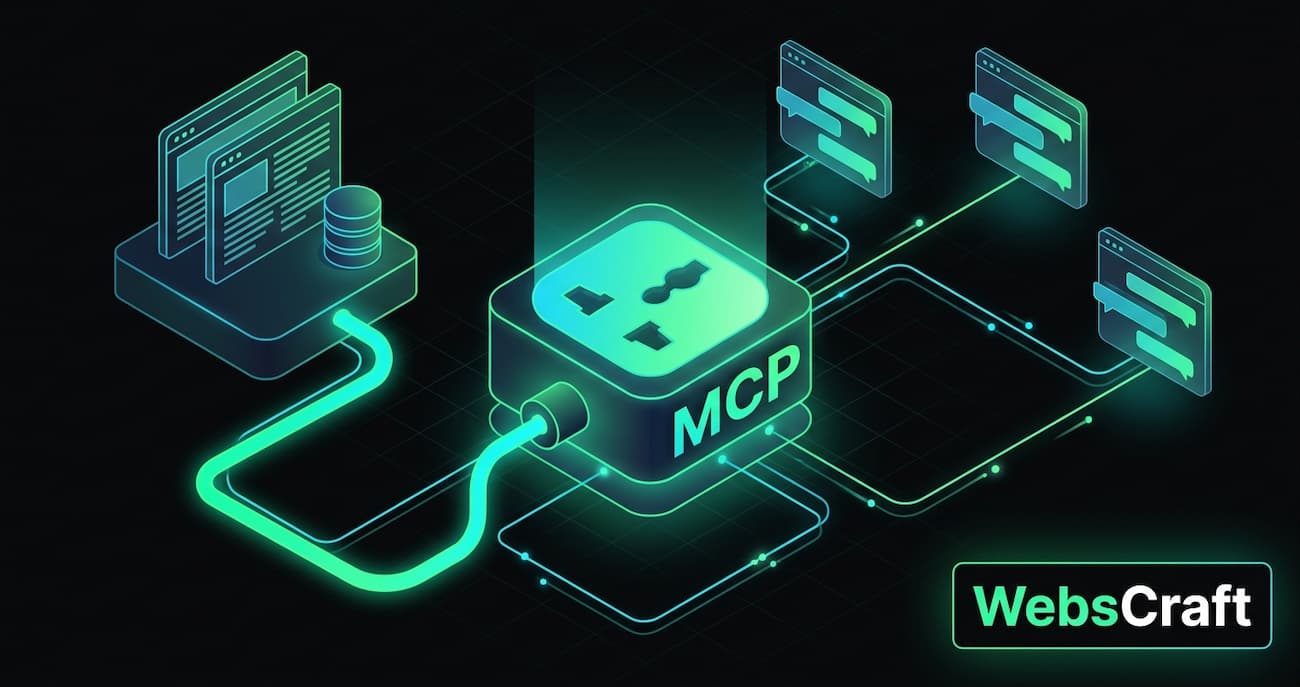
I connected my blog to Claude via MCP. Now, when someone asks Claude "which Ollama model to choose for 8GB RAM", the model can find the answer itself in the articles on webscraft.org and provide a link. In this article, I explain what MCP is without jargon, how it works under the hood, and what decisions had to be made to make the server useful, secure, and not a drain on money. The programming language here is not the main thing: the principles are the same for Java, Python, Node.js, or PHP. If you are looking for ready-made MCP servers to work with, check out the top 10 MCP servers for developers with pros, cons, and risks, and the mistakes I made when creating my own are discussed in the article "Typical mistakes when creating an MCP server".
⚡ In Brief
✅ MCP is a standard that allows AI assistants to connect to external data and tools. Not an API for other sites, but a "socket" specifically for Claude, ChatGPT, Cursor, and other AI clients.
✅ For a blog, three tools are enough: article search, article content, and a list of new publications. The model decides when to call them.
✅ Key decisions: provide snippets rather than ready-made answers; stateless transport; open access with limits instead of tokens.
✅ Honest talk about traffic: MCP brings almost no visitors to the site — people read the answer in Claude. It's a showcase and an experience, not a traffic source.
🎯 You will get: an understanding of how MCP works, what architectural decisions to make for your site, and what to pay attention to regarding security.
👇 Below are detailed explanations, comparison tables, and real launch experience.
Short answer: MCP (Model Context Protocol) is an open standard that allows an AI assistant to connect to your service and use it as a tool: to search, read, and, if you allow, modify data.
Before MCP, each integration was separate: a plugin for one chatbot, its own format for another, a third format for an IDE. MCP created a single "socket": you write an MCP server once, and Claude, ChatGPT, Cursor, Claude Code, OpenCode, and other clients that support the protocol connect to it.
The standard was launched by Anthropic at the end of 2024 and in December 2025, it was transferred to the newly created Agentic AI Foundation under the auspices of the Linux Foundation. Anthropic, Block, and OpenAI became co-founders of the foundation, supported by Google, Microsoft, AWS, Cloudflare, and Bloomberg. This means MCP is no longer "a single company's protocol" but a neutral industry standard.
⚠️ Main misunderstanding: MCP is not an API through which other sites will make requests to yours. The MCP client is an AI model. It reads the list of your tools and decides for itself when to call them. If you need another site to get your data from its backend, that's a regular REST API.
How MCP differs from REST API:
REST API
MCP
Who calls
a programmer writes the call code
an AI model decides itself
How the client knows what the server can do
documentation for people
the server itself provides a list of tools with descriptions
For whom is the description
for the developer
for the model (description = part of the prompt)
Typical client
another service, frontend, mobile application
Claude, ChatGPT, Cursor, AI agent
What MCP cannot do:
Does not replace API. Other sites and backends do not connect to you via MCP — they need a regular REST API.
Does not guarantee that you will be called. The model decides for itself whether it needs your tool. A vague description, and it will simply answer from its own knowledge.
Does not search for you. MCP is just a "socket". The quality of answers depends on how you implemented the search within the server.
Does not remember the conversation. The dialogue context is maintained by the client; the server only receives individual calls.
Does not protect by itself. Authorization, limits, and what exactly to expose are your responsibility.
Section conclusion: MCP is a way to make your service a "tool" for any AI assistant, not just another API.
🌍 Section 2. Where MCP is already used and why a blog needs it
MCP has shown its best performance where AI assistants need live data that is not in their training:
Development: GitHub has an official MCP server for working with repositories, issues, and pull requests; Sentry — for production errors; Linear — for tasks. The assistant in the code editor sees real data, not guesses.
Documentation: Microsoft Learn has an open MCP server for searching its documentation — without authorization, as the data is public. Context7 provides up-to-date library documentation so the model doesn't write code against outdated APIs.
Business services: Stripe (payments), Notion (knowledge bases), Figma (design) have their own remote MCP servers with OAuth.
Corporate data: internal regulations, CRM, knowledge bases — this is the most common scenario in companies.
And why does a blog need MCP? When I first heard about MCP, it seemed complicated: protocol, transports, sessions, JSON-RPC, and most materials immediately started with code, without explaining what it was at all. That's why I decided to figure it out in practice — I connected my blog to MCP and wrote this guide: what MCP is in simple terms, how it works, and what decisions have to be made. Honest talk about traffic: MCP provides almost none — people read the answer in Claude, not on the site. But understanding the technology and the experience, which can now be applied in client projects, is worth it.
👤 From my experience: my blog already has a RAG chat for articles and an SEO agent using Search Console data. MCP became the logical next step: the same vector search, but accessible not only on the site but also in any AI assistant.
⚙️ Section 3. How it works under the hood
The conversation between the client and the MCP server is standard HTTP POST requests with JSON (JSON-RPC format). Three main steps:
1. initialize   → "hello, I'm Claude, here are my capabilities"
                ← "hello, I'm webscraft, here are my capabilities and instructions"

2. tools/list   → "what tools do you have?"
                ← search_articles, get_article, latest_articles + descriptions

3. tools/call   → search_articles({"query": "ollama 8GB RAM"})
                ← 3 articles with snippets and links
The client performs the first two steps once when connecting. The third step is performed every time the model decides it needs your data.
💡 The main thing to understand: the conversation context is maintained by the client, not the server. If the user writes "and on Windows?", the server doesn't know that the conversation is about Ollama. Claude knows this — and formulates the complete query itself: search_articles("ollama windows 8gb"). Your server just searches. It doesn't see the conversation and shouldn't remember it.
This leads to an important design implication: each tool call must be self-contained. Everything needed for the response is in the call parameters.
🧩 Chapter 4. Solution #1: Fragments or Ready Answer
The first question I asked myself: I already have a RAG chatbot on the site that receives questions, searches a database, and generates an answer through an LLM. Why not provide a ready-made answer through MCP?
The difference is who is on the other side. The RAG chatbot on the site communicates with a human — they need a ready-made answer, so my model writes it. In MCP, on the other side, there is already a model, and usually a stronger one than mine. It needs not a summary, but the source material.
Provide Fragments
Provide Ready Answer
Cost per call
only query embedding — fractions of a cent
embedding + LLM generation at your expense
Speed
100–300 ms
3–10 s
Quality
client's strong model works with the source material
"broken telephone": your model summarized, the client's model summarizes the summary
Flexibility
client can refine the search, combine with other sources
receives ready text, cannot dig deeper
Risk
abuse is cheap
every call by anyone from the internet is your LLM expense
My solution is fragments. A ready-made answer makes sense only in two cases: when your RAG does something that cannot be replicated with fragments (complex business logic, custom ranking), or when the clients are weak local models.
What if there's no RAG and no vector database? MCP doesn't require them. Options from simple to complex:
List of articles and table of contents only — "latest articles" and "article table of contents" tools. The model will orient itself by the titles.
Full-text search — built-in site search or a full-text index in the database (e.g., PostgreSQL full-text search). Works well if the query contains the same words as the article.
Vector search — finds articles by content, even if the words are different ("weak laptop" → article about 8 GB RAM). Best quality, but requires embeddings. More details in articles on local AI and RAG.
🔄 Chapter 5. Solution #2: Session or Stateless
For remote servers, MCP uses the Streamable HTTP transport. It has two modes, and the difference here is not whether "the server remembers the conversation" (it doesn't remember in either), but whether it maintains the connection.
With session — like a phone call. Upon connection, the server issues a session ID, and the client adds it to each request. The server can write to the client first: progress of a long operation, a message "the list of tools has changed."
Stateless — like a help desk window. Each request is independent, the server stores nothing and doesn't write first — it only responds.
Situation
With Session
Stateless
Server deployment / restart
sessions disappear, client receives an error and must reconnect
the next request is simply processed
Multiple instances behind a load balancer
"sticky" sessions are required
any instance works
Cloudflare and other proxies
long connections are broken by timeout
regular short requests
Long operations with progress
✅ suitable
❌ not capable
My solution is stateless. Search takes 100–300 ms, nothing to stream. And the site is behind Cloudflare and is regularly deployed — sessions would only add problems here. Sessions are needed if your tool works for minutes (report generation, file processing) and needs to show progress.
🔐 Chapter 6. Solution #3: Open Access, Token, or OAuth
The first thought is "everything needs to be closed." But the right answer depends on what data the server provides and who will connect.
Option
How it works
When to use
Limitations
Open + Limits
anyone connects via URL
public data: articles, documentation, catalog
protection only by request limits
Bearer Token
key in the Authorization header
tools for yourself or a few trusted people
web versions of Claude and ChatGPT don't allow entering a header — only Claude Code, Cursor, and similar will connect
OAuth 2.1
user clicks "Login" and "Allow"
personal or corporate data of many users
requires an authorization server — this is days of work
My solution for the blog is open access with limits. The articles are already public — they can be read on the site or collected by a crawler. A token wouldn't protect anything here and would cut off the largest audience: web clients of Claude and ChatGPT only support connections without authorization or with OAuth.
Antipatterns to avoid:
❌ A single shared token published on the "How to Connect" page. This is no longer protection: everyone has the key. Either open the server, or issue keys to each person individually.
❌ Key in the URL (/mcp?key=...). URLs end up in server logs, proxies, and browser history.
❌ OAuth for public data "just in case." Days of work and a barrier for users with no benefit.
❌ Open access to private data. Analytics, client data, internal documents — only with authorization.
❌ Write tools without authorization. Only reading can be open.
For the blog, I created three tools, and all of them only read:
Tool
What it returns
Purpose
search_articles(query, limit)
up to 5 articles: title, URL, date, category, relevance, and 1–2 fragments
main scenario — find an answer
get_article(slug)
title, URL, short summary, and list of sections (without full text)
see what else is in the article
latest_articles(limit)
latest publications
"what's new on the blog?"
Description Determines Whether You'll Be Called At All
The model only sees the tool's name, description, and parameters. Based on these, it decides whether to call it. Therefore, the description is not documentation, but part of the prompt. What I write in it:
what the data is about — "Ukrainian-language technical blog: AI tools, local LLMs, Spring Boot, RAG, SEO";
when to call — "when the user asks how to do something in these topics, or asks for a source";
how to better formulate the query — "write query in Ukrainian" (the blog is in Ukrainian, so the search is more accurate);
what to do with the result — "these are fragments, not full articles: always provide the user with a link."
I write descriptions in English: models understand both languages equally well, and English is more universal for different clients.
Response with Status
The model must distinguish between "article not found" and "server crashed" — this determines what it will tell the user. Therefore, each response has a status field:
{"status": "ok",          "articles": [...]}
{"status": "not_found",   "message": "Nothing found on webscraft.org for this query."}
{"status": "unavailable", "message": "Search is temporarily unavailable. Please try again later."}
Fragment Hygiene
Size: up to ~900 characters per fragment and no more than 1–2 fragments per article. Otherwise, instead of five different articles, you'll get five pieces of one, and the client's context will be eaten up in one call.
Word fragments: when slicing text into chunks, they often start in the middle of a word. I cut off such fragments to the first space.
Only published: vector databases may contain chunks of drafts or deleted articles. Filter by publication status at the query level — otherwise, what is not yet on the site will leak out.
The model can pass a URL instead of a slug — get_article accepts both.
💡 Lifehack: At the beginning of my articles, there is a "⚡ In Short" block. Its text became the short summary in get_article — a free summary without LLM generation. If your articles have a lead or abstract, use them.
🛡 Chapter 8. Security and Money
An open server is a server that anyone can connect to, including bots. Each search call is a query embedding, which means real money. Here's what I did:
IP Limit: 30 requests per minute. A regular user doesn't need more: when connecting, the client makes 2–3 service requests, then one per search. What happens upon exceeding the limit is below.
Real IP behind proxy. The site is behind Cloudflare, so the "client IP" in the request is the Cloudflare IP. The real IP is in the CF-Connecting-IP header. If you take the connection address, the limit will be common for all users at once.
Daily safeguard: a general limit for the entire server, for example, 5000 calls per day. It counts all requests together, so it's not bypassed by many different IPs or a forged header when accessing the server directly bypassing Cloudflare.
Spending limit with the embedding provider — the last line of defense, independent of application code. Best of all — a separate API key for MCP with its own limit.
Read-only. No tool modifies anything. ChatGPT, by the way, considers tools without the "read-only" mark as capable of changing data — so the readOnlyHint mark is important.
⚠️ The most dangerous trap is automatic tool registration. Many frameworks automatically collect all tools in the application and publish them through MCP. In my application, besides the blog, there is an SEO agent with tools for Search Console and Google Analytics data. One careless configuration — and this data would end up on a public server. Without errors or warnings. What helps: keep MCP tools in a separate module, log the list of registered tools at startup, and after each deployment, check what tools/list returns.
What Happens When the Limit is Exceeded: HTTP 429
A limit is not just "block the excess." It's important how the server refuses: the client must understand what happened and when it can try again. Otherwise, the model will simply tell the user "the server is not working."
Counter. I count requests in Redis — with one atomic script:
-- KEYS[1] = "rate_limit:mcp:ip:{ip}",  ARGV[1] = 60 (seconds)
local count = redis.call('INCR', KEYS[1])
if count == 1 then
    redis.call('EXPIRE', KEYS[1], ARGV[1])
end
return count
Why a script and not two separate calls to INCR and EXPIRE: if something goes wrong between them (connection breaks, application crashes), the key will remain without an expiration time — and the IP will be blocked forever. The script in Redis executes entirely or not at all. The same approach works in any language.
Response upon exceeding the limit. When the counter is greater than 30, the server does not perform the search, but immediately responds:
HTTP/1.1 429
Retry-After: 60
Content-Type: application/json

{"jsonrpc":"2.0","id":null,"error":{"code":-32000,
 "message":"Rate limit exceeded: too many requests from your IP. Retry in a minute."}}
429 — standard "too many requests" code, understood by any HTTP client;
Retry-After: 60 — after how many seconds to retry;
JSON-RPC format body — so the MCP client will show a clear reason, not an "unknown error."
How I tested this. 35 requests in a row from one IP:
for i in $(seq 1 35); do
  curl -s -o /dev/null -w "%{http_code}\n" -X POST http://localhost:1911/mcp \
    -H "Content-Type: application/json" \
    -H "Accept: application/json, text/event-stream" \
    -d '{"jsonrpc":"2.0","id":1,"method":"tools/list"}'
done | sort | uniq -c

  30 200
   5 429
Exactly 30 passed, 5 received a refusal, and after a minute, the limit reset itself.
👤 Two decisions I made consciously: if Redis is unavailable, requests are skipped (fail-open) — MCP should not go down due to caching issues. The price of this decision: while Redis is down, there are no limits at all, so the last line of defense is the spending limit in the embedding provider's account. For expensive operations (LLM generation), I would choose the opposite — to refuse. And I log exceeding the limit once per minute, not for every rejected request — otherwise, a bot hitting the limit would clutter the logs with thousands of lines.
Here I also check security: only public tools should be in the list, and the site's admin panel should remain closed.
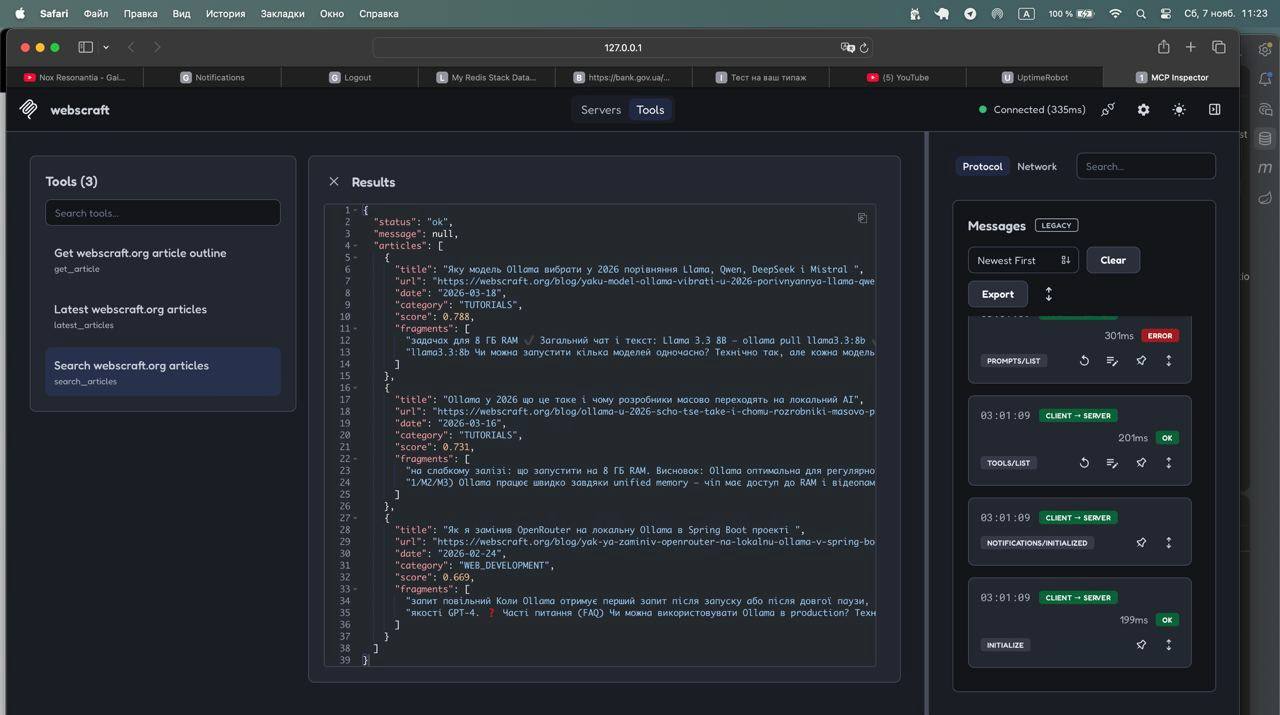
Step 2. MCP Inspector — the official debugging tool with a web interface. It's launched with a single command:
npx @modelcontextprotocol/inspector
In it, you add a server of type Streamable HTTP (not stdio — it's easy to make a mistake here), connect, and call tools manually. The main benefit is that you see your descriptions through the client's eyes. If a description is unclear to you, it's also unclear to the model.
Step 3. A Real Client. Claude Code, OpenCode, Cursor, or the web version of Claude or ChatGPT. I ask a regular question, without mentioning tools, for example, "which Ollama model should I choose for a laptop with 8GB RAM? provide a source" — and look in the server logs to see what query the model formulated.
Step 3. A Real Client. The most illustrative way is to connect the server to the web version of Claude. But first, an important limitation:
⚠️ Important: web clients (Claude, ChatGPT) connect to the MCP server from their servers, not from your computer. Therefore, localhost is unavailable to them — you can only test web versions on a server with a public address.
1. Deploy the server and check that it's accessible from the outside. Execute from any computer:
You should receive JSON with a list of tools in response. If you get an HTML page instead — the request was intercepted by a proxy or bot protection (e.g., Cloudflare), and an exception rule is needed for the /mcp address.
2. Add the server to Claude. In Claude's settings, open the Connectors section → Add custom connector (the names of the items may vary slightly):
Name: any understandable name, for example webscraft;
URL:https://your-site.com/mcp;
do not specify authorization if the server is open.
3. Ask a regular question. Open a new chat, make sure the connector is enabled (the tools icon near the input field), and ask without mentioning the tools:
Which Ollama model should I choose for a laptop with 8GB RAM? Provide a source.
Claude will decide to call search on its own, show the tool call, and respond with a link to the article. At this moment, the server logs show what query the model formulated the question with — this is the most interesting part of the test.
Similarly, the server connects to ChatGPT — as a custom connector in developer mode, and to Claude Code, Cursor, or OpenCode — in their MCP settings.
What I stumbled upon: a client on a new protocol version refused to connect to a server on an old one; local and production embeddings gave different relevance, so the filtering threshold had to be calibrated separately. More details about these and other mistakes are in the article "Common Mistakes When Creating an MCP Server" (coming soon).
☕ Chapter 10. For Java / Spring Developers
If you have Spring Boot and Spring AI, the MCP server is added to an existing application without a separate service. The starter:
A tool is a regular method of a bean class with an annotation:
@McpTool(
        name = "search_articles",
        description = "Semantic search over webscraft.org ... Always give the user the article URL.",
        annotations = @McpTool.McpAnnotations(readOnlyHint = true))
public SearchResult searchArticles(
        @McpToolParam(description = "Search query, preferably in Ukrainian", required = true) String query,
        @McpToolParam(description = "Number of articles, 1–5", required = false) Integer limit) {
    // search, error handling, status ok / not_found / unavailable
}
The /mcp endpoint appears automatically. Two nuances: in Spring AI 1.1, the MCP SDK supports protocol version 2025-06-18, and newer clients already speak 2025-11-25 — a compatibility filter or switching to Spring AI 2.x might be needed. And if you have Spring Security, don't forget to open /mcp and disable CSRF for it. A detailed technical breakdown is in a separate article "MCP Server on Spring AI: Step-by-Step Breakdown". The basics are in the article Spring AI: What It Is and How to Use It in Spring Boot.
💼 Need an MCP for Your Website or Company?
We build custom MCP servers:
For a website or blog — search through articles, product catalogs, documentation.
For internal company documents — regulations, knowledge base, contracts. We already use this approach in AskYourDocs — a platform for searching corporate documents.
For your service or API — so that clients can connect your product to Claude, ChatGPT, and Cursor.
Your data becomes accessible in AI assistants — with access control, limits, and only the tools you allow. Write to us — we'll discuss your case.
❓ Frequently Asked Questions (FAQ)
Do I need to know how to program to create an MCP server?
Yes, an MCP server is code that runs on a server. But for the typical case of "searching my data," it's small: a few hundred lines including limits and error handling. Official SDKs are available for Python, TypeScript, Java, C#, and other languages.
Is it safe to open an MCP server without authorization?
Yes, if it only returns public data, only reads, and has request limits. Private data and any write tools — only with authorization.
How much does an MCP server cost per month?
If it runs in an existing application and returns fragments rather than generating responses, it costs almost nothing. The main expense is embedding the search query, which is fractions of a cent per call. A daily limit ensures the bill won't exceed the budget.
Can I create an MCP for WordPress or in Python?
Yes. The protocol is language-independent: on Python, the server is written using the official SDK, and for WordPress, it can be built on top of its REST API [VERIFY: current WordPress plugins]. The principles from this article are the same.
Will MCP drive traffic to the site?
Not much. The model provides a link to the article, but most people are satisfied with the answer in the chat. MCP is about presence in AI assistants and experience, not about traffic. [ADD NUMBERS IN 2–3 WEEKS]
How does MCP differ from ChatGPT plugins or GPTs?
Plugins and GPTs only work in ChatGPT. MCP is an open standard: one server works with Claude, ChatGPT, Cursor, and other clients. In ChatGPT, MCP servers are connected as custom connectors in developer mode.
✅ Conclusions
MCP is a way to make your data a tool for any AI assistant. For a site with public content, three read-only tools, stateless transport, and open access with limits are sufficient. The most important decisions are to return fragments instead of ready-made answers, write tool descriptions as prompts, and ensure that nothing unnecessary is exposed.
For a blog, MCP is primarily a showcase and an experience. The true value of this approach is revealed where data is private and dynamic: company documents, CRM, internal services.
{
"@context": "https://schema.org",
"@type": "FAQPage",
"mainEntity": [
{
"@type": "Question",
"name": "Do I need to know how to program to create an MCP server?",
"acceptedAnswer": { "@type": "Answer", "text": "Yes, an MCP server is code that runs on a server. But for the typical case of \"searching my data,\" it's small: a few hundred lines including limits and error handling. Official SDKs are available for Python, TypeScript, Java, C#, and other languages." }
},
{
"@type": "Question",
"name": "Is it safe to open an MCP server without authorization?",
"acceptedAnswer": { "@type": "Answer", "text": "Yes, if it only returns public data, only reads, and has request limits. Private data and any write tools — only with authorization." }
},
{
"@type": "Question",
"name": "How much does an MCP server cost per month?",
"acceptedAnswer": { "@type": "Answer", "text": "If it runs in an existing application and returns fragments rather than generating responses, it costs almost nothing. The main expense is embedding the search query, fractions of a cent per call. A daily limit ensures the bill won't exceed the budget." }
},
{
"@type": "Question",
"name": "Can I create an MCP for WordPress or in Python?",
"acceptedAnswer": { "@type": "Answer", "text": "Yes. The protocol is language-independent: on Python, the server is written using the official SDK; for WordPress, it can be built on top of its REST API. The principles are the same." }
},
{
"@type": "Question",
"name": "Will MCP drive traffic to the site?",
"acceptedAnswer": { "@type": "Answer", "text": "Not much. The model provides a link to the article, but most people are satisfied with the answer in the chat. MCP is about presence in AI assistants and experience, not about traffic." }
},
{
"@type": "Question",
"name": "How does MCP differ from ChatGPT plugins or GPTs?",
"acceptedAnswer": { "@type": "Answer", "text": "Plugins and GPTs only work in ChatGPT. MCP is an open standard: one server works with Claude, ChatGPT, Cursor, and other clients. In ChatGPT, MCP servers are connected as custom connectors in developer mode." }
}
]
}