🔍 Source:
WebsCraft.org · 🌐 Genspark Official Website · 📰 BusinessWire (Workspace 3.0) · 📰 BusinessWire (Workspace 4.0)
On March 12, 2026, Genspark introduced Claw, an AI agent that the company calls the "first AI employee." Simultaneously, Workspace 3.0 was released, featuring workflow automation, Meeting Bots, and a Chrome Extension. Just three weeks later, on April 8, 2026, Workspace 4.0 was launched – Claw received a native desktop client and was integrated directly into Microsoft Office.
Spoiler: 🚀 Genspark is shifting from an "AI helps you work" model to an "AI works for you" model – and doing it faster than anyone expected. Two major releases in three weeks, $250M ARR in 12 months, $545M in total funding.
⚡ In Brief
- ✅ Genspark Claw: AI agent on a dedicated cloud computer – receives tasks via WhatsApp, Slack, Teams, Telegram and executes them independently
- ✅ Workspace 3.0 (March 2026): Workflows (~20 apps), Meeting Bots, Chrome Extension, Realtime Voice, team chats
- 🆕 Workspace 4.0 (April 2026): Claw for desktop with access to local files, native Office plugins (PowerPoint, Excel, Word), Advanced Workflows, Speakly Live Translation
- ✅ Funding: $545M total, $250M ARR in 12 months, valuation ~$1.6B
- ✅ Models: Claude Opus 4.6, GPT-5.4, Gemini 3.1 Pro, NVIDIA Nemotron 3 Super
- ✅ Claw Price: from $39.99/mo (separate from workspace subscription)
- 🎯 Below: what exactly has changed, how it works, how much it costs, and what it means for users
📚 Article Contents
🚀 What Was Launched: Genspark Claw – The First "AI Employee"
Key Idea: Claw is not just another chatbot. It's an agent that receives tasks via messenger, executes them on its own cloud computer, and returns the finished result. Since April 2026, it can also work directly with files on your laptop.
🤖 What is Genspark Claw
Genspark Claw is an AI agent that the company positions as the "first AI employee" (BusinessWire, 03/12/2026). In practice, this means the following: you send a message in WhatsApp, Slack, or Telegram describing a task – for example, "research a topic, compile a report, send an email to a client" – and Claw executes each step independently, returning the final result, not a draft.
The fundamental difference from Super Agent, which Genspark already had: Super Agent worked within the platform's web interface and generated content (Sparkpages, slides, websites). Claw goes beyond the platform – it connects to external services (email, calendar, GitHub, Salesforce) and performs actions within them on your behalf.
☁️ Genspark Cloud Computer
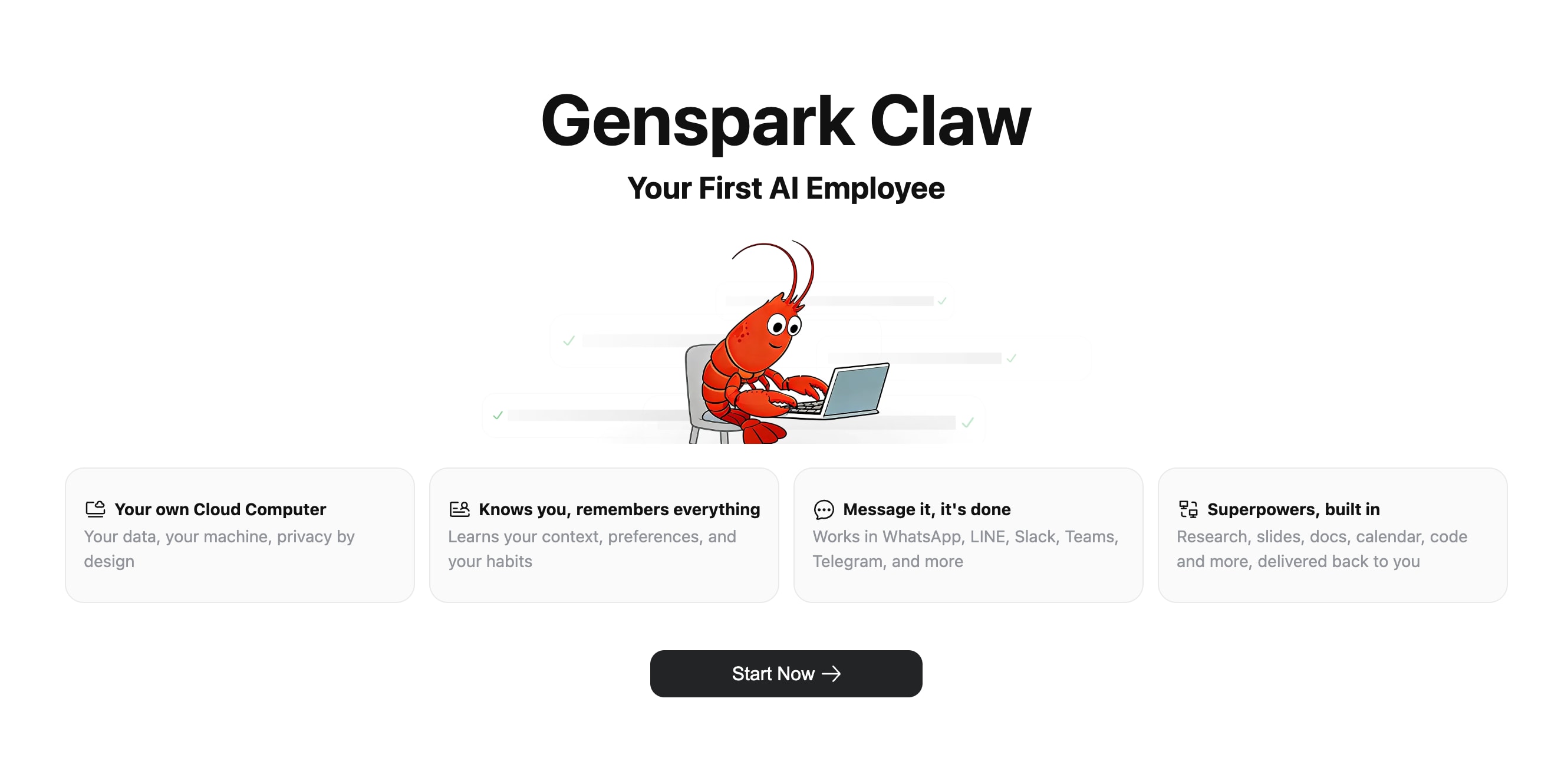
Each Claw user gets a dedicated cloud computer – a separate virtual machine with its own IP address, disk, and domain (Claw's official page). This is not a shared server: your data is physically isolated from other users. Genspark calls this approach "privacy-by-isolation."
The Cloud Computer is always on. If you close your laptop, Claw will continue to work – this is one of the key advantages over desktop AI tools like Claude Cowork, which stop when your computer does. Since April 2026, a native desktop version of Claw is also available – more on that in the Workspace 4.0 section.
- ✅ Dedicated VM: separate IP, disk, domain for each user
- ✅ Always-on: works even when you're offline
- ✅ Privacy-by-isolation: data is not mixed with other users
- ✅ One-click setup: Claw is pre-installed, no configuration needed
- 🆕 Claw for Desktop: since April 2026 – native client with access to local files
📱 Communication Channels
Claw connects to the messengers where teams already work. Supported platforms include: WhatsApp, Slack, Microsoft Teams, Telegram, LINE, Discord, Signal, Google Chat, and Feishu (genspark.ai/genspark-claw). Additionally, Claw receives its own email address with an allowlist for incoming messages.
In practice, it looks like this: you write to Claw in Telegram, "Research the latest B2B SaaS trends, compile a report, send it to my email" – and you receive the finished result without switching between applications.
⚙️ What Models Are Under the Hood
Claw allows you to choose between several frontier models: Claude Sonnet 4.6, Claude Opus 4.6, GPT-5.4, and Gemini 3.1 Pro (official page). Switching between models does not erase conversation history or long-term memory – this is an important technical detail that distinguishes Claw from most competitors.
⚡ Important: Claw operates on the OpenClaw framework – an open-source framework for AI agents. Genspark provides a managed version: it hosts the machine, installs skills, and configures integrations. You get a ready-to-use product without DevOps.
✅ Quick Takeaway: Genspark Claw is a managed cloud agent that executes tasks via messengers on a dedicated cloud computer. The key difference from Super Agent is that Claw operates outside the platform and interacts with real services. Since April 2026, it also has a native desktop client.
🤝 Want to learn more about the large language models behind such agents? A detailed overview is in the article: 🧠 LLM Overview: How to Use Large Language Models in Business and Content.
🔄 Genspark AI Workspace 3.0: What's New
Workspace 3.0 represents a shift in philosophy: from "AI helps you work faster" to "AI works independently, and you control the outcome." Three weeks after this release, Workspace 4.0 was launched and went even further.
📈 Evolution: How Genspark Has Changed
Workspace 1.0 provided AI search and Sparkpages. Workspace 2.0 (late 2025) added AI Slides, AI Sites, and Call For Me – people worked faster with AI. Workspace 3.0 shifts execution to the AI side: you now "hire" an AI employee who completes tasks from start to finish (BusinessWire). Workspace 4.0 (April 2026) took the next step – Claw moved from the cloud to your desktop and into Office.
🔄 Genspark Workflows
Workflows allow you to automate repetitive tasks across approximately 20 applications. Supported platforms include Google Workspace, Outlook, Slack, Microsoft Teams, Notion, Salesforce, and X (Twitter). There are templates for typical scenarios and the ability to create custom workflows (BusinessWire).
For context: Zapier supports over 7,000 integrations, Make supports several thousand. 20 applications in Genspark Workflows is modest for now, but the key difference is that Workflows operate within the AI workspace and can use AI agents as part of the chain. It's not just "if X, then Y," but "the agent analyzes the situation and decides what to do next." In Workspace 4.0, Workflows received a new OpenCode engine – significantly faster for complex chains.
🤖 Meeting Bots
Dedicated AI bots automatically join scheduled meetings, record discussions, organize notes, and send polished summaries. A direct competitor to Otter.ai and Fireflies, but integrated into a unified workspace. In Workspace 4.0, Meeting Bots gained Speakly Live Translation – real-time, multilingual.
🌐 Chrome Extension
A new Chrome extension works as a sidebar that understands the context of the current web page and helps perform tasks directly in the browser – from summarizing articles to launching workflows.
🎤 Realtime Voice and Speakly Mobile
Realtime Voice allows you to communicate with the AI assistant using voice commands without typing. Speakly is available on iOS and Android. In Workspace 4.0, Speakly received Live Translation: real-time simultaneous translation in meetings and video calls.
💬 Genspark Teams
New IM features: direct messages, group chats, and organization-wide member search. Genspark is moving from an individual tool to a team platform.
- ✅ Workflows: automation across ~20 apps (Google Workspace, Slack, Notion, Salesforce, etc.)
- ✅ Meeting Bots: automatic meeting recording and summaries
- ✅ Chrome Extension: AI sidebar in the browser
- ✅ Realtime Voice: voice commands
- ✅ Speakly Mobile: iOS and Android
- ✅ Teams: team chats and messaging
✅ Quick Takeaway: Workspace 3.0 adds a layer of automation and teamwork on top of existing capabilities. Three weeks later, Workspace 4.0 took the next step – detailed below.
🖥️ Genspark AI Workspace 4.0: Claw Comes to Desktop
On April 8, 2026 – just 3 weeks after Workspace 3.0 – Genspark released Workspace 4.0. Claw gained direct access to the user's local computer for the first time and was natively integrated into Microsoft Office.
Genspark achieved $250M ARR in 12 months and immediately leveraged this momentum for a second major release in a month. The pace is unusual even by AI startup standards – three weeks between two platform updates (BusinessWire, 04/08/2026).
🖥️ Claw for Desktop: Computer Use and Browser Use
Before Workspace 4.0, Claw existed exclusively in the cloud. Now, there's a native desktop client that sees your local computer just as you do.
Computer Use: Claw works with files directly on your disk – without manual uploads. Ask it to find, organize, summarize, or edit files in a folder – Claw will do it itself. One tester described a scenario: a folder of raw research notes → a structured report in 3 minutes instead of 45.
Browser Use: Claw navigates the web autonomously – fills out forms, collects data from multiple sites, completes online tasks from start to finish. You set the goal, not the steps.
📎 Native Office Plugins
Separate from the desktop client is native integration with Microsoft Office. AI agents are now embedded directly into PowerPoint, Excel, and Word:
- 📊 PowerPoint: in-depth topic research and slide editing based on your existing templates – without leaving the presentation
- 📈 Excel: data analysis, chart creation, and formula generation based on task descriptions
- 📝 Word: intelligent editing and document creation with contextual understanding
Strategic significance: Microsoft Office has over 1 billion users. Instead of asking people to switch to a new tool, Genspark is coming to where people already work.
⚡ Advanced Workflows and Speakly Live Translation
Advanced Workflows is built on the new OpenCode engine – significantly faster for complex multi-step chains with intricate branching logic. Speakly received Live Translation: real-time simultaneous translation in meetings and video calls – for global teams.
- 🆕 Claw for Desktop: Computer Use (local files) + Browser Use (autonomous web navigation)
- 🆕 Office Plugins: PowerPoint, Excel, Word – native integration
- 🆕 Advanced Workflows: on the OpenCode engine, faster and more reliable
- 🆕 Speakly Live Translation: simultaneous translation in meetings
- 🆕 AI Meeting Notes 2.0: automatic joining + notes + summary distribution
✅ Quick Takeaway: Workspace 4.0 represents a shift from "AI in the browser" to "AI everywhere: on your computer, in your files, in your Office applications." The three weeks between 3.0 and 4.0 signal a development pace that competitors are not yet matching.
💰 Round and Figures: $545M Total Funding, $250M ARR
Genspark's financial metrics explain why the company can afford two major releases in three weeks.
📊 What is Known About the Rounds
On March 12, 2026, along with the launch of Claw, the company announced an extension of Series B to $385 million with a valuation of around $1.6 billion (BusinessWire). The round was led by Emergence Capital – the fund's largest investment ever. Other investors include Japan's SBI, Korea's Mirae Asset, HartBeat Ventures (Kevin Hart), and Markham Valley Ventures (Simu Liu).
To understand the scale: the previous round in November 2025 was $275 million at a valuation of $1.25 billion. In four months, the valuation increased by approximately $350 million. Genspark's total funding (legal name – Mainfunc Inc.) as of April 2026 is $545 million – including new investors LG and Temasek's Pavilion Capital, who joined after the March round (BusinessWire, 04/08/2026).
📈 ARR and Growth
At the time of Workspace 3.0's launch (March 2026), Genspark reported $200M ARR in 11 months. By the release of Workspace 4.0 (April 2026) – it was already $250M ARR in 12 months. A $50 million increase in one month with an already large base is an unusual pace, even for the largest AI startups.
For context: at the company's inception, it announced $36 million ARR within the first 45 days of launch. Now, it earns more in a month than it did in a month and a half back then.
🎯 What the Money Will Be Used For
The company states that the funds will be used for scaling Genspark Claw and Cloud Computer, expanding hands-free execution, and partnerships. The infrastructure is built on Microsoft Azure, models from Anthropic (Opus 4.6), OpenAI (GPT-5.4), and NVIDIA (Nemotron 3 Super). Partner network: OpenAI, Anthropic, AWS, Microsoft.
✅ Quick Takeaway: $545M in total funding, $250M ARR in 12 months – figures that place Genspark among the top 5 AI startups in terms of monetization speed. However, it's worth remembering: a dedicated VM for each user is expensive infrastructure, and profitability with such costs is not guaranteed.
🤖 Context: Why Now? OpenClaw and the AI Agent Wave
The launch of Claw didn't happen in a vacuum. It's a response to the rapid growth of open-source AI agents and the enterprise segment's demand for secure, managed solutions.
🔓 What is OpenClaw
OpenClaw is an open-source framework for AI agents that allows you to run autonomous assistants capable of performing real-world tasks: web browsing, code writing, and working with local systems. OpenClaw quickly gained popularity among developers, but it has obvious limitations for business use: you need to self-host, configure security, and maintain the infrastructure.
Genspark Claw is built on top of OpenClaw but is a managed service. The difference is roughly the same as between self-hosted WordPress and WordPress.com: the same foundation, but one option requires DevOps, and the other only requires registration (Sliq).
📈 Trend: From Chatbots to AI Executors
In 2024–2025, AI tools mostly generated text, images, or code on demand. The user set a task, and the AI provided the result, but all coordination, verification, and execution of actions in external systems were done by a human.
In 2026, the focus is shifting to agentic AI—systems that plan their own steps, execute them in real services, and return the final result. Genspark Claw, Anthropic's Claude Cowork, and Perplexity Computer all emerged in the first quarter of 2026. Workspace 4.0 (April 2026) confirmed the trend: Claw gained Computer Use and moved from the cloud to local computers—where most people's work actually happens. This is no accident: the infrastructure and models have matured to a level where autonomous execution has become practical.
🏢 Why Enterprise Needs a Managed Solution
Open-source agents offer full control but create risks for businesses: unpredictable API request costs, lack of security guarantees, and difficulty in auditing. Managed solutions like Genspark Claw offer a compromise: less flexibility but predictable pricing, data isolation, and support.
- ✅ OpenClaw: open-source, self-hosted, full control, requires DevOps
- ✅ Genspark Claw: managed, zero setup, data isolation, fixed price
- ✅ 2026 Trend: from "AI generates" to "AI executes"—confirmed by Workspace 4.0 and Computer Use
⚠️ For more details on the risks of hallucinations in AI agents, see the article: 🧠 AI Hallucinations: What They Are, Why They're Dangerous, and How to Avoid Them.
✅ Quick Takeaway: Genspark Claw is a managed version of OpenClaw that emerged at a time when the market is transitioning from AI generation to AI execution. Workspace 4.0 with Computer Use confirmed it: this is a trend, not a marketing gimmick.
📊 What This Means for Users
New products are good, but what specifically changes for someone already using Genspark or considering it? After three months on the market—the first real conclusions.
👥 Who Benefits the Most
Marketers and Content Creators: Claw can handle the entire chain of "research topic → write content → send → schedule publication" without switching between tools. Workflows + Advanced Workflows (Workspace 4.0) add automation to routine tasks: new CRM entry → Slack notification → draft email to client.
Freelancers: Cloud Computer works 24/7. You delegate research before an evening client meeting to Claw, and by morning, you have a ready brief. With Workspace 4.0 and Computer Use, Claw can also work with your local files without manual uploads. This is a realistic scenario—not futurism.
Small Businesses: Meeting Bots with Speakly Live Translation (Workspace 4.0) and Workflows cover needs that previously required separate subscriptions to Otter.ai, Zapier, Notion, etc. But only if the 20 supported applications cover your stack.
Microsoft Office Teams: Office plugins (PowerPoint, Excel, Word) opened Claw to an audience that didn't want to switch to a new tool. If half your work is in Office, Workspace 4.0 significantly lowers the entry barrier.
⚠️ What to Consider in 2026
Claw was released on March 12, 2026. At the time of writing the first version of this article, there were almost no reviews—we honestly warned about this. Now, after three months on the market, the picture has become clearer:
- ✅ Cloud Computer stability is significantly better than expected—always-on works reliably
- ✅ Messenger integration (WhatsApp, Telegram) received positive feedback for ease of delegation
- ⚠️ Ukrainian language tasks—Claw still primarily works in English; results for complex Ukrainian tasks are unstable
- ⚠️ ~20 integrations in Workflows—the main bottleneck for teams with specific stacks
- ⚠️ Double payment (Workspace + Claw) surprised some new users—read the pricing section
- ⚠️ Uncertainty after 12.31.2026 regarding unlimited conditions applies to the entire account, including Claw
- ✅ For Marketing: research → content → sending via messengers
- ✅ For Freelancers: 24/7 agent with local files (Workspace 4.0) for $40/month
- ✅ For Small Businesses: Meeting Bots + Speakly Translation + Workflows instead of 3–4 services
- ✅ For Office Teams: native plugins in PowerPoint, Excel, Word
- ⚠️ Limitations: primarily English for Claw, ~20 integrations, double subscription
✅ Quick Takeaway: For those working with English-language content and already using Google Workspace/Slack/Office—Claw and Workspace 3.0–4.0 genuinely reduce manual coordination. For working in Ukrainian—it's worth testing on Free and evaluating the quality of results.
💳 Claw Pricing: How Much Does an AI Employee Cost
The main nuance: a Claw subscription is a separate payment on top of your main Workspace plan. Calculate the total cost before subscribing.
📋 Genspark Claw Pricing Tiers (June 2026)
| 📋 Plan |
💵 Price/Month |
💵 With Annual Payment |
🔧 What's Included |
| Standard Cloud Computer |
$39.99 |
$34.99/mo (~13% discount) |
Dedicated VM, all skills, messengers, AI models, Computer Use (Workspace 4.0) |
| Powerful Cloud Computer |
$79.99 |
$69.99/mo (~13% discount) |
More computing resources for heavy tasks, priority queue |
Source: Sliq, SourceForge, official Claw page.
⚠️ Important Nuance: Double Payment
Claw pricing is a separate line item from the main Workspace plans. If you need both Claw and full access to Sparkpages/Slides/Video—you pay for both. The actual cost for a typical user:
- Free + Standard Claw = $39.99/mo (Claw only, without full workspace)
- Plus ($24.99) + Standard Claw ($39.99) = $64.98/mo
- Plus ($24.99) + Powerful Claw ($79.99) = $104.98/mo
- Pro ($249.99) + Powerful Claw ($79.99) = $329.98/mo
⚖️ Cost Comparison with Alternatives (June 2026)
| Platform |
Price/Month |
Type |
Feature |
| Genspark Claw (Standard) |
from $39.99 (+ Workspace) |
Cloud agent, managed |
Always-on VM, messengers, Computer Use |
| OpenClaw (self-hosted) |
$20–50 + API |
Self-hosted agent |
Full control, requires DevOps |
| Perplexity Computer |
$200 |
Multi-model orchestrator |
Metered credits, more expensive |
| Claude Pro (with Cowork) |
$20 |
Desktop agent, local files |
Cheapest, stops with the computer |
✅ Quick Takeaway: Claw costs $40–80/month on top of a workspace subscription. Compared to Perplexity Computer ($200/month)—it's cost-effective. Compared to Claude Pro ($20/month with Cowork)—it's significantly more expensive, but Claw offers an always-on VM and communication via messengers. The choice depends on whether you need an agent that doesn't stop with your laptop.
🤝 For more on choosing between Claw, Claude Cowork, and Perplexity Computer, see the article: ⚖️ Genspark Claw vs Claude Cowork vs Perplexity Computer: Which AI Agent to Choose in 2026.
🔮 What's Next: Forecast and Limitations
Claw and Workspace 3.0–4.0 is an ambitious launch, but there are objective limitations you should be aware of before you sign up. After three months on the market, the picture has become clearer.
🟢 What Looks Promising
Genspark is moving in the right direction: the agentic AI market is growing, and the demand for managed solutions is real. $250M ARR in 12 months and doubling in the previous two months isn't just marketing; it's a signal that users are willing to pay for AI execution. Investors from Emergence Capital, SBI, Mirae Asset, LG, and Temasek's Pavilion Capital are backing this with their money.
Integration with 9 messengers is the right approach. Instead of forcing people to learn a new interface, Claw comes to where they already work. Workspace 4.0 went further: Office plugins for PowerPoint, Excel, and Word opened Claw to an audience that wasn't planning to switch to a new product at all.
The forecast we made three months ago – "expect a desktop version and local files" – came true accurately and quickly. This is a good sign regarding roadmap predictability.
🟡 What to Watch
Expanding Workflows: ~20 integrations is a bottleneck for serious automation. Genspark promises expansion, but the pace is unclear. Zapier and Make remain significantly more powerful for complex chains.
Language Support: English only for Claw. For Ukrainian tasks, results are unstable – this is a limitation that won't disappear quickly.
Terms After 12/31/2026: Unlimited chat and image generation on Workspace plans are guaranteed until the end of 2026. What will happen after is not publicly announced by Genspark. If you are building processes on the platform, this is a real planning risk.
Workspace Credit Model: In previous experience with Super Agent, the main complaint was the monetization model – rapid credit depletion, artificial iterations, refund issues. Claw has a separate fixed pricing model – this is better. However, Workspace support and billing remain a weak point according to feedback.
🔴 Objective Risks
Genspark is a startup that spends aggressively. A dedicated VM for each user is expensive infrastructure, and $250M ARR with such expenses doesn't guarantee profitability. The history of tech startups knows many cases where aggressive growth ended in problems.
Genspark's Trustpilot rating remains ~2/5, mainly due to Workspace billing and support issues. Claw with its fixed subscription might change this picture – but the rating hasn't improved yet.
✅ Quick Takeaway: Genspark is moving in the right direction – and fast. Two major releases in three weeks, the desktop forecast came true. But key limitations (language, integrations, uncertainty after 12/31/2026) remain real. Test before building critical processes.
📖 A comprehensive overview of all Genspark features is in our detailed article: 🚀 Genspark AI Review: The Super Agent That Autonomously Creates Websites and Presentations.
❓ Frequently Asked Questions (FAQ)
Will Claw replace Super Agent?
In short: No, these are different products with different tasks.
Super Agent remains part of Genspark Workspace and operates within the platform – generating Sparkpages, slides, websites, and videos. Claw is a separate agent that works outside the platform via messengers and interacts with external services. With Workspace 4.0, Claw also gained access to local files through Computer Use. They complement each other: Super Agent for content creation, Claw for performing tasks in the real world and delegating through messengers.
Do I need a separate subscription for Claw?
In short: Yes, Claw is billed separately from Workspace.
Workspace plans (Free/Plus/Pro) cover access to Sparkpages, AI Slides, AI Sites, and other generation tools. Claw Cloud Computer is a separate plan: Standard $39.99/month or Powerful $79.99/month. A typical total cost would be: Plus ($24.99) + Standard Claw ($39.99) = $64.98/month. This surprised some new users – read the pricing section before subscribing.
How is Claw different from ChatGPT or Claude?
In short: ChatGPT and Claude are chatbots that answer questions. Claw is an agent that performs tasks.
When you ask ChatGPT to "email a client," it will write the email text but won't send it. Claw connects to your Gmail/Outlook and sends it. When you ask Claude to "schedule a meeting," it will suggest reminder text but won't create an event in your calendar. Claw will create it. This is the fundamental difference between generation and execution. With Workspace 4.0 and Computer Use, Claw can also work with local files on your computer – without manual uploads.
Is Claw suitable for working in Ukrainian?
In short: Limited – for simple tasks, yes; for complex ones, it's currently unstable.
Claw is primarily designed for English-speaking use. Simple commands in messengers (send a message, find information) can be formulated in Ukrainian – Claw understands the request. However, for complex multi-step tasks where precision of wording is important, the results are unstable. For serious Ukrainian workflows, I recommend testing the task on Free or Standard before building a regular process.
What does "Claw performs tasks while you sleep" mean?
In short: The Cloud Computer is always on – Claw doesn't stop when your laptop does.
Unlike Claude Cowork, which stops when you close the browser, Claw runs on a dedicated VM in the cloud. You write a task in Telegram in the evening – and get the finished result in the morning. Always-on functionality has been confirmed after three months of use as one of the product's most reliable features.
✅ Conclusions
- 🔹 Genspark Claw is a new type of AI agent: a dedicated cloud computer, tasks via messengers, execution in real services. A step from content generation to task execution.
- 🔹 Workspace 3.0 (March 2026) adds Workflows, Meeting Bots, Chrome Extension, voice commands, and team chats. Workspace 4.0 (April 2026) brings Claw for desktop with local files, native Office plugins, Advanced Workflows, and Speakly Live Translation.
- 🔹 Financials are strong: total funding $545M, $250M ARR in 12 months, new investors LG and Temasek's Pavilion Capital. Valuation ~$1.6B.
- 🔹 Forecast came true: three months ago, we predicted a desktop version and local files – Workspace 4.0 implemented this three weeks after publication.
- 🔹 Limitations are real: primarily English, ~20 integrations in Workflows, double payment ($40–80/month on top of Workspace), uncertainty of terms after 12/31/2026. Trustpilot ~2/5 due to Workspace billing issues.
- 🔹 Recommendation: if you work with English content and need an always-on agent for research, email, and coordination – Claw is worth testing. For content generation – Super Agent in Workspace. For complex Ukrainian tasks – test before building a process.
My stance: Genspark is making the right bet on AI execution and delivering on promises faster than expected – two major releases in three weeks confirm this. "First AI employee" is still a marketing label: true replacement of a human employee is far off. But as a managed cloud agent for delegating specific tasks via messengers – it's practical and deserves attention. Especially if your team is already on WhatsApp or Slack and doesn't want another interface.
📚 Useful Materials from the WebsCraft Blog
🚀 Full Genspark AI 2026 Review: What Super Agent can do, current pricing, real-world cases, and reviews – all in one article.
Read the review →
🧠 LLM Review: How AI Works: ChatGPT, Claude, and Gemini.
Read →
🎭 AI Hallucinations: What they are, why they are dangerous, and how to avoid them when working with AI agents.
Read →
🔍 How Crawling Works in the AI Era: How AI systems collect information from the web and why it's important to understand.
Read →
🦙 Ollama in 2026: What it is and why developers are massively switching to local AI.
Read →