When I first connected monetization to my website, the process of income generation seemed like a kind of "black box" to me. The main question that bothered me for a long time was: why can one article with several thousand views bring in as much as another with a few hundred?
To understand this, I started researching the economics of programmatic advertising and the mechanisms of ad auctions (Real-Time Bidding, RTB). In this article, I examine the key factors that influence ad revenue: from the difference between Page RPM and Session RPM to audience geography, user commercial intent, and technical aspects of ad serving.
I am deliberately not providing figures from my ad account here: the network has been running for a short time, the sample is too small, and the ad networks themselves warn that blindly comparing RPMs of different sites is dangerous. All indicators and definitions below are taken from official documentation and open sources, and my own observations are marked separately.
Article Content:
1. What is RPM and why is it an important monetization metric
When I first started looking at ad network reports, the abbreviation RPM (Revenue Per Mille) seemed like a simple mathematical indicator to me: how much the site earns per thousand views or sessions. However, in practice, it turned out that there is no single standard definition of RPM: Mediavine itself acknowledges this, emphasizing that different companies use the term differently. That's why it's important to understand which metric you are analyzing and what you are comparing it to.
For example, in the Google AdSense Help, "earnings per thousand impressions" is described as estimated earnings divided by the number of page views, impressions, or queries, multiplied by 1000. Google specifically emphasizes that this metric does not reflect the actual amount of revenue, but only an approximation. The AdSense help also has separate definitions for Page RPM and Impression RPM.
Session RPM vs. Page RPM: what's the difference
Initially, I paid attention primarily to Page RPM — estimated revenue per 1000 page views:
Page RPM = (Estimated Revenue / Page Views) × 1000
However, after switching from AdSense to the ad network Journey by Mediavine, I started paying more attention to Session RPM — revenue per 1000 sessions:
Session RPM = (Estimated Revenue / Number of Sessions) × 1000
This is how Mediavine defines Session RPM, and it's sessions that it uses as the basis for monetization assessment: in its blog, the network explained that a session better reflects the value of a visit than a single page view. To participate in Journey, by the way, GA4 is required. AdSense, according to Google's own announcement, will no longer use session-related metrics from September 2025, so Session RPM is a metric of individual networks, not a universal standard.
It's important to note that Session RPM and Page RPM have different denominators, so they cannot be directly compared. For correct analysis, you also need to check how exactly the ad network defines revenue and the number of sessions. Session data, by the way, can also be inaccurate: Mediavine notes that sharp RPM spikes are often related to errors in session counting, such as duplicate analytics code.
RPM vs. CPM: don't confuse them
CPM is the price an advertiser pays for 1000 impressions. RPM is the publisher's revenue attributed to a thousand units of the chosen metric (views, impressions, or sessions). RPM is influenced not only by CPM but also by how much advertising appears on the page, what portion of it is actually sold and displayed, and how many pages a user opens per visit.
How page depth and session duration can affect revenue
- Page Depth: If a user opens three articles in one visit, it can increase the number of page views and ad impressions within a single session. All else being equal, additional monetized impressions can increase revenue from such a visit. However, the result depends on the actual number of impressions, their profitability, and other monetization parameters.
- Session Duration and Ad Refresh: Some ad configurations support automatic ad unit refreshing, but the frequency and conditions of refreshing depend on the specific platform and settings. It cannot be assumed that ads on any site automatically refresh every 30-45 seconds. Long stays on a page by themselves do not guarantee increased revenue. Mediavine, for example, recommends refreshing only those units that were visible.
If the ad platform supports ad refreshing, it's worth checking the relevant rules and technical requirements before using it. Additional impressions should be evaluated not only by quantity but also by actual revenue and impact on user experience.
What I notice in my own dashboard
In the first few days of working with Journey, I noticed that in-depth technical materials (e.g., on RAG and Vector DB) seemed more profitable than short informational posts. This observation is from a very short period, not a rule for short and long articles, and I haven't established the reason. The difference could be influenced by the topic of the materials, audience geography, traffic sources, number of ad impressions, and other factors. To draw a conclusion, these parameters need to be compared over the same period and on a larger sample.
Conclusion:
Page RPM shows estimated revenue per 1000 page views, while Session RPM shows revenue per 1000 sessions. The former helps assess the profitability of views, the latter — the monetization of visits overall. Longer sessions and greater page depth can increase ad revenue, but the result depends on actual impressions, their profitability, and ad platform settings. Therefore, compare RPMs only within the same metric and on the same site.
2. How Real-Time Bidding (RTB) ad auctions work
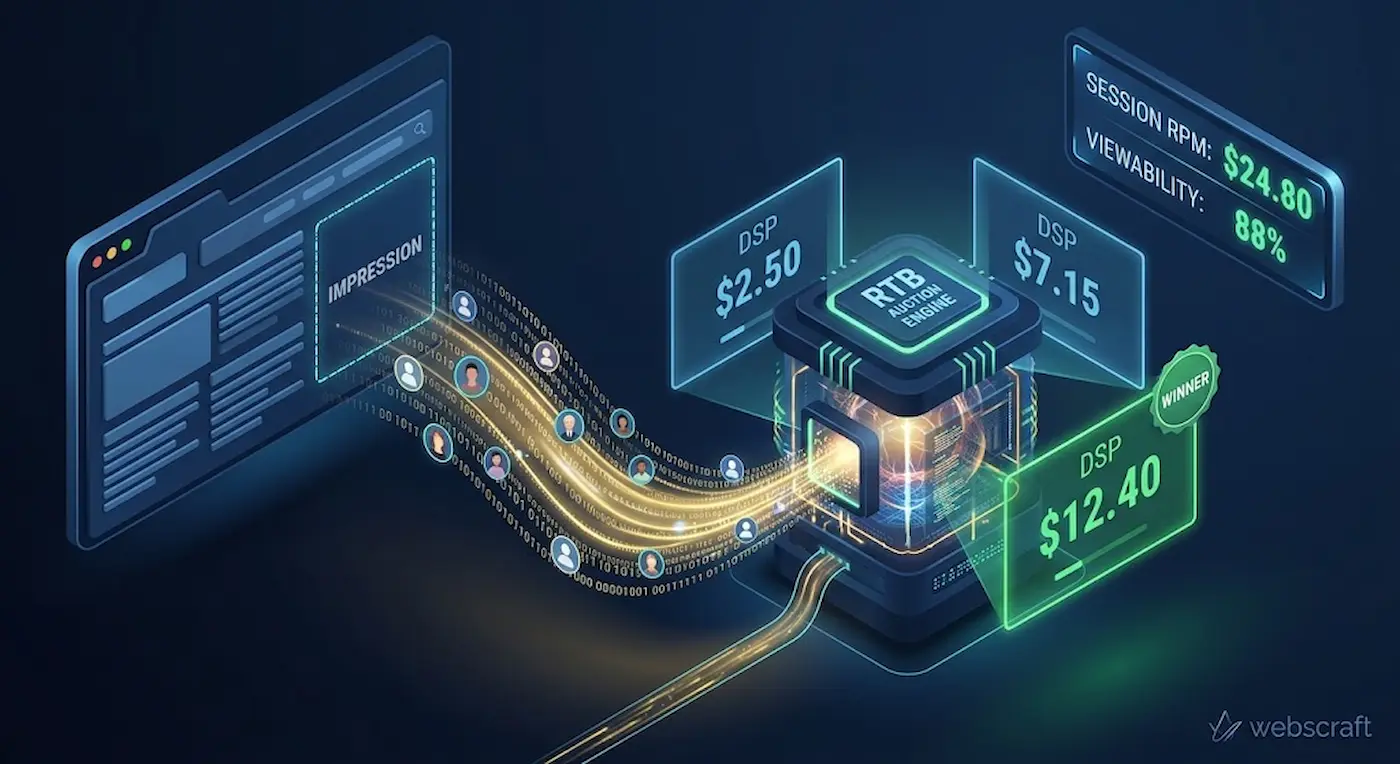
When I first learned what happens behind the scenes when each page of my site loads, I was amazed. While a visitor opens a tab, a high-speed auction unfolds in a fraction of a second — Real-Time Bidding (RTB). Dozens of ad buyers through their platforms (DSPs) bid for an impression, and publisher exchanges and platforms (SSPs) choose the winner. Whoever wins will show their banner to the reader. The time for bidding is limited: in the OpenRTB specification, there is a parameter tmax for this, which is the maximum time in milliseconds that the exchange waits for responses. It depends on the exchange and the auction format.
What can lower impression costs: latency, invalid traffic, and consent banners
The price of a winning bid depends not only on the content but also on the technical cleanliness of the site:
- Loading Latency: Bids that do not fit within the limited auction time simply do not enter it. If ad scripts load slowly, the probability increases that some buyers will not have time to participate, and the reader will leave the page before the ad becomes visible. This is a logical consequence of RTB mechanics, not a proven pattern for every site, so the impact of speed on RPM should be checked with your own data.
- Invalid Traffic (IVT): Artificial or automated traffic can lead to sanctions. According to Google AdSense policies, traffic that artificially inflates advertiser costs or publisher revenue, including that generated by automated tools and bots, is considered invalid. Do not confuse it with SpamBrain: this is Google Search's system against spam in search results, not an ad traffic verification tool.
- Consent Banner (CMP / Cookie Consent): For visitors from the EEA, UK, and Switzerland, Google requires a certified CMP integrated with IAB TCF if you display personalized ads. Traffic from a non-certified CMP may only receive non-personalized or limited ads, and such ads are usually cheaper. The list of certified CMPs includes CMP from Mediavine. TCF requirements are changing: from February 28, 2026, Google stopped accepting new TCF v2.2 consent strings and requires v2.3. Requirements for other regions may vary.
Viewability and Dwell Time: why long articles can earn more
Advertisers buy not just the fact that an ad code block is present on the page, but its actual visibility — Viewability. According to the MRC standard, which Mediavine also describes, for standard banners (like 300x250 or 728x90), at least 50% of pixels must be in view for at least 1 second, and for large formats (over 242,500 pixels), 30% is sufficient.
Therefore, articles where readers linger (high Dwell Time) may have more visible impressions, which is why long technical articles often appear more profitable. However, this is a hypothesis, not a guarantee: visibility depends on ad block placement, page speed, and reader behavior. If the network supports ad refreshing, it should only apply to visible blocks, and relying on it without checking the specific platform's rules is not advisable.
💡 Conclusion in simple terms:
An ad auction is an instant trade for each reader's attention. The faster the site loads, the cleaner the traffic, and the more often ads are actually in view, the more buyers participate in the auction and the higher the impression price can be. This is general logic, not a promise for every site: the specific result depends on your audience and network settings.
3. Commercial Intent: Why Traffic Has Different Costs
Advertiser platforms (DSPs), which buy impressions at auction, evaluate not just the text on a page, but the financial value of an action a reader might take. The logic is simple: the closer a visitor is to a purchase decision, the more an advertiser is willing to pay for their attention.
The bid is influenced by two sources of signals. The first is the context of the page: topic, keywords, type of content. The second is the user's profile, if the advertising system knows it (browsing history, interests). Therefore, the same article can generate different revenue depending on who is reading it.
Low Intent (Informational)
The reader is looking for general educational concepts or entertainment content (e.g., "the history of paper money" or "a collection of simple prompts").
- Why this cost (cause and effect): the person came for free information and isn't looking to buy anything right now. The probability of purchase is low, so primarily advertisers who value reach and brand awareness, rather than sales, compete for these impressions.
- Who advertises: mass-market brands, fast-moving consumer goods (FMCG), online games, and inexpensive services with broad reach.
- Monetization potential: low.
Mid Intent (Instrumental)
The user is looking for free tools or tutorials for a practical task (e.g., "free OpenRouter models" or "how to run DeepSeek in OpenCode").
- Why this cost (cause and effect): the visitor is an active specialist or developer looking for a working solution. They prefer free tools, but services understand that when the free limit runs out or they like the tool, such a user might well switch to a paid subscription.
- Who advertises: developer tools, paid SaaS platforms, online courses, entry-level cloud providers.
- Monetization potential: medium.
High Intent (Commercial / B2B)
The visitor is comparing paid infrastructure solutions or choosing a stack for production (e.g., "Managed Kubernetes pricing comparison" or "services for deploying enterprise Java applications").
- Why this cost (cause and effect): such a page is read by a Tech Lead, DevOps engineer, or system architect who influences company expenses. A single client acquired through such advertising can bring the advertiser a B2B contract worth tens of thousands of dollars per year. Therefore, companies are willing to pay many times more per thousand impressions than for informational traffic.
- Who advertises: enterprise clouds (AWS, Azure, Google Cloud), B2B monitoring systems (e.g., Datadog), corporate cybersecurity, and databases.
- Monetization potential: high.
I am deliberately not providing exact CPM ranges for each level: they depend heavily on the ad network, geography, season, and format, and there is no public statistic that could be considered a norm. What's important is this: the difference between informational and commercial B2B traffic is measured not in percentages, but in multiples.
💡 Conclusion in simple terms:
The price of advertising is determined by the potential purchase value. If an article attracts people looking for free theory, a banner costs pennies. If an article helps a business choose paid infrastructure, advertisers compete for that reader at auction, and the cost per thousand impressions increases significantly.
4. The Impact of Geography (Tier-1 vs Tier-3) and Seasonality
When I analyzed geography in my dashboard, I noticed a striking difference: for the same content, a reader from the USA or Germany brings in many times more revenue than a reader from a local market. Auction bids depend on the purchasing power of the region and the size of companies' advertising budgets in that country.
Tier-1 vs Tier-3: Why Such a Gap in Revenue
-
Tier-1 (USA, Canada, UK, Germany, Australia):
Why: these countries have the largest advertising budgets, and buyers have high purchasing power. Companies compete for this audience, and auction bids increase.
Consequence: the highest RPM among all regions.
-
Tier-3 and local markets:
Why: smaller advertising budgets and lower average transaction values for goods and services. Fewer advertisers compete for these readers, so bids are lower.
Consequence: RPM can be several times, or even an order of magnitude, lower than for Tier-1.
What I noticed in my dashboard: visitors from private search engines (Brave Search, DuckDuckGo) come infrequently, but impressions for them are often more expensive than the site average. My hypothesis is that these search engines are more frequently used by developers and security specialists, particularly from Tier-1 countries. But this is just a hypothesis, not an established cause. Moreover, the Brave browser blocks ads by default, so some of these visitors don't see ads at all, and this traffic has little impact on overall revenue.
Seasonality: From January Slump to November-December Peak
The advertising market operates according to the financial calendar of advertiser companies:
-
Q1, especially January, is the "advertising hangover":
Why: after the holidays, advertisers reduce spending while they approve and allocate budgets for the new year. Fewer auction participants mean lower bids. According to the explanation from the Raptive ad network, early January usually becomes the lowest point of the year. Mediavine warned its publishers that after the holidays, CPM, and therefore RPM, could drop by as much as 50%.
-
End of Q4 (mid-November to Christmas) is the golden season:
Why: peak retail sales (Black Friday, Cyber Monday, Christmas), when advertisers spend a significant portion of their annual budget to reach holiday shoppers. Competition at auction is at its maximum, and bids increase.
Consequence: the highest RPM of the year. How much higher it is depends on the niche: for product and shopping sites, the difference is usually greater than for tech blogs.
Important: seasonality affects all sites simultaneously. If your RPM dropped in January, it doesn't necessarily mean you broke something. Compare your metrics to the same period last year, not to December.
💡 Conclusion in simple terms:
Geography and the time of year determine how much money advertisers physically have available at that moment. One reader from the USA can earn you as much as dozens of readers from regional traffic. And before Black Friday and Christmas, the same articles bring in noticeably more simply due to the seasonal surge in budgets, while in early January, revenue predictably drops.
5. Type of Ad Network and Banner Formats
Google AdSense vs. Premium Networks (Mediavine / Journey)
Google AdSense is the simplest way to monetize: Google itself sells your impressions to advertisers and takes its share. According to official Google data, a publisher receives 80% of the revenue after the buyer's ad platform deducts its commission; for ads purchased through Google Ads, this is approximately 68%.
Premium networks (specifically Journey by Mediavine) use header bidding: multiple independent SSP platforms compete simultaneously for each ad slot. More buyers in the auction mean a higher final bid. I discussed the architectural differences in more detail in the article Google AdSense vs Journey by Mediavine: What to Choose for Your Site.
Setup Period: Why Revenue Doesn't Grow Immediately
When I connected a new ad network, I was surprised that the RPM was lower than expected in the first few days. It turned out to be normal: a new site in the network needs time to "warm up." There is no fixed official duration for this period. Journey itself writes that new sites need more time to grow their metrics, and advertising partners need at least four months of domain history before they start bidding. Here's what's most likely happening during this time:
-
1. Accumulating Viewability Data:
What it means: Ad systems measure whether users actually see banners. By default, which Google also uses, a banner impression is considered viewable if at least 50% of its area was on the screen for at least one second (Active View definition in AdSense Help).
Why it's needed: Advertisers pay for impressions that live people see. Until the system has viewability statistics on your site, bids are more cautious. The higher the confirmed viewability, the more willing buyers are to increase their bids.
-
2. Classifying Site Topics:
What it means: Ad systems scan content to understand the topic of the pages. For example, Google has a separate AdSense crawler for this – Mediapartners-Google. This allows the system to distinguish material about "Enterprise Cloud Infrastructure" from a general "IT blog."
Why it's needed: Without understanding the topic, general, cheaper ads are shown. When the system knows your audience consists of developers and technical managers, niche advertisers with higher bids become more actively involved in the auction.
-
3. Optimizing Banner Placements:
What it means: Managed networks like Journey place ads on the page themselves and configure lazy loading separately for mobile and desktop.
Why it's needed: This is a balance between revenue and site speed. Banners should not interfere with reading code and diagrams or degrade Core Web Vitals, while providing as many viewable impressions as possible on each screen type.
💡 Conclusion in simple terms:
The first few weeks after connecting monetization are a kind of advertising "sandbox." Analogous to how, according to SEO specialists' observations, search engines treat new domains (I wrote more about this effect in the article Google Sandbox: How to Understand if a Site is Being Tested), ad systems first collect data: they check traffic quality, study the topic, and select banner placements.
Therefore, don't be discouraged if monetization figures are low in the first few days. In my dashboard, I've already seen sharp daily revenue spikes in the early days. However, over such a short period, I can't say whether this is the completion of setup, Q4 seasonality, or simply a different traffic mix that day. The main thing is to give the system time and evaluate the trend over weeks, not individual days.
🧾 Checklist: How to Technically Optimize Your Site to Increase RPM
- [ ] Optimize Core Web Vitals: keep LCP (Largest Contentful Paint) within the "good" range – up to 2.5 seconds according to web.dev recommendations, and preferably with a buffer for pages with ads, as ad scripts add load (more details in the article Core Web Vitals: The Three Pillars of Your Conversion).
- [ ] Configure lazy loading for banners: load ads only when the user approaches the ad block. In managed networks (Journey, Mediavine), the network configures this itself; if you place ads yourself via Google Publisher Tag, the distance is set in the lazy load settings as a percentage of screen height.
- [ ] Reserve space for ad blocks (CLS protection): set a
min-height for ad containers in CSS so that the layout doesn't shift during banner loading (CLS on web.dev).
- [ ] Improve content structure: clear headings, lists, and short paragraphs keep the reader on the page longer, meaning banners are more likely to be seen and generate more viewable impressions.
- [ ] Configure a certified CMP for Europe: for visitors from the EEA, UK, and Switzerland, Google requires consent through a Google-certified CMP with IAB TCF support. From February 28, 2026, TCF version 2.3 will be required; ensure your CMP supports the current version. Without consent, some ads will switch to limited mode, and revenue from European traffic will noticeably decrease.
- [ ] Never click on your own ads: this is a direct violation of ad network rules and the most common reason for account blocking (invalid clicks and impressions in AdSense Help). When working on your own site, it's convenient to use a separate browser profile with an ad blocker to avoid accidentally generating impressions and clicks.
- [ ] Exclude your own traffic from analytics: set up an internal traffic filter in GA4 so that your visits do not distort the traffic statistics from which you calculate RPM.