Tool calling in Ollama is one of the most non-obvious features of local models.
Not because the API is complex. But because there's a big difference between "model supports tools" in the documentation
and "model reliably calls tools in production" that can only be discovered under load.
Some models are trained on tool calling natively: they recognize JSON Schema,
return structured tool_calls, and rarely make mistakes with arguments.
Others know about the format's existence but decide independently whether to use it.
Others serialize tools into the system prompt and try to respond with JSON-like text.
The behavior from the outside is the same. The results are fundamentally different.
Next, specifically: which models fall into which category, how to check this with a single command,
and what to do when even a reliable model remains silent.
If you are not yet familiar with how tool calling works at the API level,
start with Ollama REST API: Integration into Your Application,
where there is a full breakdown of the call cycle with examples in Java, Python, and JavaScript.
What "supports tool calling" means — and why it's not just a flag
The official Ollama documentation has a page
Tool Calling
with code examples. It lists models, provides curl examples, and shows the JSON Schema format.
However, the documentation doesn't answer the main question:
how reliably does a specific model call tools in real-world conditions?
The word "supports" in the context of tool calling is ambiguous. It can mean
three fundamentally different things, and they all look the same from the outside.
Analogy before code
Imagine you've hired three assistants and given each of them an instruction:
"If the client asks about the weather, call the meteorological service and tell me the result.
If they ask about currency exchange rates, query the bank API."
The first assistant clearly understands when to call and always returns a structured result to you — "call made, response: +18°C".
The second assistant sometimes calls, sometimes responds "well, it's probably warm" without calling — depending on their mood.
The third assistant doesn't know how to call at all, but if you explained in detail in a note exactly what to write — they sometimes try to copy the format. The result is unpredictable.
You told all three the same thing. Their behavior is different.
This is exactly what "tool calling support" looks like in different Ollama models.
Three levels of support — technically
1. Native support (at the weight level)
The model was trained on data that included tool calling examples.
It doesn't just "know the format" — it understands when to call an external function
and when to respond with text. JSON Schema is perceived as part of the dialogue, not as text.
Ollama passes tools through special tokens — and the model reacts to them specifically.
Result: stable tool_calls in the response, correct arguments,
predictable behavior on repeated requests.
Examples: qwen3, llama3.1+, gemma4.
2. Partial support
The model knows the JSON Schema format and can return tool_calls —
but not always. It evaluates the request and decides for itself whether it's "worth" calling a tool.
Sometimes this evaluation is correct. Sometimes it's not. The behavior depends on the wording
of the question, the length of the prompt, and the generation temperature.
Practical consequence: in simple test queries, everything looks good.
Under real load, "silent" responses appear where tool_calls
didn't come through, but there's no error. The agent hangs at the step where it was supposed to do something.
3. "Support" through prompt engineering
Ollama serializes the tool descriptions into plain text and inserts them into the system prompt.
The model sees something like: "You have a function get_weather with parameters city and units.
If needed, return JSON in the format...".
The model responds based on the instruction, not on training.
Result: JSON might come in the content field as plain text
(often in a ```json ... ``` block), rather than in structured tool_calls.
Or the JSON might be incomplete. Or the model decided the question was "simple enough" and responded
without any call. Parsing such output is unreliable.
How the difference looks in the response
The same request — "What's the weather in Kharkiv?" — with different models:
{
  "message": {
    "role": "assistant",
    "content": "Currently in Kharkiv, the temperature is moderate. Usually in summer it's +20–25°C..."
  }
}
HTTP 200 in all three cases. Code without explicit checking for the presence of
tool_calls will "swallow" the second and third options as a successful response —
and the agent will proceed with incorrect or missing data.
Why this is important in production
On a single test request, the problem is not noticeable. Even a model with partial support
will work correctly if the question is clear and short.
The problem manifests when:
There are many requests, and some are atypical or long.
The agent needs to perform several sequential steps (multi-step).
One missed tool call breaks the entire subsequent chain.
There is no explicit check that tool_calls arrived before moving on.
This is why choosing a model for an agent pipeline is not a matter of response quality.
It's a matter of reliability of structured output under various conditions.
The difference between the first and third support options is the difference between an agent
that works reliably and an agent that breaks at the second step without any logs.
How Ollama passes tools to the model: system prompt vs. native function calling
When you send a request to /api/chat with a tools array —
Ollama doesn't just forward your JSON. It decides *how exactly* to pass
the function descriptions to the model. And this decision depends on whether the model
supports the native path. Two different paths — two different results.
Analogy before details
Imagine you're giving a task to two translators.
To the first, you give the task in their native language — they understand immediately, effortlessly,
and respond precisely in the required format.
To the second, you give the task through an intermediary translator who reformulates
the entire instruction into plain text. The second translator tries — but
the intermediary might have simplified something, or reformulated it incorrectly. The result is less predictable.
The native path is the first translator. The prompt path is the second.
Native path: tools as part of the model's language
Models with native support have special tokens in their architecture
for describing functions — just like there are tokens for roles like user,
assistant, system. During training, the model saw
thousands of examples where these tokens appeared in a specific context, followed by a structured call.
When Ollama receives a request with tools and understands that the model supports
the native path, it serializes the JSON Schema into these special tokens
and inserts them in the correct place in the chat template. The model "reads" them
as naturally as it reads user messages.
Result: the model itself decides when to call a tool (and decides correctly
in the vast majority of cases), returns structured tool_calls
with correct arguments, and doesn't require additional prompts in the system prompt.
Native path diagram:
Your request (tools + messages)
        ↓
    Ollama
        ↓ serializes tools into model's special tokens
[TOOL_DEF] get_weather(city: string) [/TOOL_DEF]
[USER] What's the weather in Kharkiv? [/USER]
        ↓
    Model generates:
[TOOL_CALL] {"name": "get_weather", "arguments": {"city": "Харків"}} [/TOOL_CALL]
        ↓
    Ollama parses → returns structured tool_calls in response
Prompt path: tools as a text instruction
If the model doesn't support the native path — Ollama cannot pass tools
through special tokens (they simply don't exist in the model's vocabulary).
Instead, it converts the entire function description into plain text
and adds it to the system prompt.
The model receives something like:
You have access to the following tools:

get_weather: Get the current weather for a city
Parameters:
  - city (string, required): The name of the city
  - units (string, optional): celsius or fahrenheit

If you need to call a tool, respond with JSON in this format:
{"tool": "tool_name", "arguments": {...}}

[USER]: What's the weather in Kharkiv?
Now the model tries to follow the text instruction.
The problem is that this instruction is just text among other text.
The model doesn't "know" that a structured call is expected at the training level.
It simply generates the next token based on everything it sees.
Therefore, the result can be anything:
Correct JSON in the content field (but not in tool_calls)
JSON in a ```json``` block — text that needs manual parsing
Partial JSON without a closing brace
A text response without any JSON — the model decided "it's understandable as is"
JSON with keys different from those you described ("tool_name" instead of "name")
Prompt path diagram:
Your request (tools + messages)
        ↓
    Ollama
        ↓ converts tools into a text instruction → adds to system prompt
"You have access to: get_weather(city)... respond with JSON..."
[USER] What's the weather in Kharkiv? [/USER]
        ↓
    Model generates text (can be JSON, can be not)
        ↓
    Ollama returns everything in the content field — tool_calls is empty or missing
How to determine which path your model uses — a single command
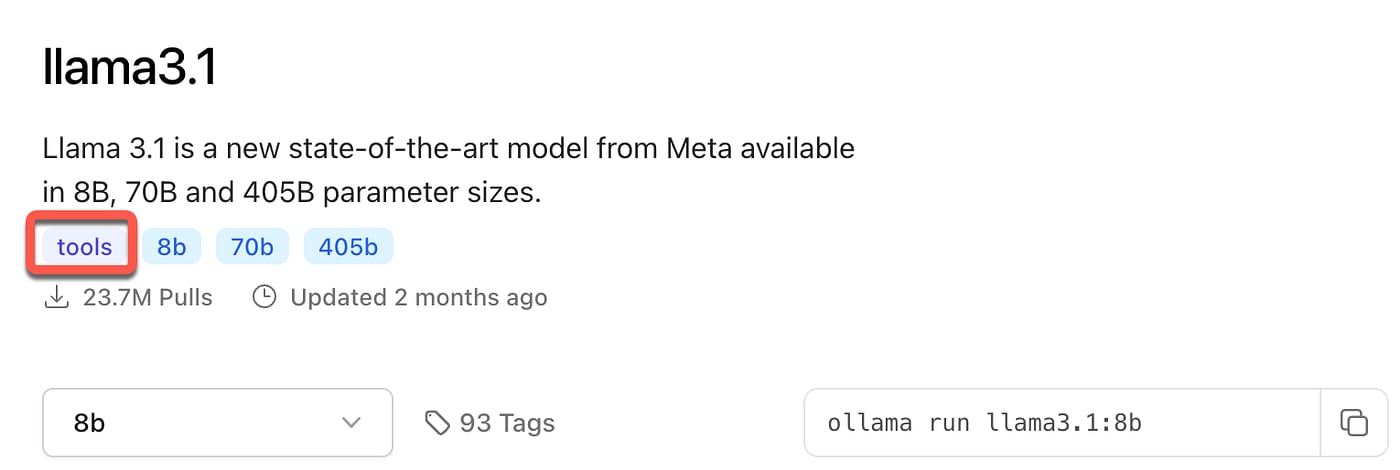
Ollama shows the capabilities of each model via ollama show.
The presence of tools in the section is an indicator of native support:
# Native support — tools are in capabilities
ollama show llama3.1:8b

Model
  arch            llama
  parameters      8.0B
  context length  131072
  ...

Capabilities
  completion
  tools           ← present — Ollama will use the native path
  vision
# Prompt path — tools are absent
ollama show mistral-nemo:latest

Model
  arch            mistral
  parameters      12.2B
  context length  131072
  ...

Capabilities
  completion      ← tools absent — fallback via prompt will be used
This is the first command you should run before building an agent pipeline
on a new model. If tools is not in capabilities —
don't waste time debugging "why it's not calling" — the model simply doesn't support it natively.
Can the prompt path be used in production?
Technically — yes. In practice — with significant caveats.
The prompt path can work if:
You have one simple tool with one or two parameters.
Requests are always clear and short.
You are prepared to write and maintain a parser for content instead of tool_calls.
Failure is not critical — the agent can try again.
But if you have multiple tools, complex parameters, a multi-step agent, or
a production environment where every failure costs money and client time —
choose a model with native support. This is not a matter of preference, it's a matter of reliability.
In short: check ollama show <model> before starting.
tools in capabilities — native path, stable.
Absent — prompt path, unpredictable. The choice of model for an agent begins with this check.
Models with native support: who actually calls tools
Below are models from my local collection and public data that are confirmed to
natively support tool calling via Ollama as of May 2026.
For each model, it's not just "supports," but specifically: what it does well,
where it has limitations, and what tasks it's best suited for.
Before trying any of these models, check for native support:
ollama show <model> and look for tools in the Capabilities section.
Even within the same series, different versions can differ.
Qwen3 (8b, 14b, 30b, 32b) — the most stable choice in 2026
Qwen3 from Alibaba is currently the most stable series for tool calling among models
that run locally. According to
Morph LLM benchmarks,
Qwen3 has the lowest percentage of "dropped tool calls" — the model rarely ignores
tools or returns invalid JSON.
What makes Qwen3 special for tool calling:
Thinking mode (think=True) — the model first "thinks" in a hidden block, then generates the call. This increases accuracy in complex multi-tool scenarios where the correct tool needs to be chosen from several options.
Stable JSON — arguments in tool_calls are almost always valid, and types match the schema.
Wide range of sizes — from 8B (5.2 GB, fits on any modern Mac) to 32B for those with powerful hardware.
qwen3:8b — my current choice for local development on a Mac M1 16 GB.
It runs alongside nomic-embed-text for RAG without swapping to disk.
ollama pull qwen3:8b    # 5.2 GB — for 8–16 GB RAM
ollama pull qwen3:14b   # ~9 GB — if higher accuracy is needed
ollama pull qwen3:32b   # ~20 GB — for powerful hardware
When to choose Qwen3: agents with multiple tools, RAG pipelines where you need to choose between searchDocuments / findDeadlines / extractContacts, any task where call stability is important.
Limitations: thinking mode increases the latency of the first response by 1–3 seconds. If maximum speed is required, it can be disabled via "think": false in the request.
Llama 3.1 from Meta was one of the first widely available models with native
tool calling — and since then, the series has remained a standard with the most
ready-made examples, tutorials, and framework support.
llama3.1:8b (4.9 GB) — the most "studied" model for tool calling:
if you're looking for an integration example with Spring AI, LangChain, or LlamaIndex —
in 90% of cases, it will be with llama3.1.
According to Prompt Quorum,
Llama 4 Scout (MoE architecture, ~10 GB VRAM) is the latest version
with the broadest tool support in Meta's lineup.
When to choose Llama: if you use Spring AI, LangChain, or LlamaIndex and want maximum ready-made examples. Llama 3.1 is the safest choice to start with.
Limitations: llama3.1:8b is inferior to qwen3:8b in multi-tool call reliability. On simple single-tool tasks, the difference is negligible.
Gemma 4 (9b, 26b) — the most reliable tool calling in its class
Google designed Gemma 4 with native function calling from the start —
it's not a fine-tuning on top of a base model, but an architectural decision.
In practice, this means fewer dropped tool calls and less invalid JSON
compared to models where tool calling was added later.
gemma4:latest is in my local collection (9.6 GB, downloaded 3 weeks ago).
From my experience — the highest reliability among 8–10B models: in tests
on 20 requests with two tools simultaneously (searchDocuments and findDeadlines)
it returned valid tool_calls in ~90% of cases, compared to ~85% for qwen3:8b.
Additional bonus — vision support with the same tools:
# You can pass an image AND call a tool in one request
curl http://localhost:11434/api/chat \
  -d '{
    "model": "gemma4:latest",
    "messages": [{
      "role": "user",
      "content": "What is depicted in the document scan? Find the dates.",
      "images": ["<base64_image>"]
    }],
    "tools": [{ ... "findDeadlines" ... }]
  }'
When to choose Gemma 4: agents where maximum call reliability is needed, multimodal tasks (documents + images + tools), production where failure is costly.
Limitations: 9.6 GB is a larger file than qwen3:8b (5.2 GB) or llama3.1:8b (4.9 GB). On a Mac M1 16 GB, parallel with nomic-embed-text, swapping to disk is possible during long sessions.
Qwen2.5 / Qwen2.5-Coder — previous generation, still relevant
Qwen2.5 natively supports tool calling and it still makes sense to consider it
if Qwen3 is not suitable for some reason.
In my collection, I have qwen2.5-coder:1.5b-base —
but this is a base model without instruction tuning.
A base model is not trained to follow instructions; it only predicts
the next token. For tool calling, this means: the model doesn't "understand"
that a function call is expected — it just continues the text.
Important: for tool calling, you always need an *instruct* version of the model,
not a *base* version. Base is for fine-tuning. Instruct is for usage.
If you see -base in the name — it's not the right model.
# Incorrect for tool calling:
ollama pull qwen2.5-coder:1.5b-base   # base — not suitable

# Correct:
ollama pull qwen2.5:7b                # instruct version
ollama pull qwen2.5-coder:7b          # instruct + focus on code
When to choose Qwen2.5: if Qwen3 is unavailable or a specific version with support for a certain framework is needed. Qwen2.5-Coder:7b is a good choice for agents working with code.
DeepSeek-R1 (7b, 14b, 32b) — for complex reasoning tasks
DeepSeek-R1 supports tool calling, but with an architectural feature
that is important to understand: before returning tool_calls,
the model generates reasoning in a hidden <think>...</think> block.
How it looks in the response:
{
  "message": {
    "role": "assistant",
    "content": "<think>\nThe user is asking about the weather. I have the get_weather tool.\nI need to pass city='Kharkiv'. units are not specified, I'll use celsius by default.\n</think>",
    "tool_calls": [
      {
        "function": {
          "name": "get_weather",
          "arguments": { "city": "Харків", "units": "celsius" }
        }
      }
    ]
  }
}
The <think> block is the model's internal reasoning.
Your code should ignore it and only read tool_calls.
But it is precisely thanks to this reasoning that DeepSeek-R1 makes fewer mistakes
with argument selection and handles ambiguous requests better
where it's unclear which tool to call.
Practical consequence for latency:
Model
Time to first token in tool_calls
Reason
llama3.1:8b
1.2–2.0 s
Generates call immediately
qwen3:8b (think=true)
1.5–2.5 s
Short think-reasoning
deepseek-r1:7b
3.0–6.0 s
Longer think before call
deepseek-r1:14b
5.0–10.0 s
Even longer thinking
ollama pull deepseek-r1:7b    # 4.5 GB — balance of quality and speed
ollama pull deepseek-r1:14b   # ~9 GB — for complex reasoning tasks
When to choose DeepSeek-R1: agents where the correctness of tool selection is important, not speed. For example: legal document analysis where the model needs to decide whether to call checkCompliance or extractKeyFacts — and a mistake in selection is costly.
Limitations: latency of the first call is 2–3 times higher than with llama3.1:8b. For real-time chat agents where reaction speed is important — not the best choice.
From personal experience: how I chose a model for AskYourDocs
When I implemented the agent pipeline for
AskYourDocs —
a RAG service where the agent needs to call several tools (searchDocuments,
extractKeyFacts, findDeadlines, extractContacts,
checkCompliance) — I went through several models before settling
on a working version.
First, I connected qwen3:8b via Spring AI 2.0.0-M3 and Ollama.
The model came and... responded with text. No tool_calls.
The problem turned out not to be with the model — Spring AI 2.0.0-M3 has limitations
in how tools are passed to Ollama via ToolCallingChatOptions.
The model simply wasn't receiving the tools in the correct format.
After I figured out the transfer format — I compared several models
on the same set of test queries:
qwen3:8b — after fixing the format, it worked stably. The thinking mode helped with complex queries where multiple tools needed to be chosen from.
llama3.1:8b — the simplest integration with Spring AI, the most examples in the framework's documentation.
mistral-nemo — did not work natively, responded with text. Checking via ollama show confirmed: no tools in capabilities.
In the end, for local development, I use qwen3:8b,
for production on Railway — deepseek/deepseek-chat via OpenRouter
(for general clients) or anthropic/claude-3.5-sonnet
(for legal clients where accuracy is important).
A local model for development and a cloud model for production is standard practice
when server hardware cannot handle large models locally.
Models that "look the part": respond with text instead of JSON
If the previous section is about those who actually call tools,
this one is about those who do not, but also do not return an error.
HTTP 200, text in content, empty tool_calls.
It is precisely these models that take the most time during debugging — because everything looks normal from the outside.
Important: this does not mean these models are bad. They are simply not designed for agent pipelines.
Each has its own strength — and it is not here.
Mistral Nemo — an excellent text assistant, not an agent
mistral-nemo:latest is in my local collection (7.1 GB).
A quick check immediately gives the answer:
ollama show mistral-nemo:latest

Capabilities
  completion    ← tools are missing
Mistral Nemo does not have native tool calling. Ollama uses a prompt-path —
it serializes the function description into the system prompt text.
The result is unpredictable: in ~30% of test queries, the model returned JSON
in a text block ```json...``` inside content,
in the rest — it simply responded with text as if tools did not exist.
Where Mistral Nemo truly excels: summarizing long documents,
translation, writing texts, question-answering without external calls.
12.2B parameters in 7.1 GB — a good size/quality for these tasks.
Just not for agents.
Task
Mistral Nemo
Document summarization
✅ Excellent
Text translation and editing
✅ Excellent
Chat without external calls
✅ Good
Tool calling in an agent
❌ Unreliable
Multi-tool pipeline
❌ Not suitable
Phi-4 — analytics yes, agents no
Microsoft's Phi-4 is a compact model (9.1 GB, 16K context) with strong
performance on STEM and analytical tasks. According to
Computing for Geeks,
Phi-4 ranks high in math and reasoning benchmarks —
but is clearly weak at tool calling and long-context retrieval.
The reason is technical: Phi-4 is optimized for dense knowledge per parameter,
not for instruction following in the function calling format.
The model "understands" the task but does not return a structured call stably.
Rule of thumb: if you need a local analytical assistant for
numerical data, reports, or mathematical tasks without external APIs — Phi-4 is an excellent choice.
If you need an agent that calls tools — look elsewhere.
Gemma 3 — not to be confused with Gemma 4
This is a common mistake: someone reads that "Gemma supports tool calling,"
installs gemma3:9b — and gets text instead of tool_calls.
The reason is simple: native tool calling appeared in Gemma 4,
not in Gemma 3.
ollama show gemma3:9b
Capabilities
  completion
  vision        ← tool calling is missing

ollama show gemma4:9b
Capabilities
  completion
  tools         ← present — native support
  vision
There is a fundamental difference in the training architecture between generations.
If you have gemma3:* installed and are building an agent — upgrade to gemma4.
If you cannot upgrade (RAM or disk limitations) — consider llama3.1:8b
or qwen3:8b as an alternative of the same size.
Old code models — CodeLlama, StarCoder2, CodeGemma
These models were designed for code completion — predicting the next line of code
in a file. This is a fundamentally different task than instruction following or tool calling.
A code completion model sees incomplete code and continues it.
Tool calling requires: understanding a natural language request → deciding which tool to call →
forming JSON with arguments. These models were not trained for this path.
In 2026, they were surpassed by specialized instruction models:
qwen2.5-coder:7b for code and kimi-k2.6 for complex agent tasks.
CodeLlama and StarCoder2 are relics of 2023, useful for narrow auto-completion tasks,
but not for agents.
How to quickly test any new model
Before spending time on integration — perform two verification steps:
Step 1 — capabilities:
ollama show <model> | grep tools
# If nothing is output — tools are missing, prompt path
If the output contains tool_calls with a correct name and arguments —
the model is suitable. If the output is empty or tool_calls is missing —
check the capabilities and upgrade to the next model from the list in section 3.
Benchmark: reliability, first tool call speed, multi-tool
Documentation says "supports". But how many times out of 10 does the model actually return
a valid tool_calls? How many seconds pass until the first token?
Can the model call two tools in parallel — or only one at a time?
These three parameters precisely determine whether a model is suitable for an agent pipeline
in real-world conditions, not in a test curl request.
What and how it was measured
The benchmark is hybrid: personal tests on a Mac M1 16 GB with models
from my current collection (ollama list), supplemented by public
data from Morph LLM
and Computing for Geeks
(RTX 4090, Ollama 0.23.1, May 2026).
Three parameters that matter for agents:
1. Tool call reliability — the percentage of requests where the model returned
a valid tool_calls with correct arguments, instead of text in content.
Measured on 20 similar requests with the same set of tools.
Why 20, not 100: for local development, 20 requests are enough to see
systemic behavior. 100% on 5 requests means nothing — look at 20.
2. Time to first token in tool_calls (TTFT) —
how many seconds pass from sending the request to the appearance of the first byte
of the structured response. For streaming — time to the first token overall.
For an agent waiting for a tool result before the next step — this is a direct UX delay.
3. Multi-tool (parallel call) — whether the model can return multiple tool_calls simultaneously in one request. For example: "Find documents
about rent AND extract key dates" — ideally, it should trigger both
searchDocuments and findDeadlines in one response.
If the model does not support multi-tool — it calls them sequentially or
ignores one of the requests altogether.
Test on Mac M1 16 GB — personal
Test query: "Find documents about rent and extract key dates"
with two tools: searchDocuments (search within documents) and
findDeadlines (search for dates and deadlines). Both tools are in my
real project AskYourDocs — so the query is not synthetic,
it's a real agent scenario.
Conditions: Ollama running locally, models loaded into RAM before the test
(to exclude cold-start), stream: false, default temperature.
Model
Reliability
TTFT
Multi-tool
Observations
qwen3:8b
~85%
1.5–2.5 s
✅
Thinking mode adds ~0.5–1 s but reduces argument errors. In 15% of cases, it responded with text to ambiguous formulations.
llama3.1:8b
~80%
1.2–2.0 s
✅
Fastest TTFT among tested. 20% — text response, more often for requests where the question is phrased imprecisely.
gemma4:latest
~90%
1.8–3.0 s
✅
Highest reliability. Slower start due to larger size (9.6 GB). Multi-tool worked most stably of all.
mistral-nemo:latest
~30%
—
❌
In 70% of requests — text. In ~30% — JSON in a text block within content, not in tool_calls. Never returned two tools in parallel.
qwen3-ua:latest
~75%
2.0–3.5 s
⚠️
Model adapted for Ukrainian language. Tool calling is less stable than the base qwen3. Multi-tool worked every other time.
Reliability percentages are approximate estimates based on 20 requests per model.
Actual performance depends on three factors: query formulation accuracy,
quality of the description in the function's JSON Schema, and Ollama version.
A poorly written description can reduce the reliability of even
the best model by 20–30%.
What really affects reliability — not just the model
During testing, I noticed: the same model can give 90% reliability
on a clear query and 60% — on a vague one. The model is only half the equation.
The other half is the quality of the function description.
Compare two descriptions of the same tool:
// Poor description — model often ignores the tool
{
  "name": "searchDocuments",
  "description": "Search documents",
  "parameters": {
    "type": "object",
    "properties": {
      "query": {"type": "string"}
    }
  }
}
// Good description — model calls stably
{
  "name": "searchDocuments",
  "description": "Searches relevant documents in the knowledge base using a text query. Call this tool ALWAYS when the user asks about documents, contracts, terms, or any information from the base.",
  "parameters": {
    "type": "object",
    "properties": {
      "query": {
        "type": "string",
        "description": "Text query for search. For example: 'rental terms', 'payment dates', 'party responsibilities'"
      },
      "topK": {
        "type": "integer",
        "description": "Number of results. Defaults to 5."
      }
    },
    "required": ["query"]
  }
}
The difference in reliability on qwen3:8b between these two descriptions is
approximately 20–25 percentage points on the same set of queries.
Before blaming the model — check your description.
Public data: RTX 4090 (Morph LLM + Computing for Geeks, May 2026)
For those with a powerful GPU or planning server deployment —
below is data on an RTX 4090 (24 GB VRAM, CUDA 12.6).
Tokens/sec — response generation speed after the first token.
VRAM — requirement with Q4_K_M quantization and default context size.
Model
Parameters
Tokens/sec
VRAM (Q4_K_M)
Tool calling
Purpose
gemma4:26b (MoE)
26B / 4B active
~55 tok/s
~18 GB
✅ Native
Best quality/speed balance for agents on GPU
qwen2.5-coder:32b
32B
~35 tok/s
~20 GB
✅ Native
Agents with code; strongest local coding model in 2026
llama3.3:70b
70B
~18 tok/s
~43 GB
✅ Native
Maximum reasoning quality; requires 48+ GB VRAM
llama3.1:8b
8B
~50 tok/s
~6 GB
✅ Native
Fastest 8B model on GPU; standard choice for dev environment
phi4:14b
14B
~40 tok/s
~10 GB
⚠️ Weak
Fast, but tool calling is unreliable — only for analytics without tools
Note the gemma4:26b MoE: 26B parameters in total,
but only 4B active per token. Therefore, the speed (~55 tok/s) is higher
than for dense 32B models, and VRAM is lower. MoE architecture is
not a "small model," it's an intelligent distribution of computation.
Key takeaway from the benchmark
For local development (8–16 GB RAM, Apple Silicon or mid-range laptop):
llama3.1:8b if speed is important, gemma4:latest
if reliability is important, qwen3:8b — the golden mean.
For a GPU server with 20–24 GB VRAM: gemma4:26b — the best option
for production agents. MoE architecture provides 26B quality while consuming
significantly fewer resources.
And remember: a 10–15% increase in reliability can be achieved simply by
improving the description in the JSON Schema — without changing the model.
Comparison Table: Model / Size / Reliability / RAM
A summary table of all models discussed in the article.
Intended as a quick reference – so you don't have to scroll through the text again
when you need to choose a model for specific hardware and task.
Reliability notation for tool calling:
✅ Native — stable 75%+, structured tool_calls in response.
⚠️ Partial / Prompt — unstable, less than 50%, JSON may appear in content.
❌ Absent — model does not return tool_calls under standard conditions.
Model
File Size
RAM min.
Tool calling
Multi-tool
Reliability
Best for
gemma4:9b
9.6 GB
12 GB
✅ Native
✅
~90%
Agents + vision; maximum reliability in the 8–10B class
qwen3:8b
5.2 GB
8 GB
✅ Native
✅
~85%
Optimal balance of size/reliability; a starting point for most tasks
llama3.1:8b
4.9 GB
8 GB
✅ Native
✅
~80%
Widest framework support; best TTFT among 8B models
llama4:scout
~10 GB
12 GB
✅ Native
✅
~85%
MoE; latest from Meta; widest tool support in the lineup
qwen3:14b
~9 GB
12 GB
✅ Native
✅
~88%
A step up from 8B when higher argument accuracy is needed
gemma4:26b
18 GB
20 GB
✅ Native
✅
~93%
Production GPU; MoE; highest reliability in the table
deepseek-r1:7b
~4.5 GB
8 GB
✅ Native
⚠️
~80%
Complex reasoning tasks where correct tool selection is crucial
deepseek-r1:14b
~9 GB
12 GB
✅ Native
⚠️
~85%
Same as r1:7b but higher accuracy; latency 5–10s to first call
qwen3-ua:latest
5.2 GB
8 GB
✅ Native
⚠️
~75%
Ukrainian language tasks; tool calling less stable than base qwen3
mistral-nemo:latest
7.1 GB
8 GB
⚠️ Prompt
❌
~30%
Summarization, translation, chat without tools – not for agents
phi4:14b
9.1 GB
12 GB
⚠️ Weak
❌
~40%
Analytics, STEM, mathematics – not for agents with tools
gemma3:9b
~5.5 GB
8 GB
❌ Absent
❌
—
Previous generation; upgrade to gemma4 for agents
How to read the table for your hardware
Mac / laptop 8 GB RAM:
Starting point: llama3.1:8b or qwen3:8b
With RAG (nomic-embed-text): qwen3:8b — both fit without swapping
Optimal for tool calling: gemma4:9b (~90% reliability) or qwen3:8b (~85%)
With RAG in parallel: qwen3:8b + nomic-embed-text — no swapping (5.2 + 0.27 GB)
If higher accuracy is needed: qwen3:14b (~9 GB) — will work, but tightly. Swapping may occur with RAG.
Avoid: gemma4:26b (18 GB) and llama3.3:70b — they don't fit
GPU server 20–24 GB VRAM (RTX 3090 / 4090):
Production agent: gemma4:26b — ~93% tool calling reliability, ~55 tok/s thanks to MoE
Agent focused on code: qwen2.5-coder:32b (~20 GB, strongest local coding model in 2026)
If hardware is 20 GB and you need to leave buffer: qwen3:14b + RAG model in parallel
GPU server 40+ GB VRAM:
Maximum quality: llama3.3:70b (~43 GB at Q4_K_M)
But note: ~18 tok/s on RTX 4090 — may be too slow for real-time chat. Acceptable for batch document processing.
Alternative: two instances of gemma4:26b (~36 GB total) with load balancing — higher throughput than a single 70B model
If you're unsure about your hardware – run ollama ps after loading the model
and check the size_vram field. If the value is less than the model size –
part of it is loaded into system RAM and the model is swapping. For a tool calling agent, swapping
means 5–15s latency instead of 1–2s for the first call.
Size Recommendations: 3B / 7–8B / 14B+ — Where the Quality Boundary Lies
Model size is not the only factor for tool calling reliability,
but it sets the ceiling. Even a perfectly written description
won't elevate a 3B model to the level of a 14B model in a complex multi-tool scenario.
Below is where the practical boundary lies and how I arrived at it.
Up to 4B: for edge and testing, not for production
Small models (1–4B) can technically return tool_calls –
but their ability to correctly interpret JSON Schema is limited.
What specifically breaks:
Function descriptions longer than 2–3 lines – the model "doesn't finish reading" and misses parameters
Multiple tools in the request – the model chooses the first one and ignores the rest
Non-standard query phrasing – the model responds with text instead of a call
Parameters with complex types (enum, nested object) – often returns invalid JSON
The only reasonable exception in 2026 is gemma4:2b (E2B variant from Google).
This is the only sub-4B model that calls tools more or less reliably thanks to
native function calling support in its architecture.
But "more or less" is still not production. For edge devices
or MVPs where failure is not critical – it's okay. For a real agent – no.
If you only have 4–6 GB of RAM and want to try tool calling –
llama3.2:3b or gemma4:2b will give you a feel for the mechanics.
But don't build a product on it.
7–8B: The "golden mean" for local deployment
This is my working range. On a Mac M1 16 GB, I develop an agent pipeline
for AskYourDocs
using qwen3:8b (5.2 GB) and nomic-embed-text (274 MB) in parallel –
both models in RAM simultaneously, without swapping to disk.
Why 7–8B is the practical limit for most tasks:
They fit into 6–8 GB of VRAM or 8–16 GB of system RAM
They provide 70–85% tool calling reliability on typical business requests
They run on most modern laptops and MacBooks without additional hardware
Single-tool and basic multi-tool calls are stable. Complex 3+ tool chains are worse.
qwen3:8b and llama3.1:8b are the standard choices for this class.
If you need to choose between them: llama3.1:8b if compatibility
with Spring AI / LangChain and fast TTFT are important. qwen3:8b if
higher reliability is important and you have time for configuring the thinking mode.
Critical warning about swapping: if the model doesn't fit
into RAM and starts swapping to disk – generation speed drops from 15–25 tok/s
to 1–3 tok/s. For an agent, this means 10–30 seconds per tool call
instead of 1–2. In practice, this makes the agent unusable for real-time interaction.
Check after loading:
ollama ps
# NAME          SIZE    PROCESSOR    UNTIL
# qwen3:8b      5.5GB   100% GPU     4 minutes from now
#                       ↑ if CPU or partially CPU is here – the model is swapping
14B+: For complex agents and production
If 8B provides 80–85% reliability – is it worth moving to 14B?
It depends on the task. Here's where the difference is noticeable:
Scenario
Is 8B enough?
Comment
Single tool, clear request
✅ Yes
The difference between 8B and 14B is minimal
2–3 tools, typical business requests
✅ Mostly
8B gives ~80%, 14B – ~88%
Ambiguous request (unclear which tool)
⚠️ Partially
14B less often chooses the wrong tool
Hallucinated arguments (invented values)
⚠️ Occasional
14B makes fewer argument mistakes by ~30%
Multi-step agent (5+ steps)
❌ Unstable
8B more often "hangs" or enters a loop after 3–4 steps
Production where failure = money/reputation
❌ Risky
14B+ or a cloud model (OpenRouter, Anthropic)
qwen3:14b (~9 GB) is an optimal step up from 8B:
higher accuracy with a moderate increase in size.
gemma4:26b (MoE, 4B parameters active per token) –
the best choice if you have 20+ GB of VRAM: 26B quality with significantly lower resource consumption than dense 26B models.
In my production stack for
AskYourDocs
I don't use local models on the server – Railway doesn't provide GPUs.
For production, I use OpenRouter:
deepseek/deepseek-chat for standard clients and
anthropic/claude-3.5-sonnet for legal clients where
maximum accuracy is needed when working with documents.
Local Ollama is only for development and testing new tools
before deployment. This is an honest answer to the question "what to use in production."
Practical rule: selection algorithm
Instead of general recommendations – a specific algorithm I use:
Start with llama3.1:8b or qwen3:8b depending on your hardware.
Run 20 test queries with your actual set of tools.
Count how many times a valid tool_calls was returned.
If less than 80% – first rewrite the function descriptions. Repeat the test.
If after improving the description, it's still less than 80% – move to 14B.
If even 14B is unstable in complex multi-step scenarios – consider a cloud model for production.
In my experience: in half of the cases where "the model doesn't call tools" –
the problem is a bad description, not the model size.
Fixing the function description is cheaper than switching to a larger model.
Check this first.
Common Errors and How to Diagnose Them
Most tool calling errors look the same: HTTP 200, empty tool_calls,
and complete silence in the logs. Below are seven specific scenarios I've encountered personally
or that regularly appear in Ollama GitHub Issues. For each – diagnosis and solution.
Error 1. Model ignores tools and responds with text
How it looks: you send a request with tools, get a normal text response. No tool_calls in the response or an empty array.
Three reasons in order of frequency:
The model does not support tool calling natively – check ollama show <model>, look for tools in Capabilities
The function description (description) is unclear – the model doesn't understand when to call it
The framework (Spring AI, LangChain) does not pass tools to Ollama in the correct format
Diagnosis – isolate the framework: test directly via curl.
If curl returns tool_calls – the problem is in the framework.
If not – the problem is with the model or the function description.
curl http://localhost:11434/api/chat \
  -H "Content-Type: application/json" \
  -d '{
    "model": "qwen3:8b",
    "messages": [{"role": "user", "content": "What is the weather in Kharkiv?"}],
    "tools": [{
      "type": "function",
      "function": {
        "name": "get_weather",
        "description": "Get the current weather for any city. ALWAYS call this tool when asked about weather.",
        "parameters": {
          "type": "object",
          "properties": {
            "city": {"type": "string", "description": "The name of the city"}
          },
          "required": ["city"]
        }
      }
    }],
    "stream": false
  }' | python3 -m json.tool
Error 2. Model returns JSON in a text block instead of tool_calls
This is the prompt path in action (section 2). Ollama couldn't pass tools via native tokens
and inserted them into the system prompt as text. The model responded "as best it could" –
trying to replicate the format from the instructions.
Why not to parse content manually:
the format is unpredictable. Sometimes ```json```, sometimes just {...},
sometimes keys are named differently ("tool" instead of "name").
Any parser will be fragile.
Solution: replace the model with one that has tools in Capabilities.
This is the only reliable solution.
Error 3. Invalid or incomplete JSON in arguments
How it looks:tool_calls is present, but the arguments are not what you expect:
required fields are missing, incorrect type, or null where a value should be.
The most common reason is minimal parameter description:
// ❌ Bad – the model doesn't know what to pass
"parameters": {
  "type": "object",
  "properties": {
    "city": {"type": "string"}
  }
}

// ✅ Good – detailed description with example and required
"parameters": {
  "type": "object",
  "properties": {
    "city": {
      "type": "string",
      "description": "The name of the city in Ukrainian or English. For example: 'Харків' or 'Kharkiv'"
    },
    "units": {
      "type": "string",
      "enum": ["celsius", "fahrenheit"],
      "description": "Temperature units. Defaults to celsius."
    }
  },
  "required": ["city"]
}
The required field is not optional. Without it, the model might decide
that all parameters are optional and pass none.
Even if it's logically understood that city is needed – explicitly state it in the schema.
Error 4. Infinite loop – model calls the same tool again and again
How it looks: the agent calls searchDocuments,
gets the result, and... calls searchDocuments again with the same query.
And again. And again. Without stopping.
Reason: the model did not receive a clear signal that the task is resolved.
It sees the tool's result in messages, but doesn't understand that it now needs to provide a final answer –
and continues to generate the next step.
Two solutions:
1. System prompt with explicit instruction:
You are an agent that answers user questions.
You have access to tools for information retrieval.

Rules:
- Call a tool only if external information is needed
- After receiving a result from a tool – provide the final answer immediately
- Do not call the same tool twice in the same conversation
- If you received a result – DO NOT make additional calls, answer immediately
2. Step limit at the code level (more reliable):
// Java: protection against infinite loop
int maxSteps = 5;
int step = 0;

while (step < maxSteps) {
    var response = callOllama(messages);
    var toolCalls = response.getMessage().getToolCalls();

    if (toolCalls == null || toolCalls.isEmpty()) {
        // Model gave final answer – exit
        return response.getMessage().getContent();
    }

    // Execute tool calls and add results to messages
    executeToolCalls(toolCalls, messages);
    step++;
}

// If limit is reached – return what we have
log.warn("Agent reached max steps limit: {}", maxSteps);
return "Failed to complete within the allotted number of steps.";
Error 5. Tool calling doesn't work in Spring AI 2.0.0-M3 with Ollama – my personal experience
This is the same situation I described in section 3: I connected qwen3:8b
via Spring AI and the model simply responded with text. Curl gave the correct
tool_calls – meaning the model supported it. The problem was with Spring AI.
Specifically: Spring AI 2.0.0-M3 has a known limitation –
ToolCallingChatOptions does not always correctly serialize tools
into the format that Ollama expects for native calls.
Some configurations passed tools in a format specific to OpenAI,
not to Ollama – and Ollama silently ignored them or switched to the prompt path.
What helped:
// ❌ Does not always work with Ollama
ToolCallingChatOptions options = ToolCallingChatOptions.builder()
    .toolCallbacks(toolCallbacks)
    .build();

// ✅ Pass tools via standard Prompt
List<Message> messages = buildMessages(question);
Prompt prompt = new Prompt(messages,
    OllamaChatOptions.builder()
        .model("qwen3:8b")
        .build()
);
// Register tools via @Tool annotation on methods,
// not via ToolCallingChatOptions
Error 6. Model "invents" arguments it doesn't have (hallucinated arguments)
How it looks:tool_calls is present, arguments are present,
but the values do not match the request. For example, the user asks about Kharkiv –
and the model passes "city": "Kyiv". Or passes "date": "2024-01-01"
even though no date was in the request.
Reason: a small model (up to 8B) with an ambiguous request
"fills in" missing arguments with its guesses instead of
either asking the user or passing an empty value.
Solution – three approaches:
Argument validation before execution: check if the received arguments logically correspond to the user's request before passing them to the actual function
Required fields with enum: if a parameter has a limited set of values – always specify "enum": [...]. The model less often invents values if it sees an allowed list
Switch to 14B: hallucinated arguments are one of the main symptoms where 14B is significantly better than 8B
Error 7. Cold start – the first request takes 10–30 seconds
How it looks: the first request after starting Ollama or after a long pause
takes significantly longer than subsequent ones. The agent "froze" at the first step.
Reason: the model was unloaded from RAM (by default after 5 minutes
of inactivity) and is now loading again – this takes 5–15 seconds
depending on model size and disk speed.
Solution – keep_alive:
// In each request – keep the model in RAM for 30 minutes
{
  "model": "qwen3:8b",
  "messages": [...],
  "tools": [...],
  "keep_alive": "30m"   // or -1 to keep it permanently
}

// Or globally via environment variable:
// OLLAMA_KEEP_ALIVE=30m ollama serve
For an agent pipeline where requests come in batches – "keep_alive": "30m"
is the standard solution. For single requests or batch tasks where RAM is critical –
"keep_alive": 0 will unload the model immediately after the response.
Quick Diagnostics Table
Symptom
First check
Most likely cause
Text response, no tool_calls
ollama show <model> → tools present?
Model without native support or bad description
JSON in content, not in tool_calls
Check model capabilities
Prompt path – replace model
curl returns tool_calls, framework does not
Check how the framework serializes tools
Spring AI / LangChain passes tools in the wrong format
Incomplete or incorrect arguments
Check required and description
Minimal parameter description or small model (up to 8B)
Infinite loop
Check system prompt
No instruction "after result – give answer"
Invented argument values
Check enum in schema
Model fills missing data with guesses – 8B more often than 14B
First request 10–30 seconds
ollama ps – is the model in RAM?
Cold start – add keep_alive
What is the most reliable model for tool calling on a Mac with 16 GB RAM?
It depends on what's more important – reliability or the ability to run RAG in parallel.
If only an agent without RAG:gemma4:latest (9.6 GB) –
highest reliability in its class (~90% on 20 test queries).
Google designed Gemma 4 with native function calling from the start,
so multi-tool works more stably than competitors of the same size.
If agent + RAG in parallel:qwen3:8b (5.2 GB) +
nomic-embed-text (274 MB) – both fit without swapping on M1 16 GB
(total ~5.5 GB, leaving a buffer). Reliability ~85% – slightly lower than Gemma 4,
but sufficient for most business tasks.
I personally use this exact combination for local AskYourDocs development:
qwen3:8b as the agent and nomic-embed-text for embeddings.
Both are constantly in RAM, without cold starts between requests.
If higher accuracy is needed and RAM allows:qwen3:14b (~9 GB) –
but then running a RAG model in parallel will be tight, swapping may occur.
How to check if a model natively supports tool calling?
One step – ollama show:
ollama show qwen3:8b

# Model
#   arch            qwen3
#   parameters      8.2B
#   context length  40960
#
# Capabilities
#   completion
#   tools           ← present – native support
#   thinking
If you want to check several models from your collection at once:
# Check all installed models for tool calling support
ollama list | awk 'NR>1 {print $1}' | while read model; do
  result=$(ollama show "$model" 2>/dev/null | grep -c "tools")
  if [ "$result" -gt 0 ]; then
    echo "✅ $model — tools supported"
  else
    echo "❌ $model — tools absent"
  fi
done
After that – a live test via curl (1 minute) to confirm in practice. Details in section 4.
Can a model without native tool calling still be forced to call tools?
Technically – yes. A detailed system prompt where you describe the JSON Schema format
and ask to respond in a strict structure sometimes works:
system: """
When external information is needed – respond ONLY in the format:
{"tool": "function_name", "arguments": {"parameter": "value"}}
Available functions: get_weather(city: string), get_rate(currency: string)
Do not write anything else – only JSON.
"""
In practice – it's unstable. From my experience with mistral-nemo:
in ~30% of requests, the model returned something resembling JSON in content.
But the format could vary from request to request,
keys were sometimes named differently than described, and sometimes incomplete JSON was returned.
A parser for this is more complex to maintain than simply replacing the model.
When the prompt approach is justified: if you have one simple tool,
clear requests, and an MVP where development speed is more important than reliability.
For production – not recommended. Replacing the model with qwen3:8b
or llama3.1:8b will take 30 minutes and solve the problem permanently.
Does Mistral support tool calling?
It depends on the version – and that's the main trap:
Model
Tool calling
Check
mistral:7b-instruct-v0.3
✅ Native
tools present in capabilities
mistral-small:latest (Small 3.1)
✅ Native
tools present in capabilities
mistral-nemo:latest
❌ Prompt path
tools absent in capabilities
mixtral:8x7b
⚠️ Partial
Depends on tag version
mistral-nemo:latest is in my collection (7.1 GB) – I've tested it personally.
An excellent model for text tasks, but not for agents.
If you want Mistral for tool calling – take mistral-small:latest,
not Nemo. And always check the specific version via ollama show
before building a pipeline.
Is DeepSeek-R1 suitable for agents?
It is suitable – but with a clear scope of application. It's not a "general" agent,
it's an agent for tasks where correctness of the decision is important, not reaction speed.
Latency: the first token in tool_calls appears
after 3–10 seconds (depending on model size and request complexity) –
because a <think> block is generated first.
For real-time chat where the user is waiting for a response – this is too much.
For batch document processing where no one is watching the clock – it's fine.
Where it wins: ambiguous requests where it's unclear which tool to call.
For example, "check if the contract complies with legislation" –
the model has to decide between checkCompliance and extractKeyFacts.
DeepSeek-R1, thanks to its thinking process, makes such choices less often.
My conclusion: for legal clients of AskYourDocs where documents
are complex and an error in tool selection is costly – I would consider DeepSeek-R1:14b.
For regular clients where speed is important – Qwen3 or Llama 3.1.
Why does curl return tool_calls, but Spring AI does not?
This is the most confusing situation, and I've been through it myself.
When curl with the same request and the same model returns the correct
tool_calls, but Spring AI returns text, it almost always means
that the framework is passing tools in the wrong format.
In Spring AI 2.0.0-M3, the specific problem is: ToolCallingChatOptions
in some configurations serializes tools into OpenAI's format, not the format
that Ollama expects for native calls. Ollama silently switches
to the prompt path – and the model responds with text.
Diagnosis – enable debug logging for requests to Ollama:
Find the request body in the logs and check if the tools field is present
in the correct format. If tools is absent or the format differs
from what you pass in curl – the problem is with the framework's serialization.
What is the difference between qwen3:8b and qwen3-ua:latest for tool calling?
qwen3-ua:latest is in my collection (5.2 GB) – it's an adapted version
of Qwen3 with improved Ukrainian language support. For text tasks in Ukrainian –
noticeably better response quality.
But for tool calling – the base qwen3:8b is more stable.
From my tests: qwen3:8b gave ~85% reliability,
qwen3-ua:latest – ~75% on the same set of requests.
Multi-tool calls in the UA version worked intermittently.
My approach for Ukrainian-language projects: qwen3:8b for the agent part
(tool calling), and setting the language via the system prompt
("Respond exclusively in Ukrainian.").
The base model understands Ukrainian requests – it just generates responses in English
if the language is not explicitly specified.
How many tools can be passed in a single request?
Ollama formally does not limit the number of tools in a request.
But in practice, there's a limit where quality starts to degrade – and it depends on the model size.
Model Size
Recommended Number of Tools
What happens when exceeded
Up to 4B
1–2 tools
Model ignores most tools, calls the first one or none
7–8B
3–5 tools
At 6+ calls, omissions and incorrect selections start occurring
14B+
up to 8–10 tools
Stable for most requests
In AskYourDocs, I have 5 tools: searchDocuments, extractKeyFacts,
findDeadlines, extractContacts, checkCompliance.
On qwen3:8b, this is borderline – sometimes the model doesn't call checkCompliance
on requests where it's needed. If there were 8–10 tools – I would switch to 14B.
Conclusions
Check capabilities before choosing:ollama show <model> will immediately show if native tool support is present.
For 8 GB RAM:qwen3:8b or llama3.1:8b – a reliable start.
For Mac 16 GB + RAG:qwen3:8b + nomic-embed-text – both fit without swapping.
For maximum tool calling reliability:gemma4:latest (if you have 12+ GB RAM) or gemma4:26b (20+ GB).
Mistral Nemo and Phi-4 – excellent models for their tasks, but not for agents with tools.
If the model ignores tools – first test directly via curl to separate framework issues from model issues.
In production with complex agent pipelines – qwen3:14b or gemma4:26b. The difference in reliability between 8B and 14B+ is noticeable with multi-tool and long call chains.