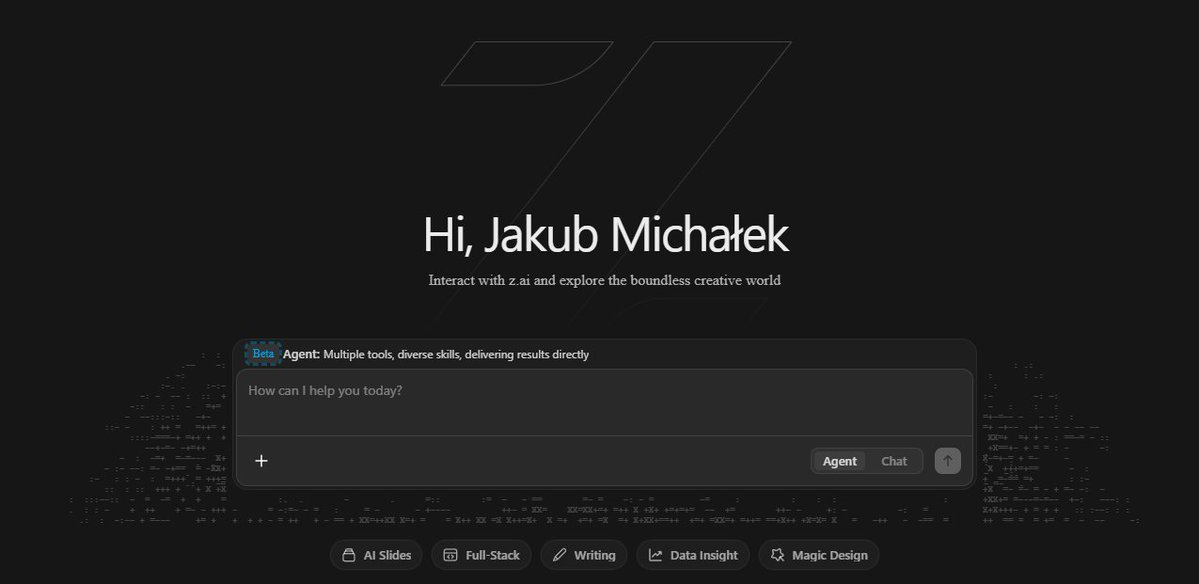
The /chat mode in Z.ai is a basic interface for fast, interactive conversations with GLM-5 and GLM-5.2 models. It provides instant responses without the additional overhead of tools or planning.
Spoiler alert: Chat is lightweight completions with history support, system prompt, and streaming, ideal for RAG, chatbots, and text generation, unlike Agent mode with autonomous tool-use. In June 2026, GLM-5.2 was released with a 1M token context and a coding-first positioning — key changes are described below.
⚡ TL;DR
- ✅ Chat mode: fast inference, multi-turn context, system prompt, streaming, thinking mode (optional).
- ✅ Internally: standard LLM decode with MoE + DSA, no automatic tool orchestration.
- ✅ When to use: interactive dialogues, RAG, text/code generation, brainstorming — when speed and simplicity are needed.
- 🆕 GLM-5.2 (June 2026): 1M token context (vs. 200K in GLM-5), coding-first, SWE-bench Pro 62.1%, GLM Coding Plan from $18/month. Chat.z.ai is free — still GLM-5.1.
- 🎯 You will get: an understanding of the chat mode's inner workings, current limitations, and a comparison with ChatGPT/Claude to choose the right tool.
📚 Article Contents
Detailed overview of the Z.ai platform (architecture, Chat vs Agent): here
🆕 GLM-5.2: What Changed in June 2026
On June 13, 2026, Z.ai released GLM-5.2 — a coding-first update with a 1M token context. If you read this article before, this section contains the most up-to-date changes.
The article initially described GLM-5 (February 2026). Over four months, GLM-5.1 (March) and GLM-5.2 (June 13) were released. Here's what fundamentally changed:
| Parameter |
GLM-5 (February 2026) |
GLM-5.2 (June 2026) |
| Context Window |
200,000 tokens |
1,000,000 tokens (5× larger) |
| Max Output |
~8,000 tokens |
128,000 tokens |
| Positioning |
General purpose |
Coding-first, agentic |
| Thinking Effort |
enabled / disabled |
High / Max (two levels) |
| API Price (input/output) |
$1.00 / $3.20 per 1M |
$1.40 / $4.40 per 1M (cached $0.26) |
| Access via chat.z.ai |
Yes (free) |
GLM-5.1 free; GLM-5.2 — via Coding Plan |
| Coding Plan |
None |
From $18/month (Lite/Pro/Max/Team) |
| Multimodality |
Limited |
Text-only (vision — separate GLM-5V) |
| License |
MIT (open weights) |
MIT (open weights, released one week after launch) |
📊 Independent Benchmarks of GLM-5.2
Unlike GLM-5, which launched without published benchmarks, independent results are available for GLM-5.2:
- SWE-bench Pro: 62.1% — compared to 58.6% for GPT-5.5, 2nd place among coding models on the Code Arena leaderboard (Artificial Analysis, June 2026)
- GPQA Diamond: 89.5% — graduate-level reasoning (Requesty, June 2026)
- Intelligence Index: 51.1 — general capability (Artificial Analysis)
- Terminal-Bench: close to Claude Opus 4.8 based on the first week after release
⚠️ Important Note: independent benchmarks for GLM-5.2 are still scarce — the company did not publish a results table on the release day. Treat the GLM-5.1 figures as a verified lower bound, and GLM-5.2 as an update with expected gains, confirmed by early independent tests.
🛠️ GLM Coding Plan: A New Access Method
With GLM-5.1, Z.ai launched a separate subscription for coding tools — the GLM Coding Plan. GLM-5.2 has been available through it since its release:
| Tier |
Price/Month |
Prompts/Week |
For Whom |
| Lite |
~$18 |
~400 |
Light usage, testing |
| Pro |
— |
~2,000 |
Regular development |
| Max |
— |
~8,000 |
Intensive usage |
| Team |
Seat-based |
— |
Team usage |
Supported coding agents from day one: Claude Code, Cline, Roo Code, Goose, OpenCode, Crush, OpenClaw, Kilo Code — via OpenAI-compatible or Anthropic Messages API endpoint. Essentially: a config-level swap without code changes.
⚠️ Key Limitation of GLM-5.2: Text-Only
GLM-5.2 is exclusively a text-based model. There is no support for images, audio, video, or PDF screenshots. Multimodality remains in a separate, closed model, GLM-5V. If your workflow involves diagrams, screenshots, or PDFs, GLM-5.2 is not suitable without additional preprocessing.
💡 If you read this article before: wherever it says "200K tokens" — for GLM-5.2, the relevant figure is 1M tokens. This changes the context management strategy: manual history truncation becomes critical much less often.
🎯 What Happens Inside Chat Mode (LLM Inference Pipeline)
Short answer: Chat mode implements a standard completions endpoint (
/v4/chat/completions): tokenization of input messages → context passing through MoE layers with DSA → autoregressive decode with optional interleaved thinking → text generation or token streaming.
Unlike Agent mode, there is no automatic planning, tool-calling, or self-correction cycle here — it's a direct, single-pass inference without additional iterations. The mechanics are the same for GLM-5 and GLM-5.2 — the context scale and thinking effort levels differ.
Chat mode serves as a lightweight interface for quickly obtaining responses: the model operates in direct decode mode without the overhead of agent logic or tool orchestration.
Detailed breakdown of the inference pipeline in chat mode (GLM-5 / GLM-5.2):
- Input Data Preparation: The client sends an array of messages (role: system/user/assistant). The system prompt (if any) becomes the first element. The entire conversation history is included in the request without automatic truncation or summarization.
- Tokenization and Context Formation: A tokenizer converts text into a sequence of tokens (BPE-like). The context is limited to 200,000 tokens in GLM-5 / 1,000,000 tokens in GLM-5.2 — if exceeded, the client must manually trim the history. The model receives the full context without prior compression.
- Model Forward Pass:
- MoE Layers: 256 experts (GLM-5: 744B params), top-8 activation (~40B active parameters per token, sparsity ~5.9%).
- DeepSeek Sparse Attention (DSA): Replaces classic attention, dynamically focuses only on relevant tokens, reducing computational complexity from O(n²) to closer to linear on long sequences. Critical for GLM-5.2's 1M context.
- Thinking Mode (if enabled): In GLM-5 — the parameter
thinking: {"type": "enabled"}. In GLM-5.2 — two levels: High (standard tasks) and Max (complex multi-step). Interleaved thinking generates internal thoughts between decode tokens, improving quality on complex queries but increasing token count and latency by 20–50%.
- Generation: Autoregressive decode using specified parameters (temperature, top_p, max_tokens, etc.). Both full responses and streaming (
stream: true) are supported — tokens are sent to the client as they are generated. GLM-5.2 supports a max output of up to 128K tokens (GLM-5 — significantly less).
- Completion: The response is returned as a message with
role: "assistant". There is no automatic continuation or verification — the process ends after generation.
Official /chat/completions Documentation | Thinking Mode in Chat Mode
Pipeline Differences from Agent Mode
In Agent mode, after each decode step, the model can:
- Decide to call a tool (tool_calls)
- Perform planning and self-checks
- Iterate (plan → execute → observe → revise)
Chat mode lacks this cycle — the response is generated in a single pass (single forward pass + decode), without an external loop or orchestration.
Technical Trade-offs
The simplicity of the pipeline ensures:
- Minimal latency for the first response (~0.5–2 seconds for short queries)
- Low resource consumption compared to Agent mode
- Predictable behavior without unexpected tool calls
At the same time, this limits capabilities: the model cannot automatically correct errors, verify facts through tools, or perform multi-step tasks.
Conclusion: The chat mode inference pipeline is a classic single-pass completions process with MoE + DSA and optional interleaved thinking (two levels in GLM-5.2), optimized for speed and simplicity in interactive dialogues without elements of autonomous agent logic.
Context and History Management
Context in chat mode is formed from the messages array, which the client sends in each request: system prompt (if any) + full history of previous messages (role: user/assistant). GLM-5 processes context up to
200,000 tokens, GLM-5.2 — up to
1,000,000 tokens, without automatic truncation or server-side caching.
Context length management is entirely on the client side — the model does not perform truncation or summarization of the history on its own.
The multi-turn mechanism in chat mode is a simple transfer of the full history in each request, without built-in state management or automatic memory management on the server. With GLM-5.2 and a 1M-token window, manual truncation is needed much less often — but it doesn't disappear entirely.
Detailed description of context handling in chat mode (GLM-5 / GLM-5.2):
- Context Formation: Client code (e.g., via an OpenAI-compatible SDK) sends a messages array in a request to
/v4/chat/completions. The order of messages is important: system (first, if present), then alternating user/assistant from the beginning of the session. The model does not store state between requests — each request is independent and contains all necessary history.
- Model-side Processing: The model receives the full context and passes it through MoE layers with DeepSeek Sparse Attention (DSA). DSA ensures stable attention quality even at maximum length without significant needle-in-haystack degradation. The context is not cached by the server in basic chat mode (cached input is available separately).
- Length Limits:
- GLM-5: 200,000 tokens — if exceeded, the request is rejected (400 Bad Request or 413 Payload Too Large)
- GLM-5.2: 1,000,000 tokens — practically an entire repository in one request without chunking
In both cases, the model does not truncate the context automatically — this is the client's responsibility.
- Client-side History Management: For sessions exceeding the limit, it is necessary to:
- Delete the oldest messages as the limit is approached
- Use summarization of previous history (ask the model to condense the previous N messages into 1–2 paragraphs)
- Apply context caching if the API supports it: GLM-5 — cached input $0.20/million; GLM-5.2 — $0.26/million
Official Documentation /chat/completions (messages and context) | Context Caching in Z.ai API
Practical Implications and Trade-offs
Advantages of the approach:
- Full transparency — the client knows exactly what the model sees
- No unexpected history truncation by the server
- DSA efficiency on long contexts without quality loss
- With GLM-5.2: 1M tokens — the entire repository, large documentation, or a long session without manual truncation
Disadvantages:
- Increased token costs and latency with long history (each request re-processes the entire context)
- Need for manual management on the client side, complicating implementation for simple applications
- Lack of automatic state management (unlike some chat platforms with built-in session caching)
- With GLM-5.2 at 1M tokens: higher price per token ($1.40/million input vs $
Comparison with ChatGPT and Claude Chat
Short answer: Z.ai's Chat mode (GLM-5.2) stands out with the largest context window among the compared models (1M tokens) and the lowest API cost, but it falls short of Claude Chat in nuanced reasoning quality and ChatGPT in generation speed and native multimodality. GLM-5.2 is text-only.
The comparison is based on model characteristics as of June 2026 (GLM-5 / GLM-5.2, GPT-5.4, Claude Opus 4.6/4.8) in chat interface modes.
Z.ai's Chat mode offers competitive capabilities in terms of price and long context, but lags in speed, multimodality, and deep understanding of ambiguous tasks. With GLM-5.2, the main advantage is 1M tokens for repositories and large documents at a price of $1.40/million input.
Comparative table of key characteristics (June 2026, thinking mode enabled where available):
| Aspect |
Z.ai Chat GLM-5 |
Z.ai Chat GLM-5.2 |
ChatGPT (GPT-5.4) |
Claude Chat (Opus 4.6/4.8) |
| Max Context |
200,000 tokens |
1,000,000 tokens |
128,000–200,000+ tokens |
200,000+ tokens |
| Max output |
~8,000 tokens |
128,000 tokens |
~16,000 tokens |
~32,000 tokens |
| Generation Speed (tokens/sec) |
17–19 tokens/sec (thinking) |
slower on 1M context |
25–40+ tokens/sec |
20–30 tokens/sec |
| Reasoning / Thinking |
Interleaved thinking (enabled/disabled) |
High / Max (two levels) |
Advanced CoT, o1-like reasoning |
Deepest nuanced reasoning, Extended Thinking |
| Multimodality |
Limited |
Text-only (vision — GLM-5V separately) |
Native vision + audio + image generation |
Native vision + image analysis |
| Coding (SWE-bench Pro) |
~58% (GLM-5.1) |
62.1% |
~58.6% (GPT-5.5) |
~66–70% (Opus 4.8) |
| License |
MIT open weights |
MIT open weights |
Closed |
Closed |
| API Input / Output (per million tokens) |
$1.00 / $3.20 (cached $0.20) |
$1.40 / $4.40 (cached $0.26) |
$1.75–$5 / $14–$25 |
$5–$15 / $25–$75 |
| Access without API |
chat.z.ai free |
Coding Plan from $18/month |
ChatGPT Plus $20/month |
Claude Pro $20/month |
| Best Use Cases |
RAG, chatbots, budget API |
Long-context RAG, repo-scale code review, coding agents |
Multimodal chats, real-time, creative |
Complex reasoning, enterprise, nuanced analysis |
Analysis of Key Differences
Context and Long Sessions: GLM-5.2 now leads with 1M tokens compared to Claude's 200K and ChatGPT's 128K–200K (depending on the plan). For RAG with large documents, analyzing entire repositories, or extended support sessions, GLM-5.2 now offers the largest practical context among the three platforms.
Speed and Latency: ChatGPT leads due to optimized inference (25–40+ tokens/sec). GLM-5.2 on a 1M context is slower due to the compute overhead of MoE + DSA at maximum length. If ultra-real-time chat without large contexts is critical, ChatGPT wins.
Reasoning and Quality: Claude Opus 4.6/4.8 retains an advantage in nuanced, ambiguous tasks and situational awareness. GLM-5.2 is strong in technical reasoning and coding: SWE-bench Pro 62.1% is higher than GPT-5.5 (58.6%) but lower than Claude Opus 4.8 (~66–70%). The Max thinking mode in GLM-5.2 brings its quality closer for complex tasks.
Multimodality: ChatGPT and Claude have native vision/audio support. GLM-5.2 is text-only; for images, a separate GLM-5V or another model is required. This is a significant limitation for workflows involving PDF screenshots, diagrams, or audio.
Cost and Availability: Z.ai remains the cheapest API option: GLM-5.2 is 1.2–3.5× cheaper than ChatGPT and 3.5–10× cheaper than Claude for the same volumes. The MIT license allows for self-hosting for maximum savings. For coding via the Coding Plan ($18/month), it's significantly cheaper than Claude Pro or GPT-5 API for coding agents.
Competitive Landscape: In June 2026, new competitors emerged in the low-cost segment. DeepSeek V4 Pro ($0.44–$0.87/million) aggressively competes on price, and Gemini 3.5 Flash on price/capability balance. GLM-5.2 stands out with its combination of 1M context + MIT license + competitive SWE-bench — no direct competitor offers all three together.
Conclusion: Z.ai's Chat mode in its GLM-5.2 version is the best choice for long-context RAG and repo-scale code review at a lower price than competitors. Claude Chat is for maximum reasoning accuracy and multimodal tasks. ChatGPT is for speed and native vision/audio. The choice depends on priorities: 1M context + budget → GLM-5.2; multimodality + speed → ChatGPT; reasoning quality → Claude.
❓ Frequently Asked Questions (FAQ)
What is the difference between chat and agent in Z.ai?
Chat mode provides quick responses without using tools or automatic planning — direct inference for interactive dialogues, text, or code generation. Agent mode supports autonomous planning, tool-calling, multi-turn iterations with self-correction, and generation of final artifacts (.docx, .pdf, .xlsx, websites). Agent mode turns the model into a task executor, while chat mode is a classic chat interface without agent logic.
Does chat mode support thinking mode?
Yes. In GLM-5, the parameter is thinking: {"type": "enabled"}. In GLM-5.2, there are two levels: High (standard tasks) and Max (complex multi-step). Interleaved thinking generates internal thoughts between decode tokens, improving reasoning quality. Latency and token consumption increase by 20–50%, but the result remains a single response — the mode does not turn into an agent loop.
What is the maximum context length in chat mode?
GLM-5: 200,000 tokens (confirmed up to 202,752 in HLE w/Tools tests). GLM-5.2: 1,000,000 tokens — practically an entire repository without chunking. In both cases, the client must manage the message array independently. Exceeding the limit results in a request error (400/413).
What is the difference between GLM-5 and GLM-5.2 for chat mode?
Three key differences: (1) context from 200K to 1M tokens — the biggest practical change for RAG and large codebases; (2) max output from ~8K to 128K tokens — GLM-5.2 can generate significantly longer responses in a single request; (3) thinking effort: enabled/disabled → High/Max. The price has increased: $1.00/$3.20 (GLM-5) → $1.40/$4.40 (GLM-5.2) per million tokens. GLM-5.2 is text-only — a new explicit limitation that GLM-5 did not have. Access to GLM-5.2 via chat requires the GLM Coding Plan from $18/month; the free chat.z.ai is still on GLM-5.1.
Is GLM-5.2 suitable for multimodal tasks?
No. GLM-5.2 is exclusively text-only: it accepts and generates only text. Images, audio, video, and PDF screenshots are not supported without preprocessing. For multimodal tasks: GLM-5V (a separate closed Z.ai model), or Claude Chat / ChatGPT with native vision. If your workflow includes diagrams or screenshots, GLM-5.2 is not suitable without prior conversion to text.
✅ Conclusions
- 🔹 Z.ai's Chat mode implements a standard completions pipeline without additional planning or orchestration cycles. The mechanics are the same for GLM-5 and GLM-5.2 — the differences lie in context scale, thinking levels, and price.
- 🔹 GLM-5 (February 2026): 200K token context, thinking enabled/disabled, $1.00/$3.20 per million, free chat.z.ai. Relevant for budget production chatbots and RAG.
- 🆕 GLM-5.2 (June 2026): 1M token context, 128K max output, thinking High/Max, $1.40/$4.40 per million, GLM Coding Plan from $18/month. Text-only. SWE-bench Pro 62.1% — 2nd place among coding models. Available via Claude Code, Cline, Roo Code, Goose, etc.
- 🔹 Mode advantages: low first response latency, efficiency on long contexts thanks to DSA, minimal resource consumption compared to Agent mode, MIT open weights for self-hosting.
- 🔹 Limitations: absence of tool-calling, iterative execution, self-correction, and artifact generation; context management is entirely on the client; GLM-5.2 is text-only (no images/audio); Coding Plan quotas (Lite: ~400 prompts/week).
- 🔹 Best use cases: interactive chatbots, long-context RAG with large documents, repo-scale code review (GLM-5.2), text/code generation, brainstorming — where a single response without autonomous execution is sufficient.
Key takeaway: Z.ai's Chat mode is the optimal choice when the priority is large context, low API price, and an MIT license without cloud provider lock-in. GLM-5.2 with 1M tokens practically covers repo-scale RAG and code review tasks at a lower price than Claude or GPT-5.4. If multimodality is needed, use ChatGPT or Claude. If maximum reasoning accuracy and nuanced analysis are required, use Claude Opus. If artifacts and autonomous execution are needed, use Z.ai's Agent mode.