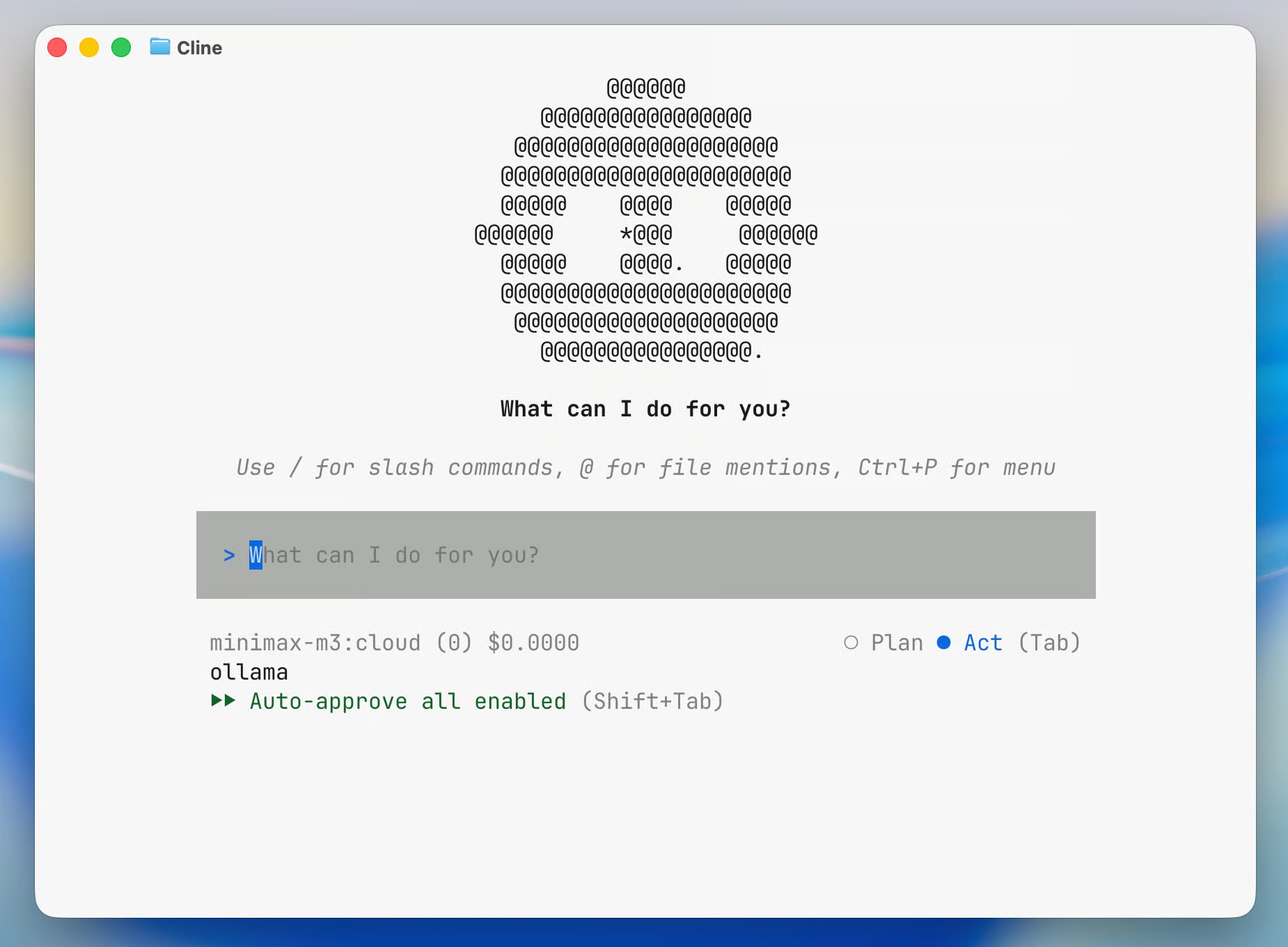
Ollama announced the ollama launch command — launching AI agents with a single line in the terminal (official announcement)
The first supported agent is Cline: reads files, executes terminal commands, performs git operations autonomously
Supports local models (qwen3.6, gemma4) and cloud models (kimi-k2.6:cloud, minimax-m3:cloud, glm-5.1:cloud)
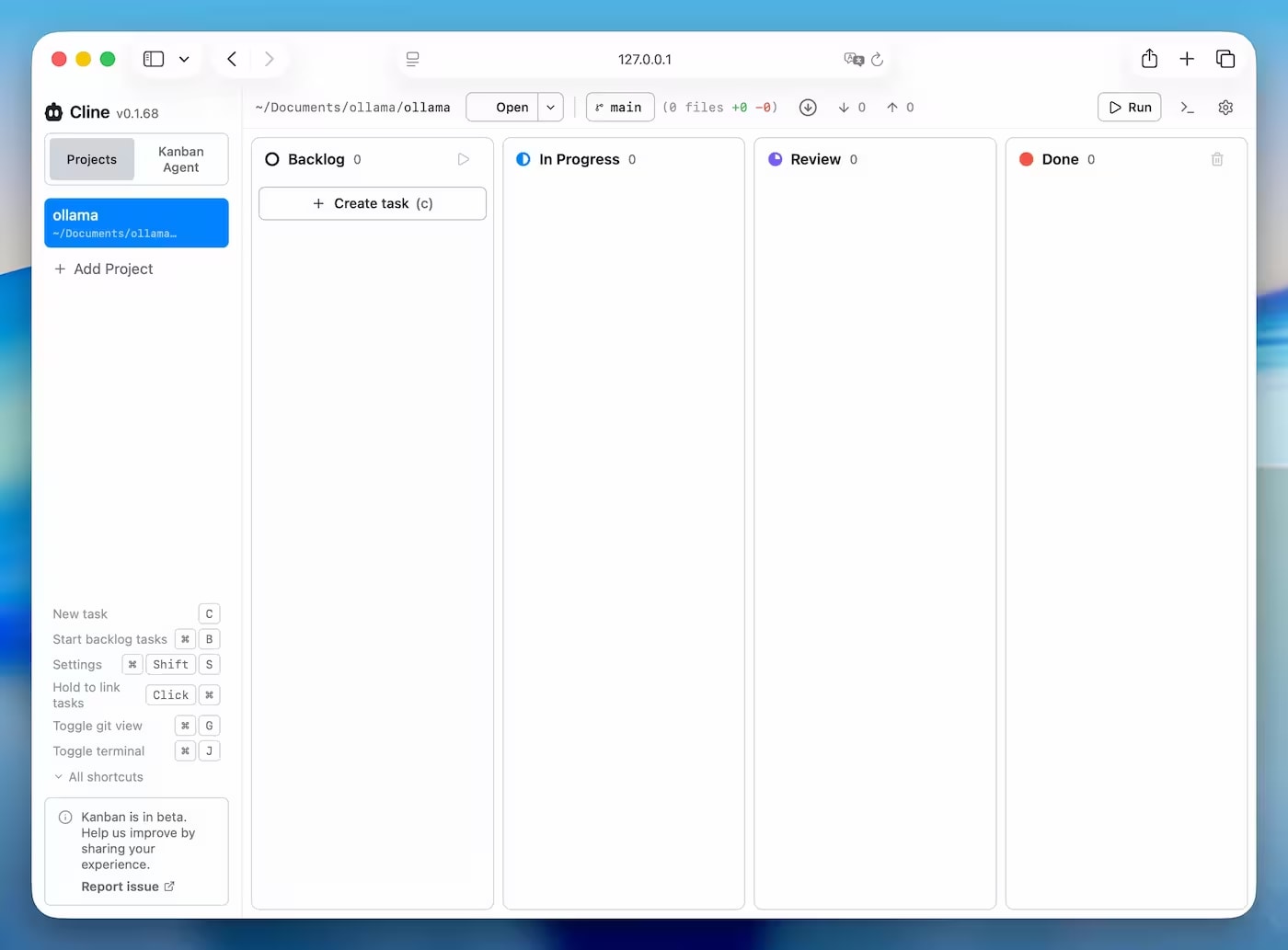
Kanban Board mode launches multiple agents in parallel via a web interface
On a MacBook M1 with 16GB, cloud models via Ollama are the most comfortable option
🚀 What Ollama announced
The Ollama team has added a new command, ollama launch, which allows you to run AI agents directly from the terminal — without manual setup, without separate configs, and without needing to search for agent documentation.
The first officially supported agent is Cline, an open-source tool for autonomous programming. One command in the terminal, and the agent is installed, the model is selected, and the work has begun.
ollama launch is not just a shortcut. It's a single entry point for launching agents with local or cloud models without changing code or provider settings.
Along with Cline support, Ollama announced access to cloud models through the same interface: kimi-k2.6:cloud, minimax-m3:cloud, glm-5.1:cloud. This means one tool for both local privacy and cloud power, depending on the task.
🤖 What is Cline and how it differs from AI chat
Cline is an open-source AI agent for programming. It doesn't just answer questions like ChatGPT or a regular IDE chat. Cline acts autonomously: it reads your project files, makes changes, runs commands in the terminal, and waits for your confirmation before each step.
Key differences from regular AI chat:
Capability
AI Chat (ChatGPT, Claude.ai)
Cline (agent)
Reading project files
❌ Requires manual copy-paste
✅ Reads independently
Editing code
❌ Only suggestions in chat
✅ Makes changes directly
Executing commands
❌ Shows commands as text
✅ Runs Maven, npm, Docker
Git operations
❌
✅
Previewing changes before applying
❌
✅ Shows diff
Parallel tasks
❌
✅ Kanban Board
🔒 Why run an agent locally
Most AI programming tools — Cursor, GitHub Copilot, Claude Code — send your code to external servers. For commercial projects, NDAs, and corporate repositories, this can be a problem.
Running Cline via Ollama with a local model solves this:
Code stays on your machine — no requests to OpenAI, Anthropic, or other providers
No subscriptions or tokens — local models run for free
Offline mode — works without internet
Full control — you choose the model, not the provider
From my experience, for a MacBook M1 with 16GB of RAM, it's most convenient to start with cloud models. I tested Cline via kimi-k2.6:cloud — the agent worked quickly, without needing to download local models of tens of gigabytes. If, however, privacy and local code processing are important to you, Ollama allows you to switch to a local model at any time without changing the tool itself.
⚙️ How the ollama launch cline Command Works
Basic Command
Launching the agent is one command in the terminal:
ollama launch cline
What happens under the hood:
Ollama checks for Node.js ≥ 22
If Cline is not yet installed — it offers to install it via npm
Displays a list of available models to choose from
Launches the agent
Launching with a Local Model
To specify a model immediately without interactive selection:
ollama launch cline --model qwen3.6
Available local models (current list at the time of publication):
qwen3.6 — powerful, but RAM-intensive
gemma4 — a compromise between quality and speed
Cloud Models via Ollama
Ollama has added support for cloud models with the :cloud suffix. They are launched with the same command, but computations are performed on the provider's side:
ollama launch cline --model kimi-k2.6:cloud
Available cloud models:
Model
Provider
Feature
kimi-k2.6:cloud
Moonshot AI
Strong in code, large context
minimax-m3:cloud
MiniMax
Fast, good for general tasks
glm-5.1:cloud
Zhipu AI
Alternative option
📋 What Tasks Does Cline Perform
Repository Analysis
Cline can analyze an entire project and explain its architecture. Just type:
Analyze this repository and explain its architecture
The agent will independently traverse the directory structure, read key files, and return a detailed description.
Code Refactoring and Improvement
Cline finds duplicates, suggests improvements, and makes changes to files directly:
The agent reads existing classes and generates unit tests considering the project's context — framework, naming conventions, package structure.
Bug Fixing
You can provide a stack trace or a bug description — Cline will find the relevant file, suggest a fix, and show a diff before applying it.
Editing Files and Viewing Diffs
Before each file modification, Cline shows a diff: what was, what will be. You confirm or reject each step. The agent does not apply changes without your permission.
Automatic Command Execution in the Terminal
Cline can run build, test, and deploy commands directly:
mvn clean install — Maven
./gradlew build — Gradle
npm run test — Node.js
docker build — Docker
Important: Cline asks for permission before running each command in the terminal. The agent's autonomy does not mean a lack of control.
🗂️ Parallel Tasks and Kanban Board
Personally, I liked the Kanban Board mode the most. After launching, it opens a local web interface where you can create individual tasks and run multiple Cline agents in parallel. This is more like a system for managing a team of AI developers than a regular AI chat.
ollama launch cline -- kanban
After launching, a web interface with a Kanban board opens. Each card is a separate agent with its own task. For example:
Agent 1 — writes tests for the authorization module
Agent 2 — refactors the service layer
Agent 3 — updates documentation
Each agent works in isolation, and progress is displayed in real-time in the browser.
Kanban Board is a shift in the development approach: not "one request — one response," but "multiple agents — parallel work on the project."
💾 MacBook M1 with 16 GB: Personal Experience
I tested Ollama Launch Cline on a MacBook Pro M1 with 16 GB RAM as part of the development of AskYourDocs — our own B2B SaaS solution for corporate document search.
Briefly about the results:
Model
Comfort on M1 16 GB
Recommendation
qwen3.6
⚠️ Heavy, memory at its limit
Use with caution
gemma4
🟡 Acceptable
Permissible
kimi-k2.6:cloud
✅ Comfortable
Optimal
minimax-m3:cloud
✅ Comfortable
Optimal
In practice, for everyday work with a real Java repository (Spring Boot, ~40 classes), cloud models via Ollama proved much more convenient: no delays during loading, the agent responds quickly, and the machine's memory doesn't overheat.
Local mode makes sense when the code is confidential and cannot leave the machine. In other cases, kimi-k2.6:cloud is my current default choice.
⚖️ Cline vs Cursor
I used Cursor for a few months before trying Cline via Ollama. Cursor is a convenient tool with a low entry barrier: download it, open a project, and the AI is already helping. But while working on AskYourDocs, one thing started to bother me: a Spring Boot project with custom RAG logic and configurations is not the kind of code you want to send to external servers. Cline with a local model completely solves this issue.
Cursor wins in ease of getting started. Cline wins where code privacy and flexibility in model selection are important.
Parameter
Cline (via Ollama)
Cursor
Type
Terminal agent / web UI
Standalone IDE (VS Code fork)
Price
Free (open-source)
Free plan / $20/mo Pro
Local models
✅ Full support via Ollama
❌ Limited
LLM Provider
Any (Ollama, OpenRouter)
Built-in Cursor models
File access
✅
✅
Command execution
✅
✅
Kanban / parallel agents
✅
❌
Privacy
✅ 100% local (with local model)
❌ Code sent to the cloud
Entry barrier
Medium (Node.js, npm)
Low (just download the IDE)
⚖️ Cline vs Claude Code
Parameter
Cline (via Ollama)
Claude Code
Developer
Open-source community
Anthropic
Interface
Terminal + web Kanban UI
CLI (terminal)
LLM Support
Multi-provider
Anthropic API only
Local models
✅
❌
Price
Free (with local model)
Pay per Anthropic token
Parallel tasks
✅ Kanban Board
❌
Setup complexity
Medium
Low
Agent quality
Depends on the model
Consistently high (Claude Sonnet)
Claude Code wins in response quality thanks to Claude Sonnet under the hood. Cline via Ollama wins in flexibility, price, and privacy.
👥 Who should try Ollama Launch Cline
Definitely worth it if you:
Are a Java or Python developer looking to automate routine refactoring
Work with confidential code and cannot use cloud tools
Want to try an AI agent without subscriptions and token costs
Are a DevOps engineer who needs an agent to automate build and deploy commands
Are a Node.js developer — Cline is developed on Node.js, ecosystem support is excellent
Wait for now if you:
Are a beginner who needs a simple interface without setup — Cursor will be more convenient
Want maximum agent quality without compromise — Claude Code on claude.ai is more stable
Have a MacBook M1 with 8GB RAM — local models will be heavy, only cloud mode will be available
A detailed step-by-step installation guide, common errors, and their solutions are in the next article.
❓ FAQ
Can Cline be used without internet?
Yes, if launched with a local model (qwen3.6, gemma4). Internet is required when selecting cloud models with the :cloud suffix.
What models does Ollama Launch support?
At the time of publication, the available local models are qwen3.6, gemma4, and cloud models kimi-k2.6:cloud, minimax-m3:cloud, glm-5.1:cloud. The list will expand with Ollama updates.
Is agent access to the repository secure?
Cline requests confirmation before each file change and terminal command execution. The agent does not act without your permission. When using a local model, code is not sent externally.
How does Cline differ from GitHub Copilot?
GitHub Copilot is code autocompletion within an IDE. Cline is a full-fledged agent: it reads the entire repository, makes changes, executes commands, and performs tasks autonomously. The level of autonomy is fundamentally different.
Do I need VS Code to work with Cline via Ollama?
No. Via ollama launch cline, the agent runs as a standalone tool in the terminal with a web interface. VS Code is not needed — although Cline also exists as a VS Code extension if you want to work directly in the editor.