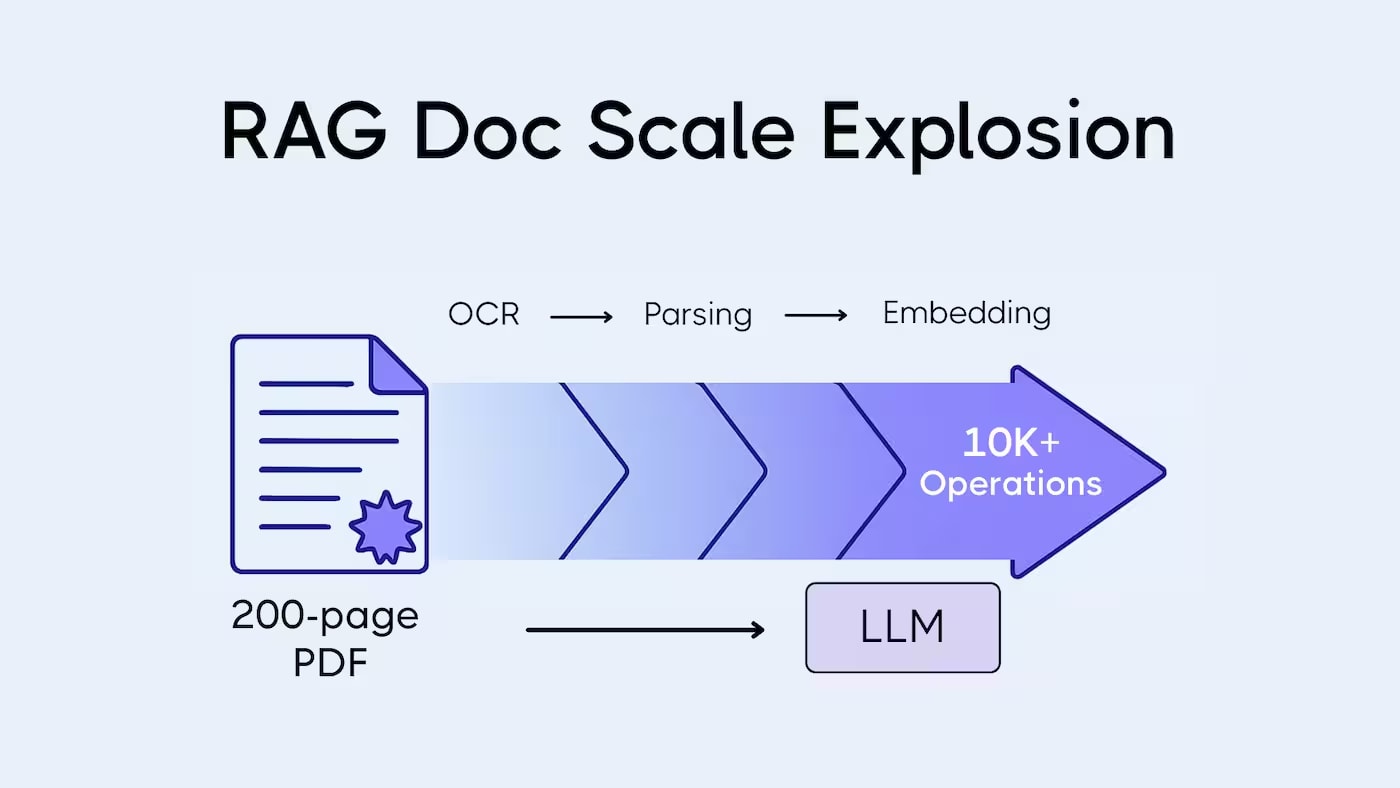
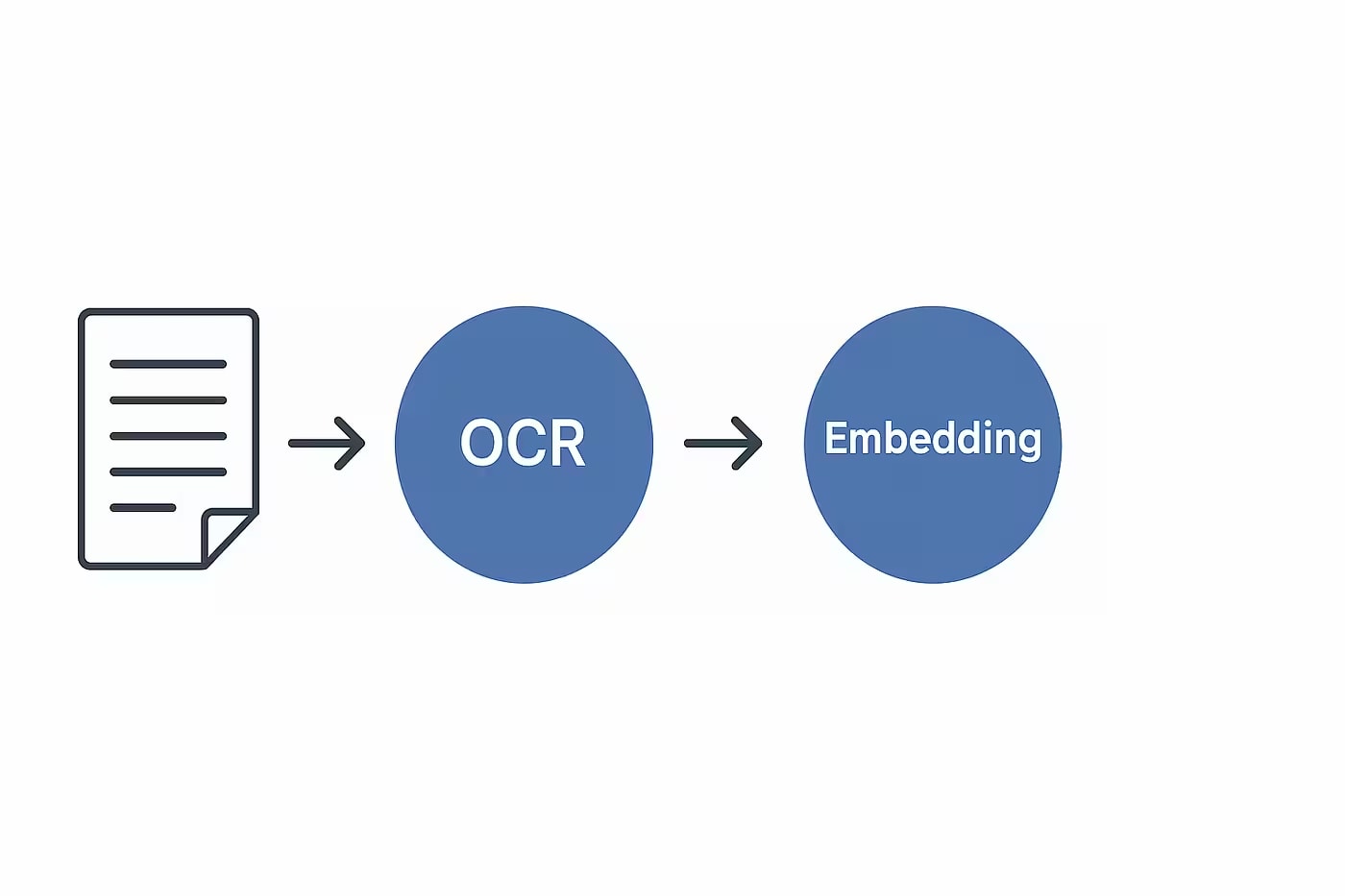
OCR errors don't just spoil text — they cascade and destroy every subsequent step in the pipeline: chunking, embeddings, retrieval.
Even 2% CER on a 100-page document means ~1,000 corrupted characters ending up in the vector database.
A semantically relevant chunk might not be retrieved due to a single merged word in a key sentence.
Post-processing text after OCR is cheaper and more effective than trying to fix retrieval at later stages.
If your RAG system returns irrelevant results or confidently hallucinates, the first place to look for the problem isn't the model, the chunking parameters, or the vector database. Look at the text you loaded into it.
An OCR error is not a local defect. It's an injection of noise at the pipeline's input, which multiplies at each subsequent step. A corrupted token → a false sentence boundary → an incorrect chunk → a shifted vector → missed retrieval → a hallucinated answer. Each step amplifies the previous one.
This article is a technical breakdown of exactly where and how this happens, with real examples of artifacts and concrete methods for correction. If you need a general overview of what OCR is and why it's needed in RAG, read the previous article in the series: "OCR in Modern AI Systems: From Scanned Documents to RAG".
Scanned Document Processing Pipeline: From PDF to Embeddings
Before we break down where things go wrong, let's map out the complete pipeline. Each step below is a potential point of quality degradation.
Step
What Happens
What Can Go Wrong Due to Poor OCR
1. PDF Type Detection
Checking for a text layer (PyMuPDF, pdfminer)
Hybrid PDF partially recognized as text-based; scanned part is missed
Converting chunks into vectors (text-embedding-3-small, BGE, E5)
Corrupted text → shifted vector; OOV tokens reduce representation quality
7. Indexing in Vector DB
Storing vectors (Qdrant, pgvector, Weaviate)
Error from step 6 is fixed forever — rebuilding the index is expensive
8. Retrieval
ANN search by cosine similarity based on query
Shifted chunk vector → lower similarity with the correct query → chunk not in top-k
9. Generation (LLM)
LLM forms an answer based on found chunks
Garbage in context → hallucinations; missing chunk → "not found" or fabricated answer
The key takeaway from this map: an OCR error (step 3) doesn't stay localized to step 3. It drifts through the entire pipeline and manifests at step 9 as a problem with answer quality, far from the root cause.
This is precisely why most teams look in the wrong places: they tune chunking, change embedding models, adjust rerankers — but the problem persists because it's in the input data.
Typical OCR Artifacts: What Exactly Breaks and Why
Below is a real taxonomy of artifacts you'll encounter in typical corporate archives. For each, there's an example of what the artifact looks like and what it breaks further down the pipeline.
1. Word Merging
Original in Document
OCR Result
термін дії договору — 12 місяців
терміндіїдоговору— 12місяців
загальна сума складає 47 500 грн
загальнасумаскладає47500грн
відповідно до статті 651 ЦКУ
відповіднодостатті651ЦКУ
Cause: uneven contrast between characters and background, low DPI, JPEG compression.
What it breaks: sentence splitter doesn't find sentence boundaries; the embedding model's tokenizer receives an OOV token instead of two known words; retrieval for the query "term of validity" doesn't find a chunk with "терміндіїдоговору".
2. Character Substitution
Original
OCR Result
Type of Substitution
доза: 2,5 мг
доза: З,5мг
digit "2" → Cyrillic "З"
п. 4.1 договору
п. Ч.1 договору
digit "4" → letter "Ч"
§ 14 Закону
S 14 Закону
paragraph sign → ASCII "S"
рахунок № 2024-08-15
рахунок Ne 2024-О8-15
"№" → "Ne", "0" → "О"
Cause: similarity in character shapes at low resolution or poor contrast. Especially common with mixed Cyrillic-Latin fonts.
What it breaks: numerical values become text; searching for an exact value ("dose 2.5 mg") doesn't match the artifact; this is a critical error in medical and legal documents.
3. Phantom Characters and Lines (Hallucinated Content)
Source
OCR Result
Upside-down page (180°)
аМЫМ "9a18 40 S¥3IAVT ONIHLY3HS N33ML3E
"COPY" stamp over text
Fragments of text with "COPY" inserted within sentences
Shadows from paper folds
Extra characters or lines between paragraphs
Blank page with scanner noise
Lines of random characters: .,;..|||. :
Cause: OCR tries to recognize any pixel pattern as a character. Upside-down text, scanner noise, compression artifacts — all are converted into "text".
What it breaks: garbage enters the vector as valid content; during retrieval, the LLM receives unreadable context and either hallucinates or says "I don't know".
Cause: classic OCR doesn't understand spatial relationships between cells. It reads text linearly: top to bottom, left to right, ignoring column structure.
What it breaks: during chunking, the entire table ends up in one block of linear text without markup; a query like "what is the price of the cable" doesn't match the unstructured line; the chunk doesn't convey the semantic relationship between article, name, and price.
5. Incorrect Hyphenation and Line Breaks
Original
OCR Result
відповідальність за порушення умов договору
відповідаль- ність за пору- шення умов до- говору
Загальна сума без ПДВ складає 38 400,00 гривень
Загальна сума без ПДВ складає 38 400,00 гривень
Cause: OCR doesn't always distinguish between word hyphenation and line breaks in text with columns or narrow margins.
What it breaks: "відповідаль-" and "ність" become separate tokens; a hyphenated word creates an OOV token; the numerical value "38 400" is split into two lines and parsed as "38" and "400.00" — different tokens without the context of a sum.
How OCR Errors Ruin Chunking Strategy
Chunking is the process of splitting text into fragments that will be vectorized and stored in an index. The quality of a chunk determines the quality of retrieval: if a chunk is semantically incorrect, even a perfect embedding won't save the situation.
Let's consider three main chunking strategies and how OCR artifacts break each of them.
Strategy 1: Fixed-size Chunking (by Token Count)
The simplest strategy: split text into chunks of N tokens with overlap. Problem: it entirely depends on correct tokenization.
Scenario
Clean Text (Expected Chunk)
With OCR Artifact (Actual Chunk)
Merged words increase "token" size
"...according to the terms of the agreement, party A is obliged..."
"...accordingtothetermsoftheagreement,partyAisobliged..." — one "token", boundary shifts
Garbage inflates the chunk
500 useful tokens
500 tokens, of which 80-120 are garbage (noise characters, hyphenation artifacts). Useful content is compressed.
Broken hyphenation breaks a word
"responsibility" — 1 token
"responsibil-" + "ity" — 2 different tokens, the first is OOV
Strategy 2: Sentence-based Chunking
Splitting by sentences (spaCy, nltk sentence splitter). Requires correct sentence endings: periods, question marks, exclamation points with a space after.
Two sentences merge into one — the chunk contains mixed context
Period without a space after
Splitter ignores the sentence end
Several sentences fall into one chunk; semantic boundary is broken
Artifactual period within a number
"38.400" → splitter cuts the sentence in the middle of the number
The number is split between chunks; the context of the sum is lost
Extra characters at the end of a line
"agreement.||| " → splitter doesn't recognize the end
Sentence is not split; chunk boundary shifts several sentences forward
Strategy 3: Semantic / Recursive Chunking
More advanced approaches (recursive character splitter, semantic chunking with embedding similarity) are theoretically supposed to be more resistant to superficial artifacts. In practice — they are not.
Semantic chunking defines boundaries by changes in semantics between adjacent sentences. If sentences are corrupted by OCR artifacts, the embedding of each sentence is shifted — and the algorithm "sees" a semantic break where there isn't one, or doesn't see one where it exists.
Result: chunks are cut at "semantically correct" places for the corrupted text — but not for the original meaning.
How OCR Errors Propagate Through the Entire RAG Pipeline
I often see many developers focusing on LLM or embedding model selection, but the quality of the answer is determined much earlier — at the OCR stage. If the system incorrectly recognized the text, this error enters the chunks, then the embeddings, affects retrieval, and finally is reflected in the final answer.
This is why an error at the OCR stage can propagate through the entire document processing chain. Even the most advanced LLM cannot find information that was lost or corrupted during text recognition.
In practice, improving OCR quality often yields a greater increase in RAG system accuracy than switching to a more expensive LLM or using a larger embedding model. If the retriever receives incorrect data, no generative model can fully compensate for this problem.
Practical Conclusion on Chunking
I am convinced that no chunking strategy can systematically compensate for "dirty" input text. Post-processing after OCR is a mandatory step before any chunking. Without it, the difference between fixed-size and semantic chunking practically disappears: both approaches start working with incorrect chunks, just in different ways.
Impact of Noise on Embedding Vector Quality
An embedding model converts a text chunk into a numerical vector in an n-dimensional space. Semantically similar texts have close vectors (high cosine similarity). Semantic search looks for exactly this proximity.
OCR noise affects the vector through two mechanisms:
Mechanism 1: OOV Tokens (Out-of-Vocabulary)
If a word has not appeared in the model's training data, it encodes it "by form": it breaks it down into subword tokens, each of which has a weak or no semantic signal. The chunk's vector shifts away from its correct semantic position.
Token in Text
Type
Impact on Chunk Vector
«відповідальність»
In-vocabulary
Strong semantic signal; vector in the correct zone
«відповідаль-»
OOV (hyphenation artifact)
Model splits into subwords; signal is weak; vector shifts
«терміндіїдоговору»
OOV (concatenated words)
Unknown token; vector "pulls" the chunk away from the semantics of "contract term"
«аМЫМ9a18S¥3»
OOV (garbage from an inverted page)
No subword carries a signal; vector shifts significantly into the "noise" zone
Mechanism 2: Dilution Effect
The embedding model averages the signal across all tokens in the chunk (simplified). If 15–20% of the tokens in a chunk are garbage without semantic load, the vector becomes "diluted": it becomes a less accurate representation of the true content.
Practical example: a chunk of 400 tokens, where 80 are artifacts (concatenated words, noise symbols, incorrect hyphenations). The effective semantic signal is not 100%, but ~80%. Cosine similarity with a correct query will decrease proportionally.
It won't decrease to zero, but it might fall below the top-k retrieval threshold. If you are looking for the top-5 chunks, a shifted chunk might end up in position 6 or 7 – and never get into the LLM's context.
Visual Illustration: A Lawyer's Case from AskYourDocs
We return to the case from the previous article in the series, but analyze it at the vector level.
The client is a lawyer specializing in construction law and submitted 21 pages from a scanned archive. Most pages were scanned at 90°, 180°, or 270° angles. Standard OCR without orientation correction read them as:
This garbage entered the vector database as valid text. What happened to the vectors:
Document / Chunk
Text State
Vector
Cosine Similarity with Query "contract termination conditions"
Chunk from page 3 (inverted)
Garbage: "аМЫМ 9a18 S¥3IAVT..."
In the "noise" zone of the space
~0.08 (irrelevant)
Chunk from page 7 (normal)
Readable text about contract conditions
In the correct semantic zone
~0.74 (relevant, falls within top-5)
Chunk from page 12 (inverted)
Garbage
In the "noise" zone
~0.06
Out of 21 pages, only 5–6 were indexed correctly. The rest existed in the vector database as statistical noise – taking up space but not providing useful retrieval. At the same time, the system did not report the problem: it returned results, just from 5–6 pages instead of 21.
Accuracy of answers to test questions: 17%. After implementing Vision OCR with auto-orientation correction: 50% – on the same problematic document.
Why a Semantically Relevant Chunk Doesn't Appear in Retrieval
Even if a chunk is semantically correct, it may not appear in the retrieval results due to several mechanisms related to OCR noise.
Scenario 1: Key Word Distorted - Search Doesn't Match
Query: "what is the liability for violating deadlines"
Chunk in the database: "...liabili-ty for violat-ing deadlines — a penalty of 0.1% for each day..."
Even if the embedding model partially "understands" distorted words through subword tokens, the cosine similarity between the query vector and the chunk vector will be lower than ideal. If your index contains 50 other chunks about "liability" with clean text, the distorted chunk will fall below the threshold and won't make it into the top-k.
Scenario 2: Chunk "Diluted" by Garbage to Irrelevance
Chunk A (clean text)
Chunk B (with OCR noise)
"The deadline for fulfilling obligations is 30 calendar days from the date of signing the act."
"The deadline for|||fulfilling obliga-tions — 30 cal-endar days from-the date of signing the act..;;..»
Chunk B contains the same information, but: "ЗО" instead of "30" (Cyrillic instead of digits), concatenated hyphenation "змо-менту", garbage "..;;.." at the end. Its vector differs from Chunk A's vector. The query "deadline for fulfillment 30 days" will match A better than B – even though both carry the same meaning.
Scenario 3: The Correct Document Exists, but Not in Top-k
The most dangerous scenario. A relevant chunk exists in the index – but due to a shifted vector, it's at position 8 or 12, not in the top-5. The LLM receives 5 less relevant chunks and either answers based on partial information or hallucinates.
At the same time, everything looks correct in the logs: retrieval returned k results, the LLM generated an answer. There is no signal of a problem – only an incorrect answer.
Scenario 4: False Positive Retrieval - Garbage with High Similarity
The opposite situation: a garbage chunk from an inverted page gets into the top-k due to a statistical token match. The LLM receives unreadable context and either ignores it (good scenario) or tries to build an answer based on the garbage (bad scenario).
Recall and Precision in RAG after Poor OCR: Metrics and Examples
Two basic metrics are used to evaluate retrieval quality:
Recall@k — the proportion of relevant documents that made it into the top-k results. If there are 3 relevant chunks and all 3 are in the top-5, Recall@5 = 1.0.
Precision@k — the proportion of relevant documents among those returned. If the top-5 contains 2 relevant and 3 irrelevant documents, Precision@5 = 0.4.
How OCR Noise Affects These Metrics
OCR State
Typical Recall@5
Typical Precision@5
Main Reason for Degradation
Clean text (text-based PDF)
0.80–0.92
0.65–0.80
Baseline level; degradation due to query complexity
High-quality OCR (300+ DPI, CER <1%)
0.72–0.85
0.60–0.75
Minimal OCR artifacts; slight vector drift
Medium OCR (150–300 DPI, CER 2–5%)
0.50–0.70
0.40–0.60
Systematic concatenated words and character substitutions; frequent OOV
Poor OCR (inverted, low DPI)
0.15–0.40
0.15–0.35
Massive garbage in vectors; false positives and false negatives
Mixed archive (lawyer's case)
~0.17 (17% of answers)
Unpredictable
Most pages are inverted scans; 5–6 out of 21 indexed correctly
Measurement Example: Test with Real Questions
A practical way to measure the impact of OCR on Recall is to prepare a set of questions for which you know the exact answers and check if the required chunks appear in the retrieval.
Question
Expected Chunk
Before Post-processing (in top-5?)
After Post-processing (in top-5?)
What is the liability for payment delay?
Clause 8.3 of the contract
No (chunk at position 9)
Yes (position 2)
What is the total cost of works?
Clause 3.1 of the contract
No (number "З8400" does not match)
Yes (after correcting "З8400" to "38400")
Who is responsible for technical supervision?
Clause 5.2 of the contract
Yes (text is clean)
Yes
What is the warranty period for the works?
Clause 9.1 of the contract
No (page is inverted, garbage)
Yes (after Vision OCR)
20–30 such questions on a representative sample of the archive provide a much more accurate picture than any synthetic benchmark.
Medium — requires contextual analysis or a dictionary
Detect and remove duplicate lines
Headers, page numbers repeated in each chunk
Low — line hash comparison
Text quality detector (garbage detector)
Automatic detection of pages/chunks with >threshold garbage; routing to Vision OCR
Medium — readable character ratio + language check (langdetect)
LLM text correction
Word restoration, character substitution correction, table restructuring
High — costs tokens; only advisable for critical documents
Garbage Detector: Practical Implementation
A garbage detector is a simple yet very effective component. Logic:
Check
Threshold (approximate)
Action
Proportion of alphabetic characters in text
< 0.40
Route to Vision OCR or reject
Language detection (langdetect confidence)
< 0.70 or unknown language
Route to Vision OCR
Average word length
< 2 or > 20 characters
Suspicion of merged words or garbage; requires verification
Number of OOV tokens (by dictionary)
> 25% of words missing from dictionary
High probability of artifacts; route to Vision OCR
Level 3: OCR Engine Selection
Engine
Optimal Scenario
Limitations
Cost
Tesseract 5+
Clean scans, 300+ DPI, standard font
Poor with tables and complex layouts; requires quality preprocessing
Free, self-hosted
PaddleOCR
Multilingual documents, better layout handling
Harder to deploy; GPU desirable for speed
Free, self-hosted
olmOCR / olmOCR-2
Complex layouts, academic and technical documents
Requires GPU; new model — fewer production cases
Free, self-hosted
GPT-4o-mini (Vision OCR)
Upside-down scans, tables, mixed text, fallback for problematic pages
More expensive; cloud-only; API latency
~$0.015–0.03 per page
Azure Document Intelligence / Google Document AI
Large volumes with built-in structural markup (tables, key fields)
Cloud-only; GDPR requires DPA; cost at scale
$1–2 per 1,000 pages (basic)
Docling (IBM)
Academic and technical PDFs; output in Markdown preserving structure
Actively developing; check your language support
Free, self-hosted
Selection Strategy: Decision Tree
Condition
Recommendation
GDPR / data cannot be sent to the cloud
Tesseract or PaddleOCR as a base + olmOCR as fallback
Documents contain complex tables
Add Vision OCR (GPT-4o-mini) or Docling for tables
There are upside-down or poorly scanned pages
Mandatory orientation correction + Vision OCR as fallback
Large archive (100,000+ pages), standard documents
Tesseract/PaddleOCR with parallel processing; Vision only for problematic ones
Small archive (<5,000 pages), quality more important than cost
GPT-4o-mini or Azure Document Intelligence for the entire archive
When OCR is Not Enough and a Vision Approach is Needed
Even a perfectly configured OCR pipeline has systemic limitations. There is a class of documents where no amount of preprocessing improvement will yield satisfactory results for RAG.
Document Type
Problem with OCR
What a Vision Approach Offers
Complex tables with merged cells
OCR returns linear text without preserving cell relationships
VLM understands spatial relationships; returns a structured table (Markdown/JSON)
Multi-column layout
OCR reads columns as a single text stream; sentences from different columns get mixed
VLM correctly identifies columns and reads each independently
Handwritten text and filled forms
CER of 3–5% even with the best OCR models; unique handwriting yields even worse accuracy
Large VLMs handle non-standard handwriting better; still requires verification
Documents with diagrams, drawings, infographics
OCR does not read graphical content — returns empty results or border artifacts
VLM can describe a diagram, extract numbers from a graph, identify elements
Very low DPI or heavily damaged document
Preprocessing doesn't help — original pixel quality is too low
VLM sometimes performs better due to broader contextual understanding
Upside-down scans (without auto-correction)
OCR without OSD correction returns garbage or empty results
VLM recognizes orientation and reads correctly without prior correction
Hybrid Pipeline: Practical Architecture
The optimal strategy for most real-world archives is not "OCR or Vision," but routing:
This approach allows processing 80–90% of documents through inexpensive self-hosted OCR and directing only problematic pages to Vision OCR. The cost of Vision OCR with this strategy is reduced by 5–10 times compared to a full transition.
What Vision OCR Doesn't Solve
The Vision approach is not a universal fix. Limitations:
Cost for large volumes: 100,000 pages via GPT-4o-mini — ~$1,500–3,000.
Latency: API calls take 2–10 seconds per page. Unacceptable for real-time systems.
Rate limits: without enterprise access, parallel processing of a large archive is limited.
GDPR: documents are sent to an external provider. Requires DPA and may be blocked by compliance policy.
VLM hallucinations: on very damaged documents, VLM may "invent" unreadable content. Requires validation.
In my opinion, OCR is one of the most critical stages in a RAG pipeline. It is the text obtained after document recognition that is used to create embeddings. If OCR makes errors, they enter the vector representation of the data and can degrade the quality of semantic search.
Can RAG work without OCR?
Yes, but it depends on the document type. If I'm working with digital PDFs where text is already machine-readable, OCR is not needed. For scanned documents, photos, or images of text, obtaining a quality result without OCR or Vision models is practically impossible.
What is more important: OCR or LLM?
I believe that for document-oriented RAG systems, quality OCR is often more important than the choice of a specific LLM. Even the most advanced language model cannot answer a question correctly if the required information was lost or distorted during document recognition.
Which OCR is best for RAG?
It all depends on the document type and budget. For many projects, Tesseract or PaddleOCR is sufficient. If high-quality handling of tables, complex layouts, and corporate documents is required, I recommend considering Google Document AI, AWS Textract, Docling, or modern Vision approaches.
Is OCR needed for digital PDFs?
In most cases, no. If a PDF already contains a text layer, I try to extract text directly without OCR. It's faster, cheaper, and usually provides higher accuracy. OCR makes sense only for scanned PDFs or documents where the text layer is missing or corrupted.
Conclusions
RAG degradation due to poor OCR is not a model problem. It's an input data engineering problem with specific points of correction.
Where Exactly the Pipeline Breaks — and What to Do About It
Where it breaks
Symptom
Fix
Preprocessing skipped
Upside-down pages yield 0% OCR accuracy
Auto-orientation correction (OSD or heuristic) before OCR
OCR without postprocessing
Merged words, garbage lines, incorrect hyphenations go into chunking
Vectors are skewed; cosine similarity is lower than threshold
Correct merged words and character substitutions before embedding
Garbage in the vector database
False positives in retrieval; LLM receives unreadable context
Garbage detector before indexing; routing to Vision OCR
Lack of quality monitoring
System "silently" returns incorrect answers without signals
Test set of 20–30 questions; measure Recall@5 on a representative sample
Priority Order of Actions
If you are currently launching or fine-tuning RAG on scanned documents — here is the sequence with the highest ROI:
Archive Audit — what percentage are scans? Are there upside-down pages? What is the typical quality?
Add Orientation Correction — even if most pages are normal, one upside-down page in a critical document is costly.
Add Basic Postprocessing — whitespace normalization, joining hyphenations, removing garbage lines. Implemented in a few hours, yields measurable retrieval effect.
Build a Test Question Set — 20–30 questions with known answers. Measure Recall@5 before and after each change.
Add Garbage Detector and routing to Vision OCR for problematic pages.
Only after that — tune chunking parameters, embedding models, rerankers.
Steps 1–3 yield more effect than changing an embedding model from 1536 to 3072 dimensions. But most teams start with step 6 — and wonder why the results don't improve.