ChatGPT Atlas: OpenAI's New AI Browser Revolutionizing Web Browsing 🌐
Imagine your browser not just opening pages, but **understanding, analyzing, and even completing tasks for you**. In a world where AI is becoming an integral part of everyday life, OpenAI has introduced **ChatGPT Atlas**—an innovative browser with built-in artificial intelligence. Can it really dethrone giants like Google Chrome? Spoiler: yes, thanks to the unique ChatGPT integration that makes internet browsing faster and smarter. Download ChatGPT Atlas
⚡ ChatGPT Atlas Summary
- ✅ **Key Takeaway 1:** ChatGPT Atlas is a browser with **built-in AI** that allows actions to be performed directly within the interface.
- ✅ **Key Takeaway 2:** Available on **macOS** for all OpenAI users, with plans to expand to other platforms.
- ✅ **Key Takeaway 3:** A **direct competitor to Google Chrome** focusing on AI features such as summarization and data analysis.
- 🎯 **You Will Get:** A detailed overview of features, advantages, disadvantages, and usage tips.
- 👇 **Read more below** — with examples and conclusions.
Article Contents:
- 📌 What is ChatGPT Atlas?
- 📌 Development History and Release
- 📌 Core Features and Capabilities
- 📌 Comparison with Other Browsers
- 📌 How to Install and Use
- 💼 Future Prospects and Market Impact
- ❓ Frequently Asked Questions (FAQ)
- ✅ Conclusion
⸻
🎯 What is ChatGPT Atlas?
"ChatGPT Atlas is not just a browser; it's your AI assistant in the web space." — OpenAI.
📊 ChatGPT Atlas Overview
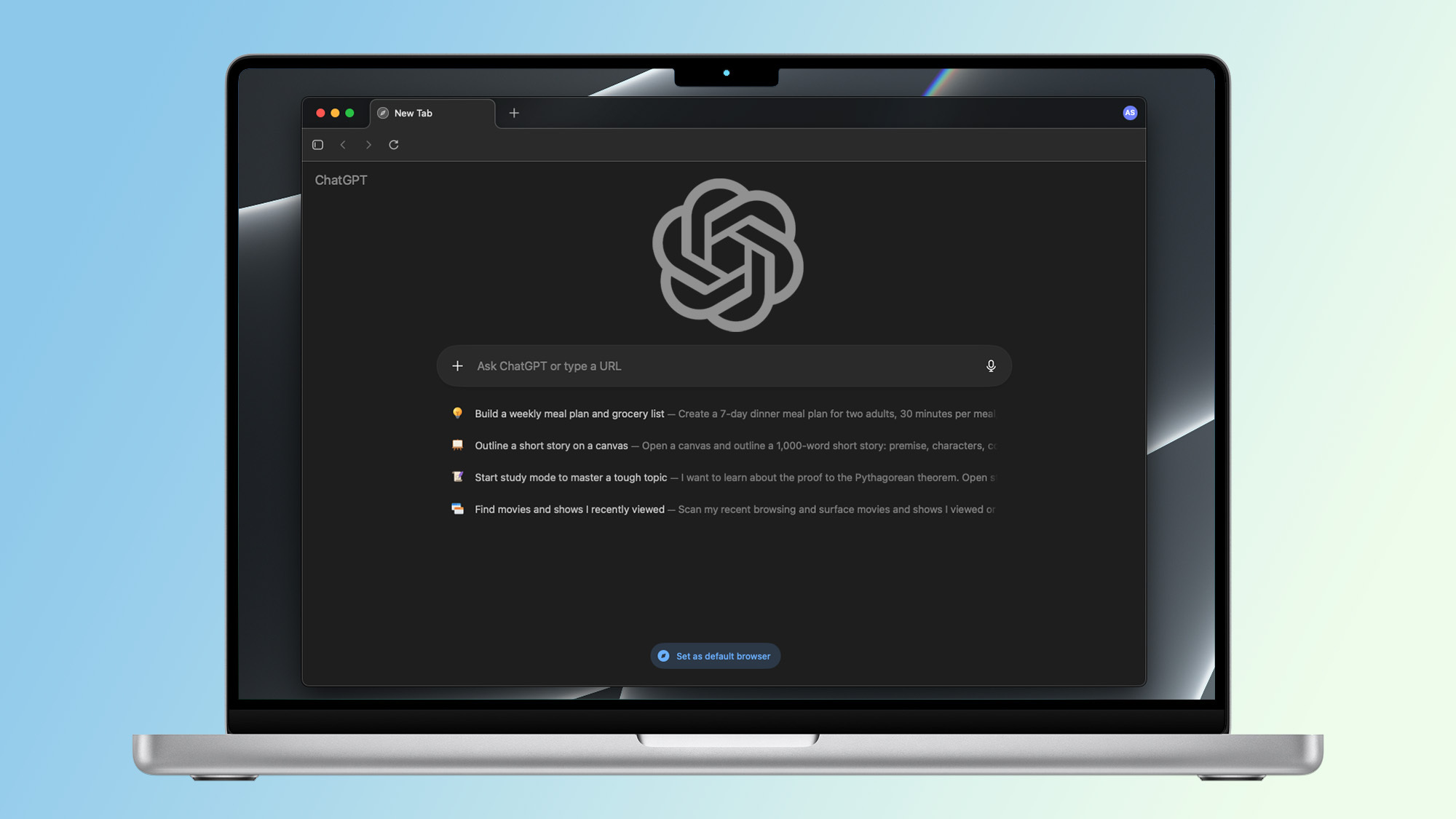
ChatGPT Atlas is an innovative web browser developed by OpenAI that is revolutionizing the internet browsing process through the deep integration of the ChatGPT artificial intelligence. Unlike traditional browsers such as Google Chrome or Mozilla Firefox, Atlas not only displays web pages but also allows users to **actively interact with content using AI**. The browser can summarize articles, compare products, analyze data, and **automate routine tasks**, eliminating the need to copy information into a separate chat or application. Atlas focuses on increasing the efficiency of web surfing, offering an intelligent approach to working with information. According to OpenAI, this browser is designed to "change the way users interact with the digital world" (OpenAI Official Announcement).
- ✅ **Point 1:** Built-in ChatGPT allows a wide range of actions to be performed directly in the browser, including text editing, idea generation, content creation, or even code writing. For example, a user can ask Atlas to draft an email based on information from a web page.
- ✅ **Point 2:** **Agent Mode** is a unique feature that allows the AI to autonomously perform complex tasks such as filling out online forms, searching for information across multiple sites, or organizing data for research. This essentially turns the browser into a digital assistant.
- ✅ **Point 3:** Integration with intelligent search ensures queries are processed through AI, providing **structured answers** instead of a traditional list of links. For example, the query "what are the best smartphones of 2025?" will return a table comparing specs and prices, not just a list of websites.
👉 **Example:** You visit a website with reviews for a new model of wireless headphones. Instead of manually reading dozens of comments, you simply enter the request into the Atlas sidebar: "Summarize the reviews and compare these headphones with competitors." The browser will automatically analyze the reviews, highlight the main advantages (e.g., sound quality) and disadvantages (e.g., battery life), and compare them with similar products like AirPods or Sony WH-1000XM5, using data from other web sources.
⚡ **Important:** An OpenAI account is required to use ChatGPT Atlas. Currently, the browser is available exclusively for **macOS** users, but OpenAI plans to expand support to Windows, iOS, and Android in 2026 (Learn more on the OpenAI website). Basic features are available to all OpenAI users, but a paid subscription, such as ChatGPT Plus or Pro, may be required to unlock the full set of AI capabilities (Subscription details).
✅ **Quick Conclusion:** ChatGPT Atlas combines the functionality of a traditional web browser with the powerful capabilities of artificial intelligence, making it a versatile tool for increasing productivity, information analysis, and task automation, not just for viewing web pages.
⸻
🔬 Development History and Release of ChatGPT Atlas
The development of ChatGPT Atlas is part of OpenAI's ambitious strategy to expand the influence of artificial intelligence beyond traditional chatbots, such as ChatGPT, towards creating comprehensive tools for interacting with the digital environment. The project was officially announced on **October 21, 2025**, when OpenAI presented Atlas as a step towards the concept of **"agentic AI"**—a system that not only responds to user queries but actively performs tasks on their behalf (OpenAI Official Announcement). The browser's release resulted from years of refining ChatGPT models, with a special emphasis on security, integration with web technologies, and user experience convenience. Atlas is positioned as a tool that combines advanced AI technologies with web browser functionality to compete with giants like Google Chrome and Mozilla Firefox.
Development began with OpenAI's experiments in 2023–2024, when the company tested AI extensions for browsers that allowed ChatGPT capabilities to be integrated into web browsing. These early prototypes demonstrated the potential for creating a fully-fledged browser that could automate tasks, such as content analysis or search queries execution. In 2025, OpenAI focused on creating Atlas, utilizing improved GPT models optimized for fast web data processing and secure interaction with user data. The browser also received features aimed at **protecting privacy**, which was a response to growing concerns about data security in the digital age.
📈 Comparison Table
| Criterion | ChatGPT Atlas | Google Chrome |
|---|---|---|
| **AI Integration** | Built-in ChatGPT for task automation, summarization, and data analysis | Relies on third-party AI extensions, such as Grammarly or AI search plugins |
| **Availability** | Currently macOS only, plans to expand to Windows, iOS, and Android in 2026 | Supports all major platforms (Windows, macOS, Linux, iOS, Android) |
| **Security** | Data encryption and emphasis on user privacy | High level of security with regular updates, but without built-in AI |
🔒 Security and Privacy
Atlas uses modern methods of **data encryption** and does not store the content of your private chats locally.
The user can manually **manage permissions** for AI page analysis and **disable access to browsing history** in the browser settings.
This provides greater control over privacy and makes Atlas a secure choice for working with sensitive information.
⚙️ Technical Details
Under the hood, **ChatGPT Atlas** is based on **Chromium**, with deep optimization for **GPU rendering** and **local cache** for AI requests.
Thanks to this, performance in regular surfing remains on par with **Google Chrome**, while AI operations are performed via **OpenAI servers**, which guarantees the speed of processing and stable browser operation even under load.
**Note:** Although Atlas is currently limited to macOS, OpenAI is actively working on expanding support for other platforms, which will make it more competitive (Learn more about OpenAI's plans).
Link to another article: Official Announcement from OpenAI.
⸻
💡 Core Features and Capabilities of Atlas
ChatGPT Atlas goes beyond the traditional web browser, offering a unique set of features based on artificial intelligence that transforms how users interact with the internet. Thanks to ChatGPT integration, the browser allows not only viewing web pages but also actively working with content through intelligent tools. From a sidebar for quick AI queries to a full-fledged agent mode where the AI autonomously navigates sites and performs tasks, Atlas is created for increasing productivity and automating routine processes. According to OpenAI, these functions make Atlas "the first browser that acts as your digital assistant" (OpenAI Official Announcement).
✅ Advantages
- ✅ **Fast Content Summarization:** Atlas can automatically create concise overviews of any web page in seconds. For example, if you are reading a long article about a new technology, Atlas can highlight key ideas, such as the main product specifications or the author's conclusions, without the need to read the entire text.
- ✅ **Automatic Data Analysis and Product Comparison:** The browser is capable of extracting information from multiple sources and comparing products, prices, or specifications. For example, when choosing a camera, Atlas can collect data from retail sites, compare models by parameters (resolution, price, reviews), and present the results in an easy-to-understand table.
- ✅ **Search Integration for Intelligent Results:** Unlike standard search engines that return a list of links, Atlas processes queries through AI, providing **structured answers**. For example, the query "what are the best laptops of 2025?" will return not only a list of models but also a brief analysis of their advantages and disadvantages based on current data.
❌ Disadvantages
- ❌ **Limited Availability:** As of the release (October 2025), Atlas is available only for **macOS** users, which limits its audience. OpenAI plans to expand support to Windows, iOS, and Android in 2026 (Learn more about expansion plans).
- ❌ **Potential Slowness on Older Devices:** AI functions, such as agent mode or complex analytical operations, may slow down the browser on older Mac computers with limited memory and processor resources.
⸻
📊 Comparison with Other Browsers
"Atlas is a direct challenge to Google Chrome with a focus on AI." — WIRED.