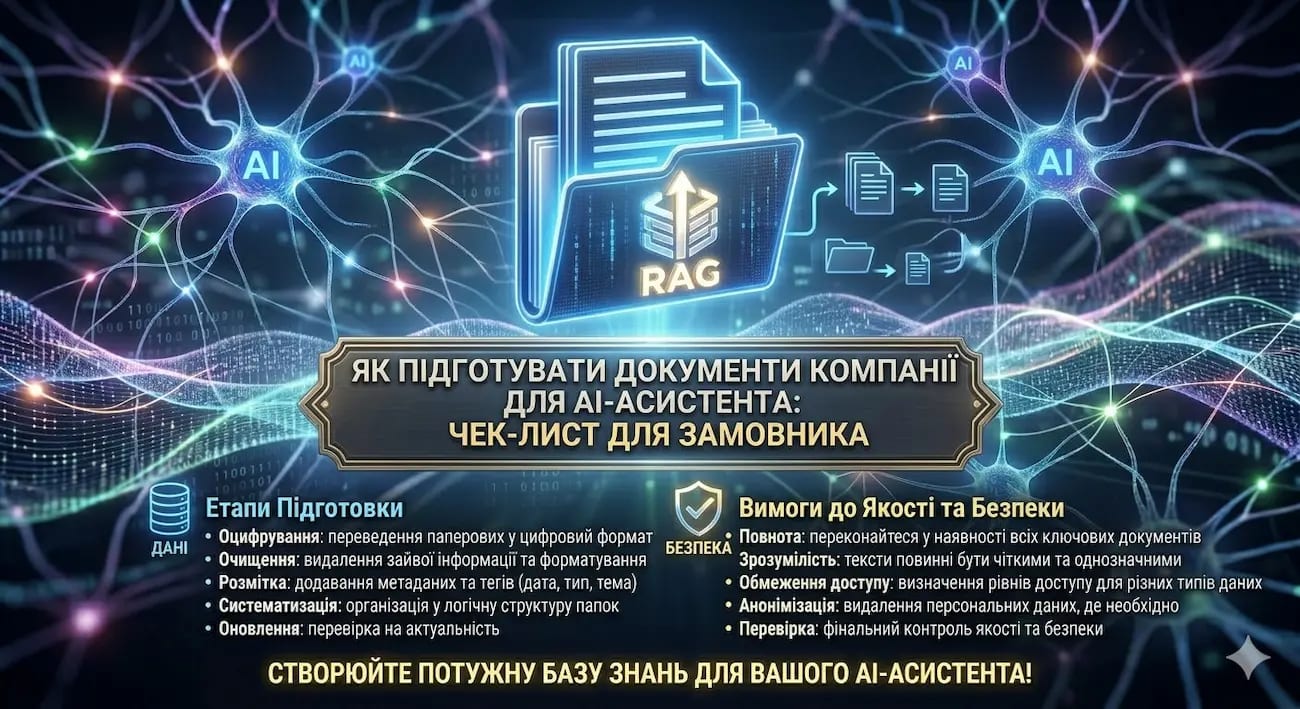
How to prepare company documents for an AI assistant
You've decided to implement an AI assistant, but you're looking at your file folders and don't know where to start. Three versions of the price list, instructions in the manager's head rather than in documents, a scanned contract from 2019, and a chaotic Google Drive. Spoiler: data preparation is 60% of your AI project's success. But it's not as difficult as it seems. This checklist will help you do everything right – even without technical knowledge.
⚡ In short for the busy
- 💰 Preparation Cost: free (if done yourself using our checklist) or $100–1000 (if outsourced to a contractor)
- ⏰ Timeline: from 2–3 days (everything is in order) to 3–4 weeks (complete document chaos)
- ✅ Key takeaway: an AI assistant is only as smart as the quality of your documents. "Garbage in, garbage out"
- ⚠️ What to pay attention to: scanned PDFs without text recognition are the main "silent killer" of RAG projects
- 👇 Below is a step-by-step checklist, format comparison, and common mistakes to avoid
📚 Table of Contents
- 📌 Why 70% of AI projects stall due to data, not technology
- 📌 What documents does an AI assistant need – three categories
- 📌 Format comparison: what AI handles well and what it doesn't
- 📌 How much time and money does data preparation take
- 📌 5 preparation mistakes that kill an AI project
- 💼 What a contractor should do during the data audit phase
- 💼 How we prepare data at WebCraft
- ❓ Frequently Asked Questions (FAQ)
- ✅ Conclusions
- 🚀 Next Step
🎯 Why 70% of AI projects stall due to data, not technology
In our experience, most AI assistant implementation projects stop or fail not because the technology doesn't work, but because the company's data is not ready. Chaos in folders, outdated documents, knowledge "in the manager's head" – all this makes even the most expensive AI assistant useless.
An AI assistant is only as smart as the quality of the documents you give it. It's like hiring the best consultant in the world – and handing them a folder with old, contradictory instructions.
In the AI world, there's a principle that always works: "garbage in – garbage out." This applies to any RAG system. If you upload an outdated price list, three versions of the same instruction, and a scanned copy of a contract from which the AI cannot read the text – to your knowledge base, the assistant will answer incorrectly, confuse data, or remain silent altogether.
According to estimates by experts in corporate AI, the data preparation stage consumes the most resources when implementing language models (FREEhost.UA — RAG and generation with retrieval augmentation). And this is not a technical problem – it's an organizational one. Documents are scattered across Google Drive, Notion, email correspondence, WhatsApp groups, and the heads of individual employees.
Why this is important for your business
Poor data preparation leads to three specific problems. First – the AI assistant gives incorrect answers, and customers lose trust. Second – you spend time and money on rework that could have been avoided. Third – the team becomes disillusioned with the technology and returns to manual work. In our experience, every hryvnia invested in data preparation saves 3–5 hryvnias during the development and maintenance phase.
An example from our practice
A logistics company from Odesa approached us. They wanted an AI assistant for customer support: answers to questions about tariffs, delivery times, cargo insurance terms. We started the audit and found: the tariff grid existed in three versions – one in Excel on the logistician's computer, the second in a PDF on the website (8 months outdated), the third – "in the head" of the commercial director. Insurance terms were only in a scanned contract with a partner – without text recognition. Before writing a single line of code, we spent 5 days structuring the data. Without this, the AI assistant would have quoted customers prices that don't exist.
Conclusion: RAG technology works excellently – but only with high-quality, up-to-date, and structured data. Data preparation is not "homework," but the foundation of your AI project.
📌 Section 2. What documents does an AI assistant need – three categories
All documents for an AI assistant are divided into three categories: mandatory (without them, the assistant doesn't work), desirable (improve answer quality), and bonus (make the assistant truly smart). Start with the first category – this is enough for an MVP launch.
One of the most common mistakes is trying to upload "everything available" to the AI. Tens of thousands of files, 5 years of correspondence, drafts, duplicates. It doesn't work. The more "noise" – the worse the assistant finds the correct answer. RAG system building specialists recommend starting with key content sources and only then gradually expanding the base (Kapa.ai — RAG Best Practices).
Category 1: Mandatory documents (don't launch without them)
This is the core of the knowledge base – what the AI assistant cannot function without to answer basic customer or employee queries:
- ✔️ Price list / tariff grid – current version with specific prices, packages, conditions
- ✔️ Description of services or products – what you do, for whom, what are the results. Not marketing text, but an actual description
- ✔️ FAQ / frequently asked questions – if you have a list of typical queries – this is ideal material for AI. If not – create one. Ask managers: "What 20 questions do you get asked daily?"
- ✔️ Terms of service – delivery, payment, returns, guarantees. Everything a customer needs to know before ordering
- ✔️ Contact information and working hours – seems obvious, but if this is not in the base, the assistant won't be able to answer the simplest question
Category 2: Desirable documents (improve quality)
These documents make the assistant's answers deeper, more accurate, and more useful:
- ✔️ Internal instructions and regulations – how to process orders, how to handle claims, service standards
- ✔️ Technical documentation – product specifications, compatibility tables, installation/usage instructions
- ✔️ Document templates – typical contracts, acts, commercial proposals (if the assistant is to help with documents)
- ✔️ Training materials – presentations for new employees, onboarding guides, video scripts
- ✔️ Support knowledge base – if you have Confluence, Notion, or Google Docs with descriptions of solutions to typical problems
Category 3: Bonus sources (make the assistant smarter)
These data are not mandatory for launch but significantly improve quality after the MVP launch:
- ✔️ Customer interaction history – support tickets, correspondence, chats. Shows real customer queries and phrasing
- ✔️ Call recordings and their transcriptions – if available – this is gold. AI sees real dialogues and learns to respond as your best managers do
- ✔️ Reviews and testimonials – what customers praise, what they complain about. Helps the assistant better understand context
- ✔️ Blog articles and marketing materials – if they are factual, not just promotional
Tip: start with 10–30 documents from Category 1. This is enough for an MVP launch in 3–4 weeks. Then gradually add Category 2 and 3 based on testing results.
Conclusion: don't try to upload everything at once. 20 high-quality, up-to-date documents are better than 2,000 outdated files.
📊 Section 3. Format Comparison — What AI Handles Well and What It Doesn't
AI works best with text files: Word, Google Docs, Markdown, HTML. It handles digital PDFs (created on a computer) well. It struggles with scanned PDFs without text recognition. Excel tables require additional processing.
One of the biggest pitfalls in RAG projects is document format. If you think "a PDF is a PDF," here's the unpleasant truth: there are two fundamentally different types of PDFs, and one of them is like a blank page to AI.
A digital PDF is a document created on a computer (e.g., saved from Word). The text in it can be highlighted, copied, and AI recognizes it perfectly. A scanned PDF is essentially a photograph of a paper document. To the human eye, it looks the same, but to AI, it's just an image from which text cannot be extracted without special processing (OCR).
As researchers note, parsers without OCR capabilities return a completely empty result for scanned documents — and critically, they don't report it (The PDF Problem: Why AI Struggles to Read Business Documents). AI won't say "I can't read this" — it will simply ignore the document and respond without it.
| Format | AI Processing Quality | What to Do | Typical Issues |
|---|---|---|---|
| Word (.docx) | ⭐⭐⭐⭐⭐ Excellent | Upload as is | Rarely — sometimes complex formatting |
| Google Docs | ⭐⭐⭐⭐⭐ Excellent | Export to .docx or connect via API | Requires document access |
| PDF (Digital) | ⭐⭐⭐⭐ Good | Upload as is | Tables and multi-column layouts can "drift" |
| PDF (Scanned) | ⭐⭐ Poor without OCR | Process through OCR (Google Document AI, Mistral OCR, Adobe Acrobat Pro) | Without OCR — AI sees a blank page. After OCR — possible text errors |
| Excel (.xlsx) | ⭐⭐⭐ Average | Convert to structured text or JSON | AI struggles to "understand" complex tables with pivot formulas |
| PowerPoint (.pptx) | ⭐⭐⭐ Average | Extract text, ignore graphics | Lots of visuals, little text — AI doesn't see images |
| HTML / Website Pages | ⭐⭐⭐⭐⭐ Excellent | Parse automatically | Need to filter out navigation, footers, ads |
| Notion / Confluence | ⭐⭐⭐⭐ Good | Connect via API or export | Nested pages require recursive traversal |
| Email Correspondence | ⭐⭐ Poor without processing | Extract key points, ignore signatures and threads | Lots of "noise": signatures, greetings, quoting |
| Audio / Video | ⭐⭐ Requires transcription | Transcribe (Whisper, Google Speech-to-Text) | Transcription is not perfect — requires verification |
How to Check if Your PDF is Digital or Scanned?
Open the file and try to highlight the text with your cursor. If the text highlights, it's a digital PDF, and AI will process it. If only an area highlights (like in a picture) or nothing highlights, it's a scan. It needs to be processed through OCR before uploading to a RAG system.
Summary: before handing over documents to a contractor, check: are there scanned PDFs among them? Are your price lists up-to-date? Is the text in tables readable? 30 minutes of checking now will save days of work later.
💰 Section 4. How Much Time and Money Does Data Preparation Take
From 2–3 days (if everything is in order) to 3–4 weeks (if it's chaos). Cost: free (if you do it yourself using a checklist) or $200–2,000 (if a contractor takes on the preparation). For large projects with thousands of documents — up to $1,000–5,000.
The timeline and cost depend on one simple factor: how organized your documents already are. Here are three typical scenarios we see in 90% of projects:
Scenario 1: "We're Organized" (2–3 days, minimal cost)
Documents are gathered in one place (Google Drive, Notion, SharePoint). The price list is current. FAQs exist. Instructions are written down, not just "in Olena's head." Files are in digital formats (Word, Google Docs, digital PDF). In this case, preparation involves checking for relevance, removing duplicates, and forming the final list. You can do this yourself using our checklist in 2–3 days.
Scenario 2: "Moderate Chaos" (1–2 weeks, $200 – 500)
Documents exist but are scattered across different systems. Some are in email, some in Telegram groups, some on local computers. Some files are outdated, and there are duplicates. There are scanned PDFs that need to be processed through OCR. In this scenario, you'll need help: either allocate 1–2 team members for a week or assign it to a contractor.
Scenario 3: "Complete Chaos" (3–4 weeks, $100 – 3,000)
There is almost no documentation. Knowledge "lives" in the heads of specific people. The price list hasn't been updated in a long time. There are no instructions — only "Ask Serhiy, he knows." In this case, the first step is not AI implementation, but creating a knowledge base from scratch: interviews with key employees, documenting processes, writing documents. This is an investment that pays off even without AI — simply because you will finally have documented processes.
Prices in Ukraine vs. Europe vs. USA
Data audit and preparation in Ukraine — $200–1,000 for a medium-sized project. In Western Europe, similar work costs €1,000–2,000, in the USA — $3,000–5,000. At the same time, the result is the same: a structured, cleaned, ready-to-upload knowledge base for RAG. For foreign clients, this is another argument in favor of working with Ukrainian teams.
Summary: data preparation is 20–30% of the AI project budget. This is normal. These are not "extra costs" — they are the foundation without which nothing else works.
⚠️ Section 5. 5 Data Preparation Mistakes That Kill AI Projects
The five most common mistakes: outdated documents, scanned PDFs without OCR, duplicates, confidential data without filtering, and lack of structure. Each of them represents specific financial losses or business risks.
Mistake 1: Outdated Documents in the Knowledge Base
You upload the 2024 price list — and the AI assistant quotes old prices to clients. Or the knowledge base contains an old version of an instruction that contradicts the new one. AI doesn't know which version is current — and might choose any. Solution: before uploading, check each document for relevance. Mark the date of the last update. Delete old versions.
Mistake 2: Scanned PDFs Without Text Recognition (OCR)
This is the "silent killer" of RAG projects. The document looks normal when you open it. But for AI, it's just an image — it can't read a single word. And it won't say "I can't see this document" — it will simply respond without it. You might not know for months that part of your knowledge base is "invisible" to the assistant. Solution: check all PDFs (highlight text with your cursor). Process scanned ones through OCR.
Mistake 3: Duplicates and Contradictory Documents
Three versions of the same FAQ. Two price lists — one for the website, another for managers. An instruction that was updated, but the old one wasn't deleted. AI will find both documents and won't be able to determine which is correct — the result will be random. Solution: one document — one version. Perform "deduplication" before uploading.
Mistake 4: Confidential Data Without Filtering
You upload documents with clients' personal data, internal financial reports, or confidential partner agreements to the knowledge base — and the AI assistant provides them in responses to external clients. This is not just a loss of trust — it's a legal risk. Solution: separate documents into "public" and "internal." RAG specialists recommend maintaining separate databases for public and sensitive corporate documents (Kapa.ai — RAG Best Practices).
Mistake 5: Lack of Structure in Documents
A document without headings, subheadings, and logical breaks is a continuous stream of text, making it difficult for AI to find specific fragments. Imagine a book without a table of contents or chapters — you wouldn't find the information you need either. Experts in building knowledge bases for RAG recommend breaking down documents into semantic blocks, not by character count, and maintaining a consistent format for headings, lists, and indents (Astera — Building a Knowledge Base for RAG). Solution: add headings to each section. Break large documents into logical blocks. Use a consistent format.
Summary: each of these five mistakes is not just an "imperfection." They are specific risks: incorrect prices, data leaks, loss of clients. 2–3 days for checking — and you will avoid them all.
💼 Section 6. What a Contractor Should Do During the Data Audit Stage
A good contractor doesn't just say "throw all the files into a folder." They conduct an audit: check formats, relevance, presence of duplicates, filter confidential information — and provide you with a report with recommendations before development begins.
The data audit stage is a "litmus test" of a contractor's professionalism. If the contractor says, "Just dump everything into Google Drive, we'll figure it out" — that's a red flag. Here's a checklist of what a proper contractor should do before starting development:
1. Conduct a document inventory. Create a complete list: what exists, in what format, where it's stored, when it was last updated. This sounds tedious, but it's where 90% of problems are revealed.
2. Check formats and readability. Are all PDFs digital? Are there scanned ones? Are Excel tables readable? Is the formatting in Word "broken"? The contractor should check this and provide a report: "these 15 files are ready, these 8 need conversion, these 3 are unreadable."
3. Determine priority documents for MVP. Not everything needs to be uploaded at once. The contractor should help select 10–30 key documents for the first launch, and plan the rest for subsequent iterations.
4. Check for relevance and remove duplicates. If there are three versions of a price list — the contractor should ask: "Which one is current?" If an instruction contradicts an FAQ — help to reconcile them.
5. Filter out confidential information. If the assistant will be public (for clients) — the knowledge base should not contain internal financial reports, personal data, or confidential partner agreements. The contractor should assist with this separation.
6. Provide you with a report and preparation plan. The result of the audit is a concrete document: what is ready, what needs to be refined, how long it will take, who is responsible for each item.
Summary: if a contractor starts development without a data audit — it's like a builder laying walls without a foundation. The result will be commensurate.
🏆 Section 7. How We Prepare Data in WebCraft
We start every AI project with a free data audit. We analyze your documents, identify problems, create a preparation plan — and only then do we provide timelines and development costs.
Our approach is built on a simple principle: it's better to spend 3–5 days on an audit than 3–5 weeks later on redoing an assistant that answers incorrectly due to poor data.
What our audit includes (free of charge)
- ✔️ Inventory: we compile a list of all documents you have — and those you don't, but need
- ✔️ Format Check: we find scanned PDFs, "broken" tables, unreadable files
- ✔️ Relevance Assessment: we mark outdated documents, duplicates, contradictions
- ✔️ Confidential Data Filtering: we help separate documents into "for clients" and "internal use only"
- ✔️ Preparation Plan: specific document — what to do, who does it, how much time
Case Study
A home appliance distribution company — 400+ documents: manufacturer catalogs, price lists, warranty terms, user manuals. During the initial audit, we discovered: 40% of documents were outdated (2022–2023 catalogs for models no longer sold), 15% were scanned PDFs without OCR (partner warranty cards), and 10% were duplicates. We removed outdated information, processed scans through OCR, and structured the rest by categories (home appliances → brand → type → model). After cleaning, 120 documents remained — and based on this data, the AI assistant answers 92% of customer inquiries accurately. The entire preparation process took 8 business days.
Summary: we do not start development until the data is ready. This is our principled stance — because we are responsible for the quality of the result.
❓ Frequently Asked Questions
What if all my information is "in my head" and not in documents?
This is the most common situation in small businesses. The solution is to start with interviews with key employees. We ask 20–30 questions, record the answers, and structure them into documents — and these documents then become the knowledge base for the AI. Bonus: after this process, you will have a documented knowledge base that is useful even without AI — for training new employees, for example.
Can I use a scanned price list?
Yes, but it needs to be processed through OCR first — a program that recognizes text in images. After OCR, the text quality won't be perfect (there might be errors in numbers or symbols), so manual verification is required. The best option is to find the original digital file or create a new price list in Word/Google Docs.
What is the minimum number of documents required to launch?
For an MVP, 10–30 key documents are sufficient: an up-to-date price list, service descriptions, FAQs, terms of service. This will cover 70–80% of typical customer inquiries. After launch, you'll see which questions the assistant can't answer — and you can add the necessary documents on a case-by-case basis.
Who is responsible for preparation — us or the contractor?
Usually, it's a joint effort. The contractor conducts the audit, provides a checklist, and recommendations. You provide access to documents, confirm their relevance, and answer questions about business processes. Some contractors (including WebCraft) can take full responsibility for preparation — for an additional fee.
What if some of the data is confidential?
There are two approaches. The first is to divide the knowledge base into "public" (for the client-facing AI assistant) and "internal" (for employees). The second is to use a private deployment where data is stored on your server and not shared with third parties. More details on security can be found in our article on data security in AI implementation.
Do I need to rewrite anything?
Not necessarily. If a document is understandable to a human — it's understandable to AI. The main thing is relevance, absence of duplicates, and a readable format. Rewriting is only necessary if a document contradicts others or contains critically outdated information.
How often do I need to update the knowledge base?
It depends on the business. If price lists change monthly — the knowledge base should be updated monthly. If the documentation is stable — once a quarter is sufficient. A good RAG system allows updating individual documents without rebuilding everything from scratch: upload a new price list — and the assistant immediately knows it.
✅ Conclusions
- 💰 Cost: data preparation — from free (DIY with a checklist) to $200–1,000 (turnkey contractor). This is 20–30% of the AI project budget
- 🎯 Main Recommendation: start with 10–30 key documents from Category 1. Don't try to upload everything at once
- ⚠️ Main Warning: scanned PDFs, duplicates, and outdated documents are the three "silent killers" of AI projects. Check them before starting development
Key takeaway: An AI assistant is only as good as your data. Invest in document preparation — and the technology will work for you, not against you.
🚀 Don't know where to start? We can help
Submit a request for a free audit of your data — we will analyze your documents, show you what's ready and what needs improvement, and create a preparation plan for implementing an AI assistant.
Or write to us on Telegram — we'll respond within 3 hours.
📖 Read also
Want to Order This Service?
Our team is ready to bring your project to life. Contact us for a consultation.
Order Service