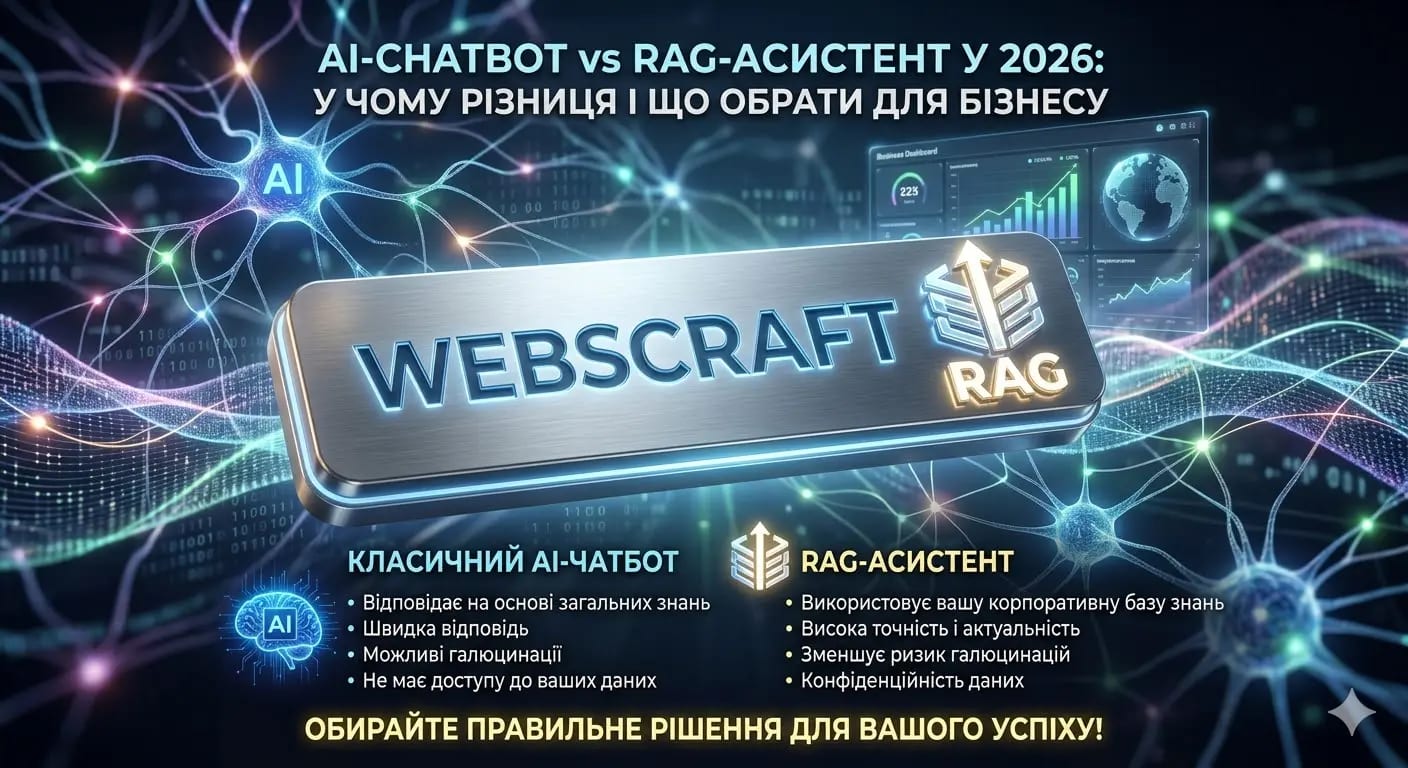
AI Chatbot vs RAG Assistant in 2026
You've been advised to "put a chatbot on your website," but when you started looking into it, it turned out there are regular chatbots, AI chatbots, RAG assistants, and prices vary by 10–50 times. How do you understand what you need? Spoiler: in 80% of cases, small businesses are fine with a regular chatbot. But if you have many documents, a complex product, or a niche industry — without a RAG assistant, you'll simply lose money on a solution that doesn't work.
⚡ In Short for the Busy
- 💰 Cost: regular chatbot — from $30–150/month (SaaS) or $1,000–5,000 (development). RAG assistant — from $1,000–15,000 (MVP) to $20,000–80,000+ (full-fledged solution)
- ⏰ Timeline: chatbot — 1–5 days. RAG assistant — 4 to 8 weeks
- ✅ Main takeaway: if your clients ask the same 20–50 questions — get a chatbot. If the answers depend on your documents, price lists, instructions — you need RAG
- ⚠️ What to pay attention to: "AI chatbot" in advertising is often a regular bot with scripts. Check if it actually works with your data
- 👇 Below is a detailed breakdown with a comparison table, prices, and real-life cases
📚 Table of Contents
- 📌 Why entrepreneurs confuse chatbots with AI assistants
- 📌 Regular chatbot vs RAG assistant — two different tools
- 📌 Comparison table for quick selection
- 📌 Real prices and timelines in 2026
- 📌 What you definitely shouldn't save on
- 💼 How to choose a contractor and not make a mistake
- 💼 How we do it at WebCraft
- ❓ Frequently Asked Questions (FAQ)
- ✅ Conclusions
- 🚀 Next Step
⸻
🎯 Why entrepreneurs confuse chatbots with AI assistants
Because the market intentionally blurs the terms. Companies that sell simple bots for $30/month call them "AI assistants." And those who build real RAG systems also use the word "chatbot." As a result, the entrepreneur doesn't understand what they are paying for — $100 or $5,000. Read more in our guide: What is RAG and why your business needs it .
The difference between a chatbot and a RAG assistant is like the difference between an answering machine and a live consultant who knows all your products, prices, and instructions by heart.
Let's be honest: after ChatGPT became popular, every second service started adding the word "AI" to its product. Chatbot became "AI Chatbot." A simple feedback form became "AI sales assistant." Amidst this marketing noise, it's genuinely hard to understand what you need and how much it should cost.
And the difference is fundamental. It's like comparing a calculator and an accountant. A calculator only computes what you input. An accountant will find the necessary documents, verify the data, consider the context, and provide an answer you didn't even know you needed to look for.
Why this is important for your business
If you choose the wrong tool, you'll either lose money (overpay for RAG when a chatbot is enough) or lose clients (install a chatbot that can't answer complex questions, and people will go to competitors). In our experience, about 40% of entrepreneurs who come with a request for an "AI chatbot" actually need a RAG assistant. And another 30% — on the contrary, want a complex system when a simple solution would suffice.
An example from our practice
The owner of a chain of dental clinics approached us. He wanted to "put ChatGPT on his website" to answer patient questions. We asked: "What questions are asked most often?" It turned out that 90% of inquiries were about working hours, prices for specific procedures, and preparation for appointments. All of this was in the price list and internal clinic instructions. A regular chatbot wouldn't be able to work with these documents — it would either invent prices or give general answers. A RAG assistant was needed, one that knows the clinic's price list and answers accurately.
Conclusion: before choosing a solution, determine whether your clients ask typical questions (chatbot) or specific ones related to your data (RAG).
📌 Section 2. Regular chatbot vs RAG assistant — two different tools
A chatbot answers based on scripts or the general knowledge of an AI model. A RAG assistant first searches for the answer in your documents and then formulates it in human language. If your business involves standard services with a simple catalog, a chatbot will cover 80% of tasks. If you have a complex product, a lot of documentation, or a regulated industry — you need RAG.
Before we analyze each option separately, let's look at the same situation through the eyes of two different tools. This will help you feel the difference in practice, not just in theory.
Situation: A client of an online auto parts store writes: "Does oil filter OE 650/3 fit a 2021 Toyota Camry with a 2.5L engine?"
What a regular chatbot will do: It will try to find the keyword "oil filter" in its scripts. If there's a scenario, it will show a general page from the filter catalog. If not, it will say "Please wait, connecting you to an operator" or, worse, give a general answer: "We have a wide selection of oil filters, please browse the catalog." The client will close the window and go to a competitor whose manager responds on Telegram.
What an AI chatbot based on GPT will do: It will generate a plausible answer based on the model's general knowledge. It might even guess correctly. Or it might say "Yes, it fits" — even though a different filter is actually needed for this engine modification. The client will order, receive the wrong part, and leave a negative review.
What a RAG assistant will do: In a fraction of a second, it will find the compatibility table for the Toyota Camry 2021 (2.5L, A25A-FKS) in your database, check the OE 650/3 part number, see that OE 650/8 is recommended for this modification — and respond: "Filter OE 650/3 does not fit your model. For the Toyota Camry 2021 with a 2.5L engine, OE 650/8 is recommended. Price — 480 UAH, in stock. Shall I place an order?" The client will receive the correct part the first time.
Feel the difference? The same query — three completely different results. Now let's break down each tool in more detail.
⸻
Regular chatbot: what it is and when it's enough
A regular chatbot is a program that responds to queries based on pre-written scripts. Imagine a bank's phone menu: "Press 1 to check your balance, press 2 to speak to an operator." Only in text form.
The simplest option is a button-based bot. The user clicks "Working hours" → the bot shows the text. Clicks "Prices" → the bot shows the price list. There's no AI here — just a script tree, like a flowchart. Cheap, fast, predictable.
More advanced versions recognize keywords. A client writes "delivery" → the bot finds the word and shows delivery terms. Writes "returns" → shows the return policy. It's like site search, but in a chat format.
And then there are AI chatbots built on models like GPT. They can communicate in natural language — understand free text, maintain a dialogue, can joke, and even show empathy. But there's an important nuance here that most entrepreneurs don't understand.
An AI chatbot based on GPT is like a very knowledgeable intern who started their first day at work. They know a lot about the world in general, but have no idea about your specific prices, terms, stock levels, or internal company rules. And if you ask them something specific — they won't say "I don't know," but will confidently make up an answer.
In the AI world, this is called "hallucination" — when a model generates a plausible but completely fabricated answer. For general conversations, it's not a problem. But when a bot gives a client the wrong price or says an item is in stock when it's not — that's a direct loss for the business.
An example from real business: when a chatbot is the ideal solution
A beauty salon in Kyiv. 90% of client inquiries are about four things: working hours, prices for basic services (haircut, coloring, manicure), how to get there, and booking an appointment. The answers rarely change — the price list is updated quarterly, working hours are stable.
For such a business, a button-based chatbot with 15–20 scripts covers almost all inquiries. Cost — $50–100/month on a SaaS platform or $1,500–3,000 for custom development for Telegram. Launch — in 2–3 days. No RAG is needed here.
When a chatbot is enough — checklist:
- ✔️ You have 20–50 typical questions that are repeated daily
- ✔️ Answers are standard and change less often than once a month
- ✔️ You need to collect contacts (leads) and book appointments
- ✔️ Budget is limited — up to $200/month or up to $5,000 one-time
- ✔️ You have a simple catalog — up to 50 items or services
- ✔️ Clients don't ask complex, contextual questions
But a chatbot has clear boundaries it cannot cross:
- ❌ Doesn't work with your documents. A chatbot cannot "read" your price list in PDF, instructions in Word, or tables in Excel. Each answer must be entered manually
- ❌ Makes things up when it doesn't know. An AI chatbot based on GPT won't say "I don't know" — it will invent a plausible, but often incorrect, answer. For business, this is worse than no answer
- ❌ Doesn't update automatically. Changed a price? Added a new service? You need to go into the admin panel and rewrite the script manually. If you forget — the bot gives old data
- ❌ Doesn't understand context. A client asks: "Is Saturday available?" The chatbot doesn't remember that the conversation was about a haircut and might show general hours instead of available slots
- ❌ Doesn't scale with business growth. When you have 20 questions — the bot works great. When it becomes 200 — the scripts turn into chaos that no one wants to maintain
⸻
RAG assistant: what it is and why
RAG (Retrieval-Augmented Generation) is a technology that changes how AI works. Instead of answering "off the top of its head" — the assistant first searches for the necessary information in your knowledge base and then formulates an answer based on it.
Let's break this down with a simple analogy.
Imagine two consultants in an electronics store. The first is a student working part-time. They generally understand technology, can hold a conversation about smartphones and laptops, but don't know specific models from your catalog. If a client asks "Is this model available in black and how much does it cost with a discount?" — the student will either make something up or run to the senior manager.
The second consultant is an experienced employee who knows the entire catalog, prices, promotions, stock levels, and warranty terms. They instantly find the necessary information and provide an accurate answer.
An AI chatbot is the student. A RAG assistant is the experienced employee. The difference is that a RAG assistant has access to all your documents and searches them for answers before each response.
How it works — without technical details
When a client asks a question, a RAG assistant does three things in a fraction of a second:
Step 1 — Retrieval. The assistant searches your documents for fragments related to the question. Not by keywords, but by meaning — it understands that "price for corporate clients" and "price list for legal entities" are about the same thing.
Step 2 — Selection. From the retrieved fragments, the assistant selects the most relevant ones. If the database contains an old version of the price list and a new one — it will take the new one (if the system is configured correctly).
Step 3 — Generation. Based on the retrieved information, an AI model (GPT-4o, Claude, or another) formulates an answer in human language. It doesn't copy a piece of the document — it specifically answers the client's question using the found facts.
Result: the client receives an accurate, up-to-date answer in 2–5 seconds. No "please wait, connecting you to a manager." No fabricated facts. No pricing errors.
An example from real business: when RAG is indispensable
An industrial equipment sales company. The catalog has 3,000+ items. Each item has a technical specification, compatibility table, warranty conditions, and installation manual. Clients are engineers who ask questions like: "Which compressor is suitable for a line with 12 bar pressure and a flow rate of 500 l/min at temperatures up to +45°C?"
No script-based chatbot can handle such a query. An AI chatbot based on GPT will invent a model that might not exist in the catalog. A RAG assistant, however, will find the relevant specification in the document database, check the parameters, and provide a specific recommendation with the part number, price, and stock availability.
Another example — a law firm. They have 500+ standard contracts and legal opinions. Clients call daily with questions like: "Do you have a template for a commercial lease agreement?", "What documents are needed to register an LLC?", "Can a founder be changed without a notary?" A RAG assistant finds the answer in the document database and responds in seconds — instead of a lawyer spending 15–20 minutes on each such call.
When a RAG assistant is needed — checklist:
- ✔️ You have tens or hundreds of documents: manuals, price lists, contracts, FAQs, technical documentation, knowledge bases
- ✔️ Answers depend on context: "What is the price for legal entities?", "Is this module compatible with my model?", "What to do if the warranty period has expired, but the defect is manufacturing-related?"
- ✔️ You operate in a regulated industry (medicine, legal services, finance) where an inaccurate answer poses a legal risk
- ✔️ Information is frequently updated — prices, availability, terms, regulations — and the bot must automatically work with current versions
- ✔️ You need to automate internal processes: HR answers for employees, onboarding new hires, first-line technical support
- ✔️ Your company has more than 10 people and knowledge is "scattered" among different employees — RAG helps consolidate everything into one system
What RAG provides to businesses in practice:
- ✔️ Accuracy. Answers based on your actual data, not general internet knowledge. If a filter costs 480 UAH in your price list — the assistant will say 480 UAH, not "approximately 400–600 UAH"
- ✔️ Minimal hallucinations. According to market data, RAG systems reduce the number of fabricated AI answers by 85–95% compared to a "bare" language model
- ✔️ Automatic updates. Uploaded a new price list — the assistant knows it immediately. No need to rewrite scripts manually
- ✔️ Works with any format. PDF, Word, Excel, website pages, databases — RAG works with everything you have
- ✔️ Scales without pain. 100 documents or 10,000 — the system works the same. Added a new product? Upload the documentation, and the assistant is ready to answer
⸻
When a chatbot is enough, and when a RAG is needed — a simple framework
So you can decide in 2 minutes, here's a simple test. Answer "yes" or "no" to each question:
1. Can 80% of your clients' inquiries be answered with the same text? (Yes → chatbot)
2. Does the answer depend on a specific product, model, tariff, or document? (Yes → RAG)
3. Are your prices, terms, or catalog updated more often than once a month? (Yes → RAG)
4. Do you have more than 50 pages of documentation, instructions, or FAQs? (Yes → RAG)
5. Could an inaccurate bot answer lead to financial losses or legal risks? (Yes → RAG)
Result: If you answered "yes" to question 1 and "no" to the rest — a chatbot is sufficient for you. If you answered "yes" to at least two of questions 2–5 — you should consider a RAG assistant.
And remember: this is not a "forever" choice. Very often, the optimal path is to start with a chatbot, collect real query statistics, see where the bot fails — and then consciously invest in RAG for specific tasks.
Conclusion: a chatbot is a smart auto-responder that works by scripts. A RAG assistant is a full-fledged consultant who knows all your documentation and answers based on real data. They are not competitors — they are tools for different tasks and different stages of business development.
📊 Section 3. Comparison Table — Chatbot vs. RAG Assistant
If you have fewer than 50 typical questions and a simple product — a chatbot. If answers need to be based on your documents and data — a RAG assistant. Below is a detailed comparison.
| Criterion | Standard Chatbot | RAG Assistant |
|---|---|---|
| Cost (Development) | $30–150/month (SaaS) or $1,000–5,000 (custom) | From $5,000 (MVP) to $30,000–80,000 (full solution) |
| Launch Timeline | 1–5 days | 3–8 weeks |
| Works with Your Documents | ❌ No — only scripts or general AI knowledge | ✅ Yes — PDF, Word, spreadsheets, website, databases |
| Answer Accuracy | High for typical questions, low for non-standard ones | High even for complex, contextual questions |
| AI "Hallucinations" | Frequent — the model invents when it doesn't know | Minimal — answers are tied to documents |
| Information Updates | Manual — scripts need rewriting | Automatic — loads new documents |
| Integrations | Messengers, basic CRM | CRM, ERP, databases, internal systems |
| Data Security | Data is not processed deeply | Private deployment possible — data doesn't go outside |
| For Whom | Small businesses, simple services, lead generation | Medium and large businesses, complex products, regulated industries |
| Monthly Support | $0–50/month | $200–1,500/month (hosting + API + updates) |
Summary: don't choose RAG if you have 20 questions and one price list. Don't choose a chatbot if your clients ask "does this module fit model 2024 with modification X?".
💰 Section 4. Real Prices and Timelines in 2026
A standard chatbot will cost $30–200/month (SaaS platform) or $1,000–5,000 (custom development). A RAG assistant — from $300 for an MVP to $10,000–30,000 for a full-fledged enterprise solution. Monthly RAG support — from $50 to $1,500, depending on data volume and model.
How Much Does a Standard Chatbot Cost
If you need a simple bot for your website — there are dozens of SaaS platforms with ready-made solutions. Tidio, ManyChat, Chatfuel, Crisp — they all offer plans from $20–50/month for small businesses. Connect, set up scenarios, add answers to typical questions — and the bot works.
What's included in the price of a typical chatbot:
- ✔️ Scenario setup (10–50 dialogue branches)
- ✔️ Integration with messenger or website
- ✔️ Basic design and branding
- ✔️ Lead collection and transfer
How Much Does a RAG Assistant Cost
The prices here are significantly different — because the technology is more complex. You need to prepare your documents, build a knowledge base (vector database), configure the AI model, test answer accuracy, and integrate with your channels.
Three levels of RAG solutions:
MVP (from $300, 3–4 weeks): The assistant works with 20–50 documents, connected to one channel (e.g., website widget or Telegram). Uses a cloud model (GPT-4o or Claude). Suitable for testing the hypothesis: whether AI will truly help your business.
Full-fledged solution (from $1500–3000, 5–8 weeks): Works with a large document base (hundreds of files), connected to multiple channels (website + Telegram + CRM), has a knowledge base update system, and an admin panel for managers. Suitable for medium-sized businesses ready to scale. If you're looking for a ready-made solution — AskYourDocs deploys on your server in 7–10 days with full data control.
Enterprise ($10,000–30,000+, 2–4 months): Local model (Llama, Mistral) for complete confidentiality, deep integration with ERP/CRM, multilingual support, dedicated server. For companies where data security is a critical factor.
Monthly Costs They Don't Tell You About
A RAG assistant is not a "set it and forget it" solution. There are recurring costs: server hosting ($50–300/month), AI model API requests ($50–500/month depending on volume), knowledge base updates, and technical support ($40–500/month). In total — from $100 to $1,500/month.
Prices in Ukraine vs. Europe vs. USA
MVP RAG assistant in Ukraine — from $5,000. A similar solution in Western Europe — from €5,000–25,000. In the USA — from $20,000–40,000. The quality is the same: Ukrainian developers work with the same technologies (OpenAI API, LangChain, Pinecone/Weaviate vector databases). The difference is in specialist rates. For foreign clients, ordering in Ukraine is a way to get enterprise quality at MVP prices.
Summary: a chatbot is a solution for $30–200/month with a launch in a few days. RAG is an investment from $400 with a launch in a few weeks, but with fundamentally different answer quality.
⸻
⚠️ Section 5. What You Definitely Shouldn't Save On
We recommend paying attention to three things where saving costs more: data preparation, accuracy testing, and security. If you save on document preparation — the assistant will give nonsensical answers. If you save on testing — clients will receive incorrect prices. If you save on security — you risk leaking confidential data.
1. Data Preparation
This is the most crucial stage that entrepreneurs often underestimate. A RAG assistant is only as good as your documents are good. If you have chaos in your folders, outdated price lists, three versions of the same instruction — the assistant will get confused. Data preparation takes 20–30% of the budget, but it's what determines whether the solution will work.
2. Accuracy Testing
Imagine: your AI assistant tells a client that a procedure costs 3,000 UAH, but it's actually 5,000. Or it recommends a medication that is not in your inventory. One such incident — and trust is lost. Testing with 50–100 real queries before launch is a mandatory step. A good contractor will show you a report with answer accuracy before launch.
3. Security and Confidentiality
If you upload confidential documents (contracts, financial data, medical records) to the system — make sure the data is not used for training third-party models. For sensitive industries, consider private deployment or a local model. This is more expensive, but your data remains under your control.
Summary: it's better to pay 20% more for quality preparation and testing than three times more later for reworking a solution that answers incorrectly.
💼 Section 6. How to Choose a Contractor and Not Make a Mistake
Ask five specific questions. If the contractor cannot answer them clearly — look for another one.
Here's a checklist of questions to ask a contractor before ordering. This works regardless of whether you choose WebCraft, another studio, or a freelancer:
1. "Show me an example of a working RAG assistant you've built before." Not a mockup, not a presentation — but a live demo. Ask it a complex question. If the assistant answers with general phrases — it's not RAG, but a standard chatbot with a nice wrapper.
2. "Where will our data be stored?" Cloud (OpenAI, Azure, AWS) or your server? Who has access? Is the data used for model training? If the contractor cannot explain this in simple terms — it's a red flag.
3. "What is included in the monthly support?" Hosting? API costs? Knowledge base updates? How much does it cost after launch? A good contractor provides a transparent estimate with all recurring expenses.
4. "What is the answer accuracy and how do you measure it?" Professionals conduct testing with real queries and show metrics: how many answers are correct, how many need refinement. If they tell you "99% accuracy" without proof — don't believe it.
5. "What happens if we decide to change contractors?" Can you take your knowledge base with you? Is the solution tied to a specific platform? Vendor lock-in is a common problem, especially with cheap solutions.
Summary: a good contractor is not afraid of specific questions. On the contrary — they initiate the conversation about security, accuracy, and post-launch costs.
🏆 Section 7. How we help choose the right solution in WebCraft
We start with a free audit: we look at your data, customer inquiries, and business processes — and honestly tell you what you need. If a chatbot is enough, we'll say so directly, even if it's cheaper for us.
Our approach is simple: understand first, then offer solutions. We don't sell "AI for AI's sake." If your business is fine with a $100 chatbot — we'll build it. If you need a RAG assistant — we'll build an MVP in 3–4 weeks so you can see the results before making large investments.
Our process
- ✔️ Data Audit (Free): we analyze your documents, customer inquiries, and communication channels. We determine what's suitable — a chatbot or RAG
- ✔️ MVP in 3–4 weeks: we launch a working prototype on real data. You test, we refine
- ✔️ Scaling: if the MVP shows results — we expand the knowledge base, connect new channels, integrate with CRM
- ✔️ Support: we update the knowledge base, monitor response quality, optimize API costs
Real Case
A large online clothing store had a database of over 1,000 product descriptions and FAQs about delivery and payment. Customers constantly asked: "When will my package arrive?", "How do I return an item?". We created a RAG assistant via a website chat that answers questions using the existing documentation. Result: 60% of recurring inquiries are handled automatically, saving the support team up to 20 hours per week. Launch time — 4 weeks. Budget — up to $1,200.
Summary: we don't just "install a bot" — we help you choose the right tool for your task and budget.
❓ Frequently Asked Questions
Can a regular chatbot use ChatGPT?
Yes, but there's a catch. A chatbot with ChatGPT answers based on the model's general knowledge — it doesn't know your prices, products, or internal rules. It might invent a price or recommend a service you don't offer. A RAG assistant solves this problem: it takes the answer from your documents, and ChatGPT (or another model) just formulates it in clear language.
How much does the simplest RAG assistant cost?
MVP from $500 with a 3–4 week timeframe. WebCraft offers a plan from $340/month for small businesses with a limited document volume. This allows you to test the technology without significant investment.
Do I need to understand AI and technology?
No. All you need is your documents and an understanding of what questions customers ask. The technical part — building the knowledge base, configuring the model, integrations — is handled by the contractor. You interact with the assistant like a regular chat.
Is it safe to upload confidential documents?
It depends on the solution. Cloud models (GPT-4o, Claude) process data on OpenAI/Anthropic servers — this is acceptable for most businesses, but for sensitive industries (medicine, finance, law) there's an option for private deployment or a local model (Llama, Mistral), where data doesn't leave your server.
What's better — a SaaS chatbot or custom development?
SaaS (Tidio, Intercom, ManyChat) — if you need it fast, cheap, and for standard tasks. Custom development — if you have specific business processes, need integration with internal systems, or want full control over the solution. Often, the optimal path is to start with a SaaS chatbot, and when you "hit the ceiling," switch to a custom solution with RAG.
How quickly will a RAG assistant start paying for itself?
It depends on the volume of inquiries. If your support handles 500+ requests per month — a RAG assistant can handle 60–80% of them automatically. With an operator cost of $5–15 per inquiry and an AI response cost of less than $0.50 — payback occurs in 2–4 months. For smaller volumes — in 4–8 months.
Can I install a chatbot first and then upgrade to RAG?
Yes, and we often recommend this path. You start with a simple chatbot, collect inquiry statistics, see which questions the bot can't answer — and then you understand if RAG is needed and for what specific tasks. This allows you to make decisions based on real data, not assumptions.
✅ Conclusions
- 💰 Price: chatbot — from $30/month, RAG assistant — from $400 (MVP). The difference is 10–50 times, but the tasks are fundamentally different
- 🎯 Recommendation: up to 50 typical questions and a simple product → chatbot. Complex product, many documents, regulated industry → RAG assistant
- ⚠️ Warning: don't believe the marketing — verify if the solution actually works with your data. "AI chatbot" in advertising often means a regular bot with scripts
We recommend:
Choose not just a "chatbot" or "RAG," but a solution that solves your specific task. Start with an audit of your data and customer inquiries — the technology will adapt to your process.
🚀 Not sure what to choose? We'll help you figure it out
Leave a request for a free consultation — we'll analyze your inquiries, documents, and business processes and honestly tell you: chatbot or RAG, SaaS or custom, and how much it will realistically cost for your business.
Free Consultation: Chatbot or RAG for Your Business →
Or write to us on Telegram — we'll respond within 3 hours.