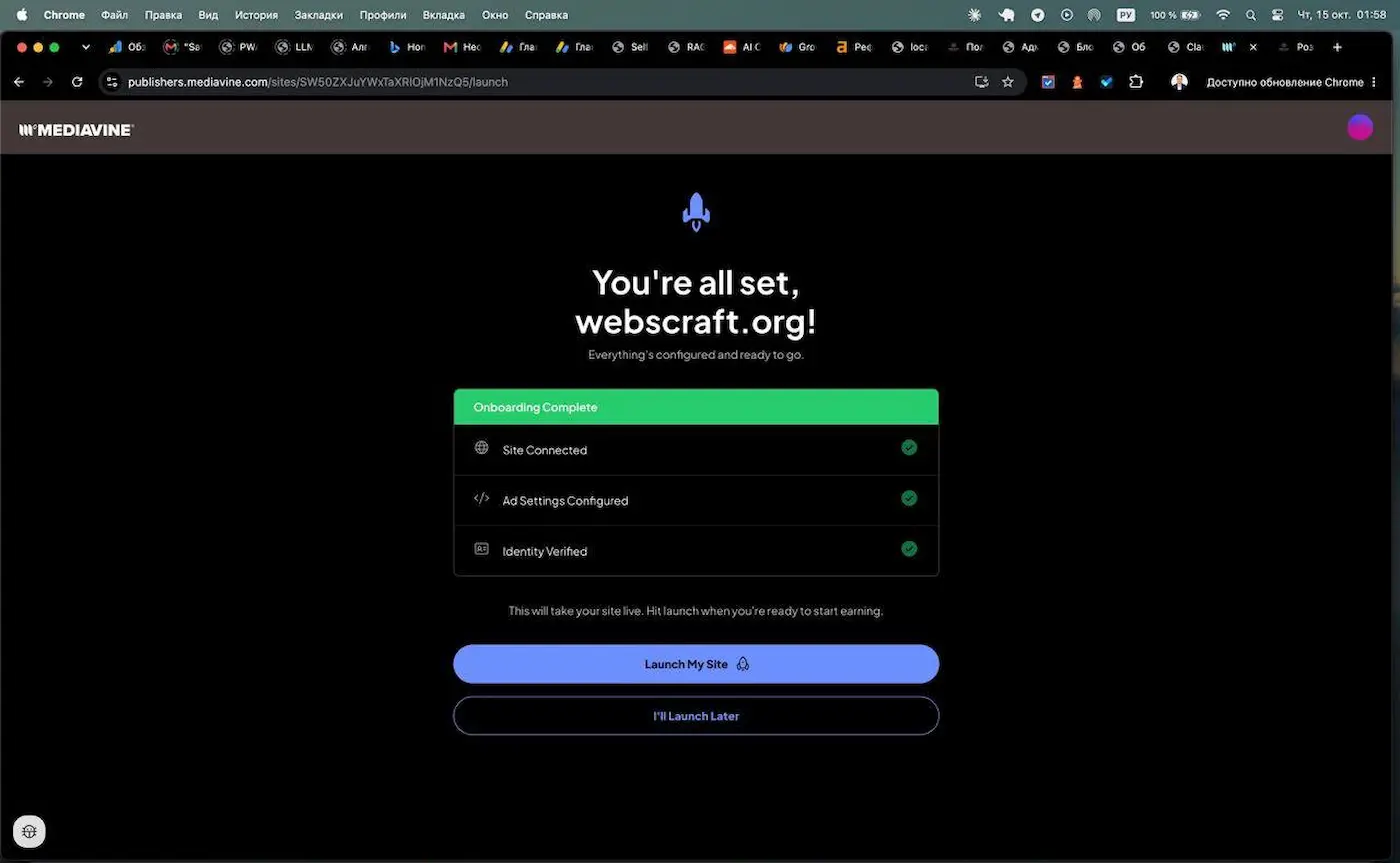
All Mediavine instructions are written for WordPress: install the plugin — and you're done. But if the site is custom-built — on Next.js, Laravel, Django, or, like mine, on Spring Boot — plugins won't help. This article is about the full journey from AdSense rejections to working ads with Journey by Mediavine on a non-WordPress site: with code, checks, and problems that appeared after launch.
Code examples are in Spring Boot and Thymeleaf, but the principle is the same for any stack: scripts in <head>, redirect for ads.txt, remove AdSense code.
⚡ In a nutshell
- ✅ Result: Journey application approved within a few hours, ads have been working since October 15, 2026.
- ✅ What you need: Grow script, connected GA4, Mediavine ad script,
ads.txt via redirect.
- ⚠️ Mandatory: completely remove AdSense code before verification.
- 🛠️ After launch: had to raise floating buttons above the mobile banner and disable the Grow subscription form.
📚 Table of contents
📉 Background: five AdSense rejections
I applied to Google AdSense five times. Each time I received the same email: "We need to fix a few things before we can approve your application." Without any specific reason.
Between applications, I checked and fixed: — privacy policy, ads.txt, content, navigation, etc. I never found out the real reason for the rejections, so I won't make one up.
After the fifth rejection, I looked at alternatives and learned that from January 15, 2026, Journey by Mediavine accepts sites with 1,000 sessions per month instead of 10,000. webscraft.org has about 8,000.
A comparison of the two platforms, their requirements, advantages, and disadvantages is in the article Google AdSense vs Journey by Mediavine: what to choose for your site.
⏱️ Timeline: from Grow to launch
- Created a Grow account and installed the script on all pages.
- Connected GA4 and submitted an application to Journey.
- The application was approved within a few hours.
- Completed onboarding: site data, privacy policy, ad script,
ads.txt, identity verification.
- Clicked "Launch" — ads appeared on the site the same day.
Officially, Journey recommends keeping Grow on the site for at least 30 days before expecting approval. I was approved the same day — likely because GA4 already had traffic history. But this is my case, not a rule.
🧩 Step 1. Grow via Thymeleaf fragment
Grow is a reader engagement tool from Mediavine, and without it, Journey ads won't work. After registering in the Grow dashboard, you'll receive a script to insert into the <head>.
Main tip: don't copy the script into every template. Move it to a single Thymeleaf fragment — later, the ad script will be added there, and everything will be changed in one place.
templates/fragments/ads.html:
<!DOCTYPE html>
<html xmlns:th="http://www.thymeleaf.org">
<th:block th:fragment="ads">
    <!-- Grow by Mediavine -->
    <script data-grow-initializer="">/* your Grow script from the dashboard — unchanged */</script>
</th:block>
</html>
In the <head> of each public template — one line:
<th:block th:replace="~{fragments/ads :: ads}"></th:block>
Nuances:
- insert the script verbatim and do not remove the
data-grow-initializer attribute;
- Thymeleaf does not process the content of
<script> without th:inline, so there will be no conflicts with expressions;
- Grow counts traffic only on pages with the script — add it to all public pages and all language versions, otherwise, there will be fewer sessions than there actually are.
Verification. I checked like this: DevTools → Network → page refresh. faves.grow.me/main.js and app.*.js should load with a 200 status.
A nuance I stumbled upon: on the second page, the files came with the "from disk cache" label — the browser took them from the cache after the main page. This check doesn't show if the script is present on that specific page. To check for sure, enable Disable cache and refresh the page again, or find the data-grow-initializer attribute in the Elements tab within the <head>.
📝 Step 2. Application and onboarding
The application is submitted through Grow or at publishers.mediavine.com/join. A few points I got stuck on:
- New or existing publisher. If you don't have any sites with Mediavine ads yet — new publisher, even if you already have a Grow account.
- Business structure. If you are a private individual without a registered company — Sole proprietorship (no registered entity), and in the company name field, enter your full name in Latin letters. It must match your tax form and payment account.
- Privacy Policy URL. Mediavine requires a valid privacy policy. I provided the English version — it's easier to verify.
- Identity verification. The first attempt ended with an "Error 6". A second attempt a little later went through without problems.
🧹 Step 3. Remove AdSense
At the ad script step, Mediavine directly warns: codes from previous ad partners must be removed before verification, otherwise, it won't pass. Journey is exclusive for display ads.
What to remove from all templates:
- the meta tag
<meta name="google-adsense-account" ...>;
- the
adsbygoogle.js script;
- all
<ins class="adsbygoogle"> blocks;
- inline calls
(adsbygoogle = window.adsbygoogle || []).push({});.
The fastest way to find everything is to search the project:
grep -rn "adsbygoogle\|ca-pub-" src/main/resources/templates/
📢 Step 4. Mediavine Ad Script
During onboarding, Mediavine provides the ad script. Add it to the same fragment, next to Grow:
<th:block th:fragment="ads">
    <!-- Grow by Mediavine -->
    <script data-grow-initializer="">/* Grow script */</script>

    <!-- Mediavine Ads -->
    <script type="text/javascript" async="async" data-noptimize="1" data-cfasync="false"
            src="//scripts.scriptwrapper.com/tags/YOUR-SITE-ID.js"></script>
</th:block>
data-cfasync="false" prevents Cloudflare Rocket Loader from modifying the script — leave it as is;// at the beginning of src is a standard protocol-relative URL, no need to change it to https://;- Mediavine recommends placing the script before the closing
</head>.
After deployment, click Verify Script in the onboarding.
🔀 Step 5. ads.txt as a 301 redirect in Spring Boot
Mediavine frequently updates its list of advertising partners, so you cannot copy their ads.txt to your site – a copy will become outdated. The correct approach is to set up a 301 redirect to the file managed by Mediavine.
I implemented this in code rather than using a Cloudflare rule: this way, the logic is visible in the repository.
@RestController
public class AdsTxtController {

    private static final URI MEDIAVINE_ADS_TXT = URI.create(
            "https://adstxt.journeymv.com/sites/YOUR-SITE-ID/ads.txt");

    @GetMapping("/ads.txt")
    public ResponseEntity<Void> adsTxt() {
        return ResponseEntity.status(HttpStatus.MOVED_PERMANENTLY)
                .location(MEDIAVINE_ADS_TXT)
                .build();
    }
}
Remove the old AdSense line (google.com, pub-..., DIRECT, ...): Google's required entries are already in the Mediavine file.
Verification:
# Should be 301 and have the correct location
curl -I https://your-site.com/ads.txt

# Should show ownerdomain=your-site.com and the journeymv.com line with your site ID
curl -sL https://your-site.com/ads.txt | head -5
If your site is behind Cloudflare, check the cf-cache-status header. DYNAMIC means everything is fine; if Cloudflare is serving a cached old version, perform a Purge Cache for /ads.txt.
🔧 What broke after launch
"Want fewer ads like this one?" placeholders
In the first few days, a Grow banner saying "Want fewer ads like this one? Get Grow Today" appears in place of some ad units. This is not paid advertising but a placeholder for slots where no advertiser was found. These decrease as the system learns from your traffic.
Empty reserved space
Mediavine reserves height for ads in advance to prevent text from jumping during loading. Until the ad unit is filled, it appears as a white rectangle on the dark theme of the site. This cannot be configured in Journey.
Mobile banner overlapped floating buttons
Mediavine displays a "sticky" banner at the bottom of the screen. I had an AI chat button and a "scroll to top" button there, both with bottom: 24px. The solution is to move them above the banner and stack them:
.scroll-top-btn {
    bottom: 120px;   /* above the ad banner */
    right: 28px;     /* centered on the same axis as the chat button (56px vs 48px) */
}

.ai-chat-widget {
    bottom: 184px;   /* 120 + 48 (height of scroll-top) + 16 margin */
    right: 24px;
}

@media (max-width: 768px) {
    .scroll-top-btn { bottom: 100px; right: 20px; }
    .ai-chat-widget { bottom: 160px; right: 16px; }
}
Floating Grow widget
Grow adds floating "save" and "share" buttons. These also overlapped my button, so I moved the widget to the left in Grow's settings. I don't recommend hiding it completely with CSS: Grow is mandatory for Journey.
Grow subscription form in English
Grow automatically inserted an English "Subscribe to WebCraft!" form into articles – on Ukrainian pages and a light version on the dark theme. I disabled it in the Grow dashboard: Subscribe → Forms, toggle the switch next to the form.
What not to do
Never click on your own ads or refresh pages to "check" them. This is invalid traffic for which you can lose your account. More details can be found in the article about anti-fraud.
💰 How much it brings
⏳ Section is being updated. I will publish real figures – RPM per session, revenue, and traffic distribution by country – after the first month of operation.
- 📊 Month 1: [link - coming soon]
I explained how to calculate a forecast for your site in the article Google AdSense vs Journey by Mediavine: what to choose for your site, in the "How much can you earn" section.
✅ Checklist for those who are repeating
- ☐ 1,000+ sessions per month according to GA4 data
- ☐ Grow account, script on all public pages and language versions
- ☐ GA4 connected, application submitted to Journey
- ☐ Valid privacy policy (preferably in English)
- ☐ AdSense and other ad network code completely removed
- ☐ Mediavine ad script in
<head>, Verify Script check passed
- ☐
/ads.txt returns 301 to Mediavine's file
- ☐ Site's floating buttons are not overlapped by the mobile banner
- ☐ Tax form and payout details filled in the dashboard
- ☐ Do not click on your own ads
❓ Frequently Asked Questions (FAQ)
Can Journey be installed without WordPress?
Yes. Grow and the ad script are standard <script> tags, and ads.txt is configured with a redirect on any stack.
Can AdSense be left alongside Journey?
No. Journey is exclusive for display advertising, and leftover AdSense code blocks verification during onboarding.
Is it mandatory to wait 30 days with Grow?
Journey officially recommends keeping Grow for at least 30 days. I was approved the same day, but this is not a guarantee for your site.
Can the Grow widget be hidden?
The Grow script cannot be removed – it is mandatory. The position of the widget and subscription form can be changed in the Grow dashboard; hiding them via CSS is not recommended.
Why is ads.txt via redirect instead of a file copy?
Mediavine regularly updates its partner list. A copy would become outdated, while a redirect always leads to the current version.